Prevent members from canceling their paywall subscriptions
Last updated: August, 2026
Are you looking to control whether members can cancel the paywall subscriptions themselves? We've got you covered. You have the flexibility to allow or prevent members from self-canceling their subscriptions for a specific paywall according to your preferences.
Understanding subscription self-cancelations
As an admin, you can control members’ ability to cancel subscriptions by toggling the Allow members to self-cancel their subscription option within the paywall’s pricing configuration. This feature is exclusive to subscription pricing and can be customized for each paywall.
ℹ️ Note: The option to allow or prevent members from canceling their own subscriptions only impacts members' ability to self-cancel. Admins retain the ability to cancel member subscriptions at any time, regardless of this setting.
💡 Tip: Similar to paid subscriptions, if you are offering a trial for paywall subscription pricing, you can also configure this option in trial settings to control member’s ability to cancel their subscription during the trial period.
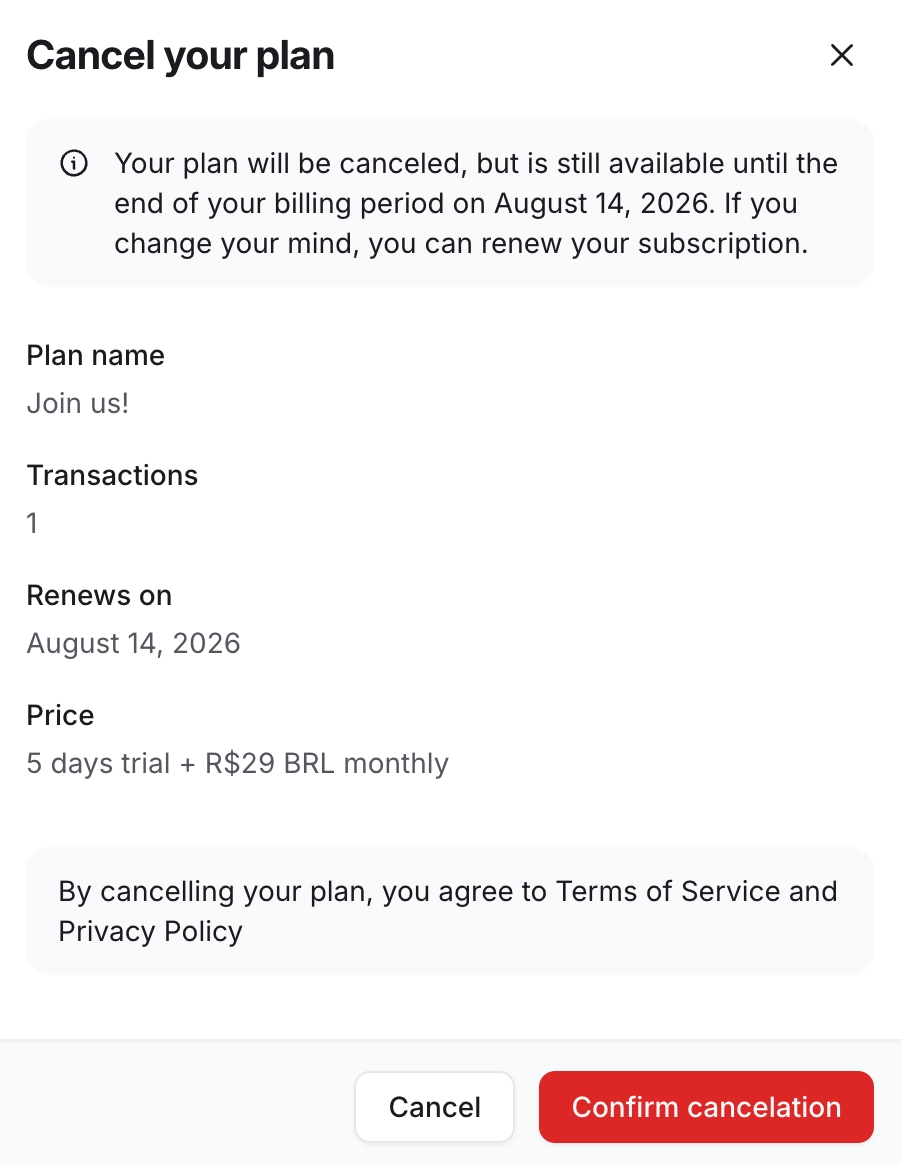
When you've enabled this toggle, members can cancel their paywall membership with subscription pricing from the billing page in their community account. The cancelation will take effect at the end of their current billing cycle.
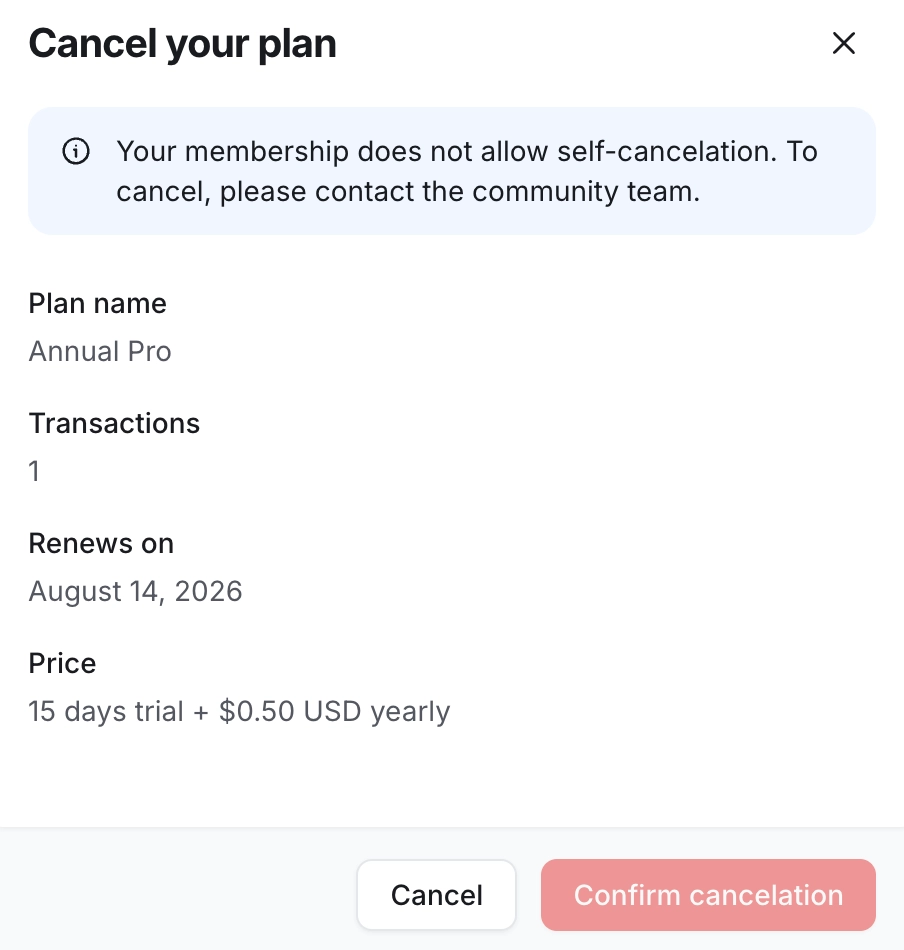
On the other hand, if you disable the toggle, members who attempt to cancel their paywall membership with subscription pricing will encounter a message on the cancelation dialog, to get in touch with the community admin.
Controlling members’ ability to self-cancel subscriptions
To manage this option, follow these steps:
Click Payments on the left sidebar, then select Paywalls.
-
If you are setting up:
-
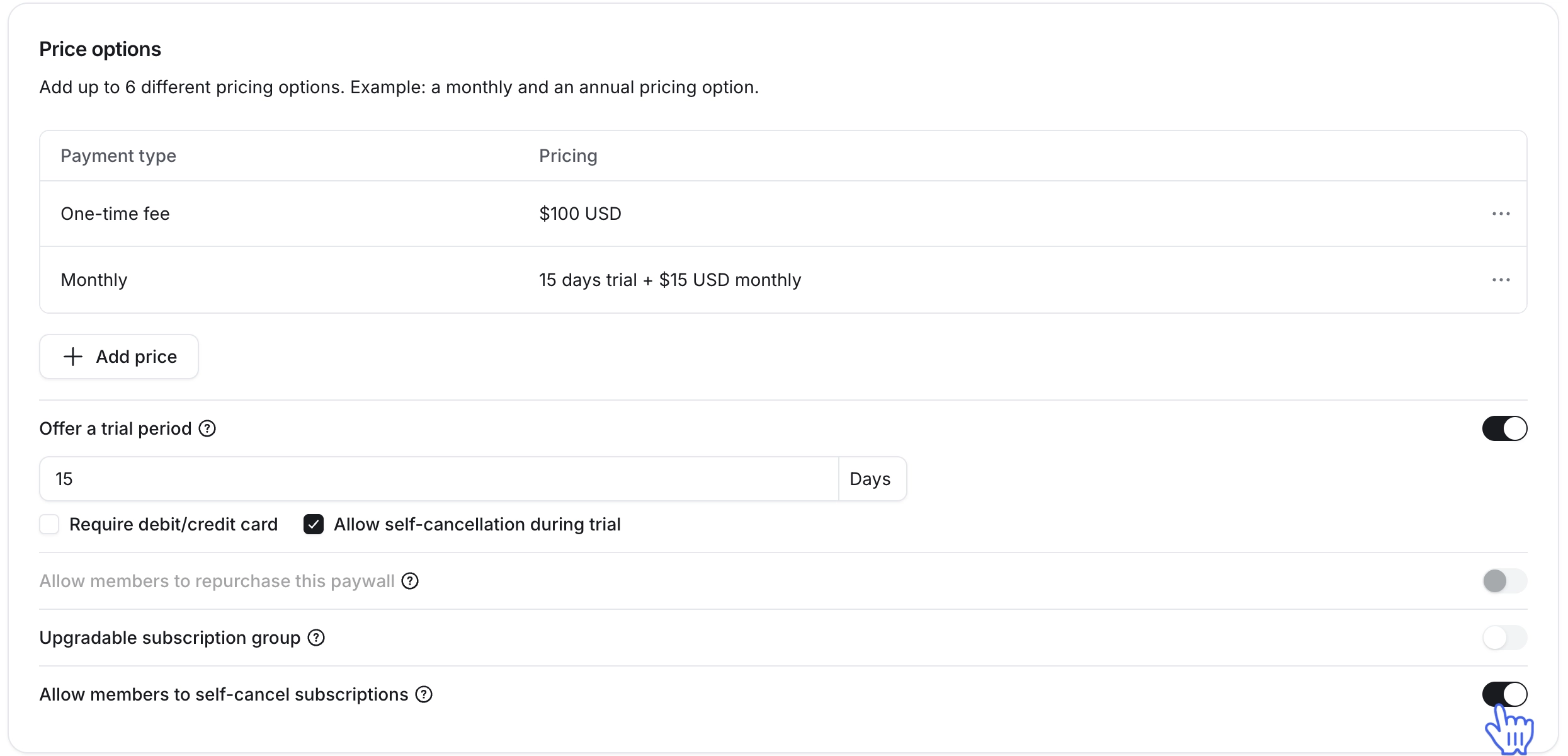
Navigate to the Pricing section in the Product tab. You’ll find the Allow members to self-cancel their subscription toggle here.
-
ℹ️ Note: If you are offering a trial for paywall subscription pricing, you can also control member’s ability to cancel their subscription during the trial period. To allow members to cancel the subscription trial, enable the Allow members to self-cancel subscriptions during trial toggle under the trial configuration. This toggle applies only to subscription pricing.
-
To allow members to cancel their paywall subscription by themselves, turn on the toggle. If you would like to prevent members from canceling the subscription and contact you for it instead, keep it turned off.
Once you have reviewed the pricing setup:
For the new paywall, continue with the remaining setup by clicking Next.
If you have modified this setting in an existing paywall, click Save on the top-right corner.
Once you have saved your changes, this setting will automatically apply to all existing and future paywall purchases.