Add conversion tracking code to paywalls
Last updated: August, 2026
Our conversion tracking code feature allows you to run custom javascript snippets in your paywall thank you page and track successful payments.
🚨 Warning: This is an advanced feature, and we recommend working with your developer to ensure the correct setup.
Add conversion tracking code
To add a conversion tracking code when creating or editing your paywall:
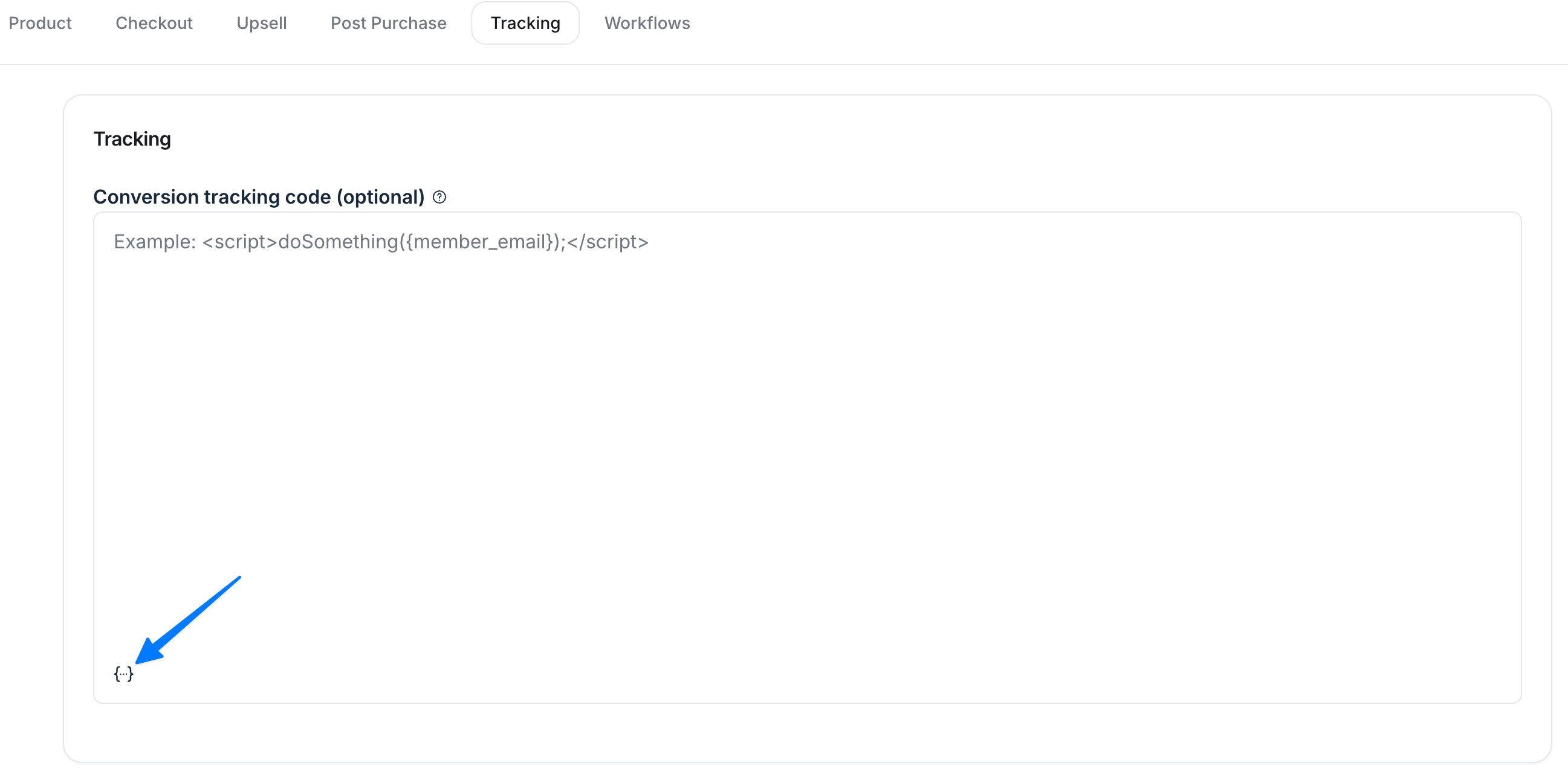
In the paywall setup, navigate to the Tracking tab and add your code in the tracking code field.
-
To add dynamic variables in the code, click the Add variable {…} icon and select an option from the list. In addition to {member_email}, you can add the following variables:
{amount_paid}
{coupon_code}
{paywall_internal_name}
{paywall_display_name}
{paywall_trial_days}
{paywall_price_amount}
{paywall_price_interval}
{paywall_price_type}
Click Save on top-right corner.
Good to know
The <script> tags are required and must wrap your code. Be sure your code is valid and has no runtime issues before you save your paywall. Example code:
<script>
	doSomething(
		console.log("It works!");
	);
</script>
If your scripts include async load statements, you must change them to follow a function pattern. See the following example:
Original async load snippet
<script async src='https://sample.js' data-attribute='ATTRIBUTE_VALUE'></script>Required function load snippet
<script>
(function(a,b,c,d){scriptElement=a.createElement(b),head=a.getElementsByTagName("head")[0],scriptElement.async=1,scriptElement.src=c,scriptElement.setAttribute("data-rewardful",d),head.appendChild(scriptElement)})(document,"script","//sample.js","ATTRIBUTE_VALUE");
</script>
Do you want to set up your own affiliate program?
We offer a built-in affiliate program specifically designed for Circle paywalls in your community. This allows you to build and manage your own affiliate program right within your community. For more information, check out our guide on Affiliates overview.