View commissions earned by affiliates
Last updated: August, 2026
View all your affiliates' commissions for paywall sales in place! In this article, we will guide you through overseeing affiliate commissions for each sale and any recurring payments.
To begin, click Payments in the left sidebar, then select Commissions.
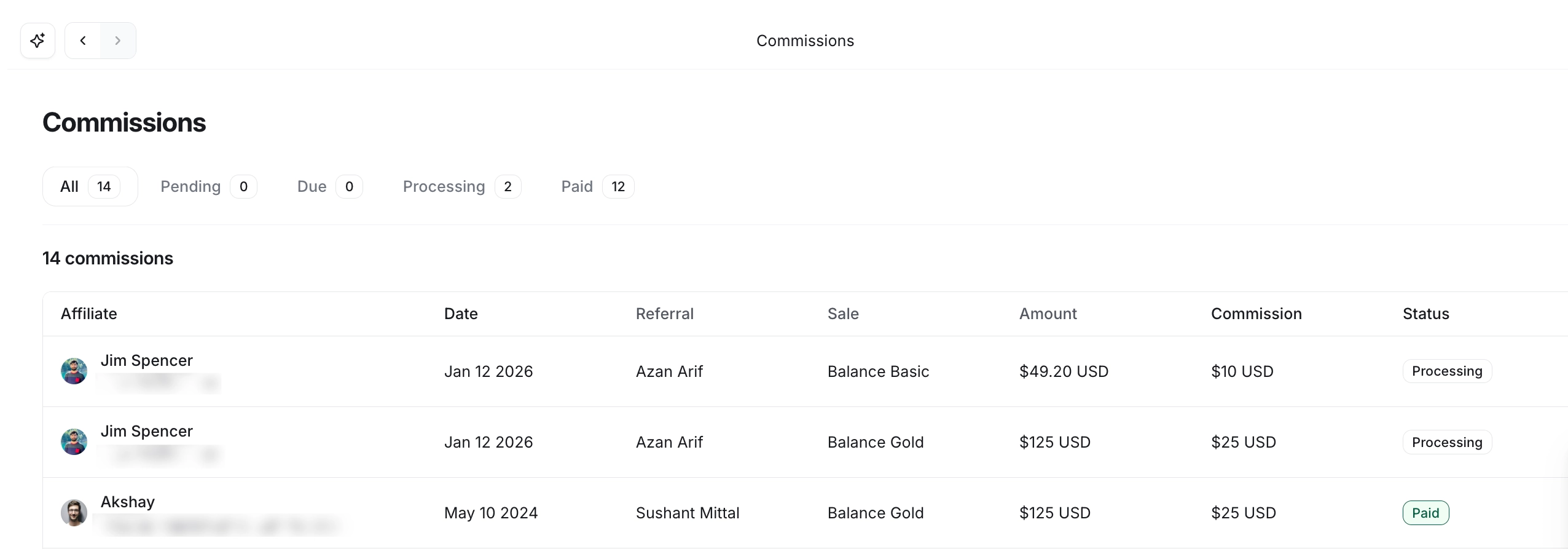
Here, you can see your affiliate’s commissions categorized into various tabs based on their commission status. Within these tabs, you can view details, including:
Payment date
Name of the affiliate
Name of the referral
Paywall
Purchase amount
Commission
Commission status
❗ Important: Commissions and payouts are always calculated in USD, irrespective of the paywall's currency. We ensure accuracy by daily downloading currency exchange rates, and commissions are computed based on this daily rate.
Get to know the commission status
Let’s explore different statuses that a commission can have:
Pending: This status indicates that the commission hasn't yet reached the duration specified in your pending commission length configuration.
Due now: Once the specified pending length has passed for a commission, its status transitions to being due for payout.
Processing: When you initiate the payout process, the commission included in the payouts moves to the processing status.
Paid: This status is displayed on the commission after you've manually processed the payouts and marked it as paid.