Invite affiliates
Last updated: August, 2026
Onboarding affiliates to your program is a breeze. You have the flexibility to invite both non-members and existing members to join your affiliate program.
If you haven’t already, please configure the commission rate and paywalls in the affiliate settings before inviting affiliates. For more information, refer to our guide here.
Key information about inviting affiliates
Before getting started, let’s take a look at how invitations work for existing and new members.
Inviting existing member
After you have invited affiliates, they will receive an email inviting them to join the program. In addition, they will also receive in-app notifications in their inbox tab. Since they are already a member of your community, they can just click the notification to finish the onboarding for the program.
Inviting new member
When inviting non-members to your affiliate program, they will also be invited to your community as members. New members receive an invitation in their email. In the email, they can click Accept invitation to create their community account and set up their profile first.
Once they have successfully signed in, they can navigate to their Affiliate dashboard to complete program onboarding.
ℹ️ Note: Initially, new members only gain access to spaces you've specified in the Default space access in your onboarding settings. You can, however, adjust their access at any time from their member account. For more details on updating member accounts, see Update a member account.
Invite affiliates
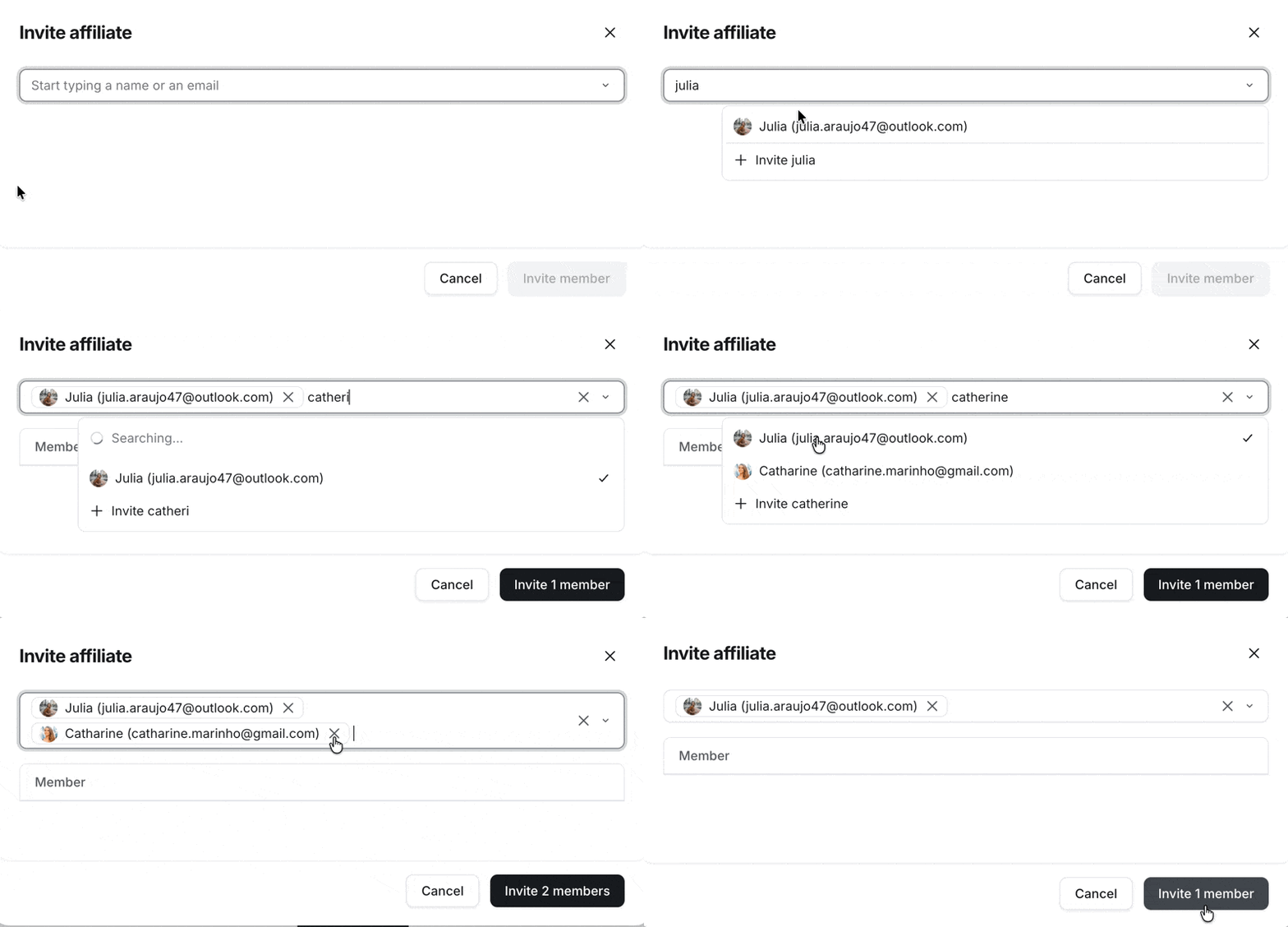
To invite a member to become an affiliate:
Click Payments in the left sidebar, then select Affiliates.
Click Invite affiliate.
To invite an existing member, type the member's name and select from the list.
To invite non-members, type the email address of the person you would like to invite to your community as an affiliate and press Enter.
Click Invite member to send out the invitation.
If you accidentally add the wrong member or email address, click the X icon next to their name to remove them.
Resend affiliate invitation
If your affiliate hasn’t accepted the invitation yet, you can resend the invitation email from the affiliates page.
To resend an invitation:
Click Payments in the left sidebar, then select Affiliates.
Hover over the affiliate entry, click More actions (three dots) and select Resend invitation.
If your affiliate is having trouble finding the email, you can ask them to check their spam folder or search all their emails for keywords like Affiliate program.
📚 To guide affiliates through onboarding the program, please refer to the following articles: