Join the affiliate program
🟡 Affiliate-focused article | Last updated: October, 2026
Congratulations on being invited as an affiliate! In this article, we'll walk you through a step-by-step guide to help you set up your affiliate account and kickstart your affiliate journey.
Let’s take the following steps to complete the affiliate onboarding. If you are an existing member of the community, please skip step one in this guide.
Step 1: Join the community (for new members)
Once the community invites you to join the affiliate program, you will receive an email with a link to accept the invitation.
To join the community:
Head to your mailbox, open the invitation email, and click Accept invitation.
-
If you do not have an existing account under the same email with any other community on Circle: You will be taken to the join community page.
Enter your full name, email, and password. Select the checkbox to agree to sign up terms. Once you have filled in all the information, click Accept invitation.
If you already have an existing account under the same email with any other community on Circle: You will be redirected to the login page. Use your email and existing password for the Circle account and click Sign in.
-
Now, on the profile creation page, you can choose to:
Enter your profile details and click Continue.
Skip this step to do it later by clicking Skip.
Step 2: Set up your affiliate account
Welcome to the affiliate program! Once you’re inside the community, click your profile icon in the community header and select Affiliate.
To complete the onboarding for the affiliate program, we recommend setting up your payout information first.
Click your profile photo in the community header and select Affiliate.
-
On the Affiliate page, click Enter email.
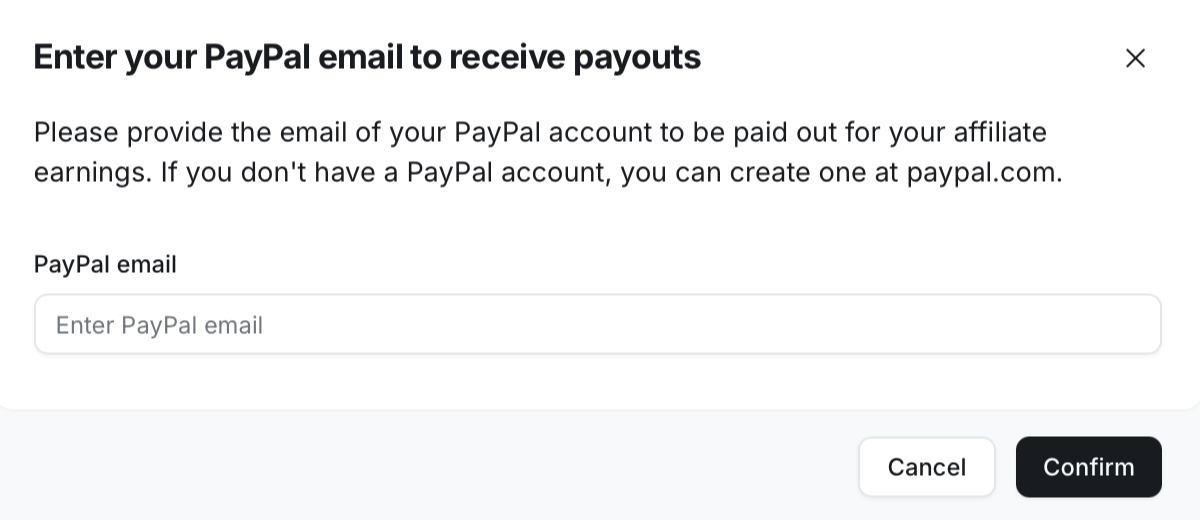
Add your email address for the payout provider account specified by your community admin.
-
If you don't already have an account with the payment platform, you can create a new account by following the link in the dialog.
Double-check that your email is accurate, and then click Confirm.
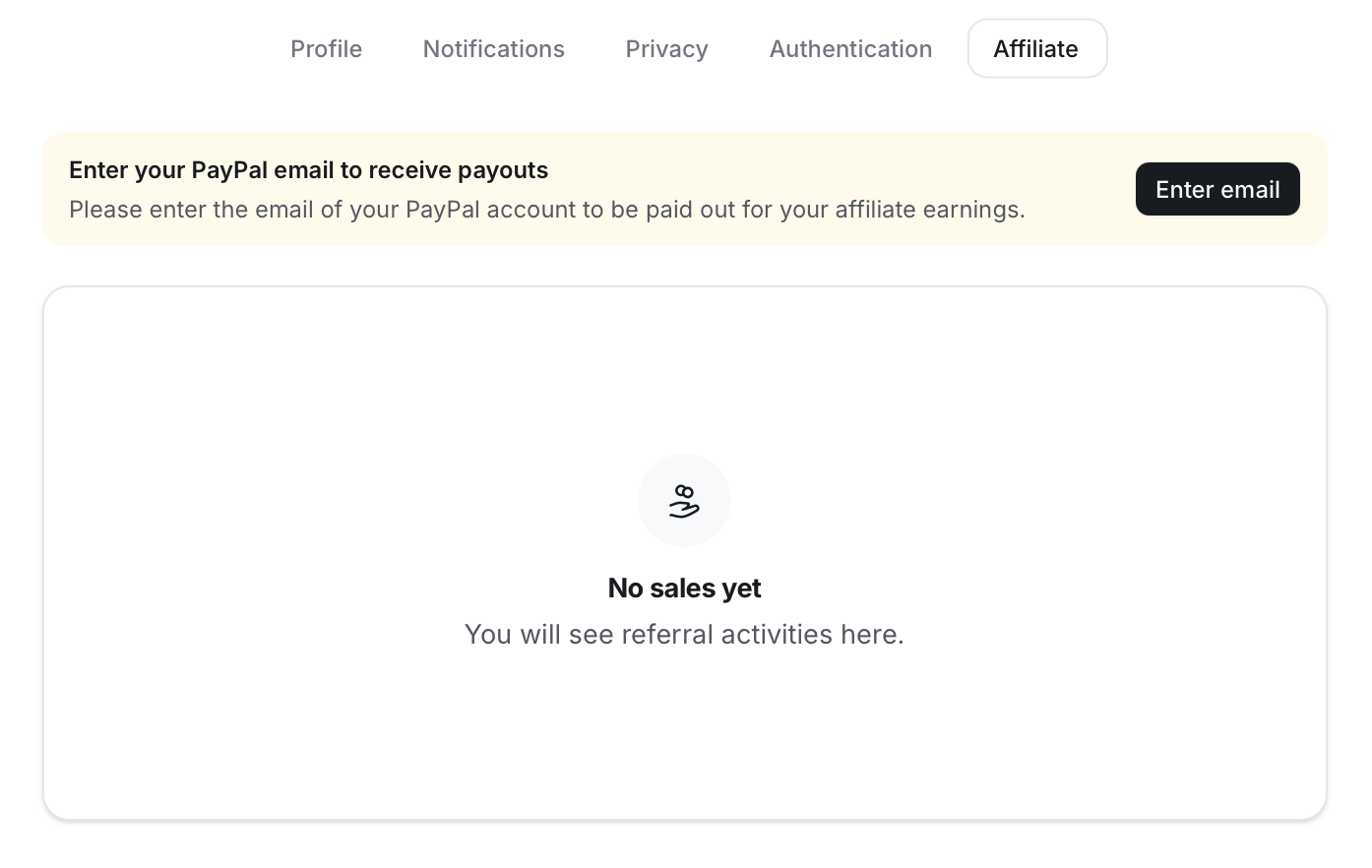
Once you have confirmed the email, we will start tracking visits and conversions for the links shared from your affiliate dashboard.
You're all set! Now, it’s time to start sharing your referral links! To learn more about sharing the links and tracking your commissions, please refer to this guide.