Update the affiliate program
Last updated: August, 2026
You can make changes to your affiliate program at any time. This article covers what to know before you do, and how to update your settings.
Key things to know about updating the affiliate program
When you are modifying the existing commission and paywall configuration, we recommend reviewing the following information:
Commission rate: If you change the reward type, commission amount, or pending commission length, it will affect only future conversions. Existing conversions and payments will remain under the previous settings.
Limit number of recurring commissions: Enabling or updating this limit applies to existing conversions as well. If an existing conversion with recurring payments has reached it, no commissions will be calculated for future recurring payments.
Paywalls: Any changes you make to paywalls appear immediately in your affiliates' dashboards. If you choose to remove a paywall from the program, it will no longer track new conversions.
Update the affiliate program
Click the community name or logo (or the dropdown icon next to it) in the top-left corner and select Settings.
Scroll down to the Payments section and select Affiliates settings.
If you need to change the commission rate, adjust the fields as needed in the Commission rate section.
-
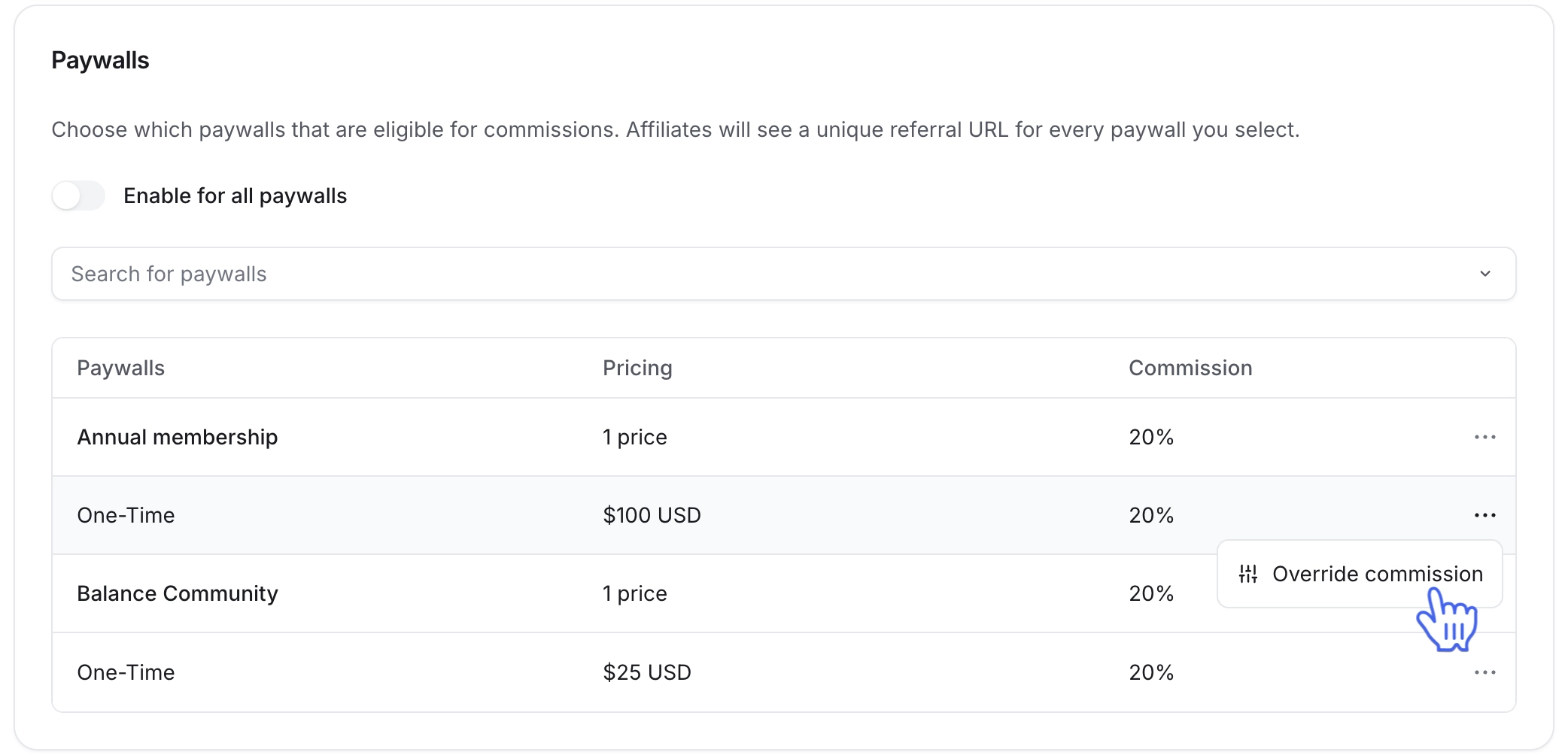
To modify the paywalls list, make these changes in the Paywalls section:
To include all paywalls in the program, turn on the Enable for all paywalls toggle.
To add a new paywall, click the dropdown icon next to the search bar. Select your desired paywall from the list of available options.
To remove a paywall from the program, click More actions (three dots) and select Remove paywall.
-
To make adjustments to the commission rate for a specific paywall or its price, hover over the paywall name or one of the prices, click More actions (three dots) and select Override commission.
To reset the overridden commission rate, hover over the paywall name or the price, click the More actions (three dots) icon and select Reset commission.
Click Save changes.