Deactivate affiliates
Last updated: August, 2026
You can deactivate any affiliate from the program, whether it's for program restructuring or other administrative reasons. This article will guide you through important aspects of affiliate deactivation and how to process it.
Key things to know about deactivating an affiliate
When deactivating an affiliate from your affiliate program, it's essential to know the implications of this action. When you deactivate the affiliate from your program:
Tracking referrals: Future visits, leads, and conversions linked to the affiliate are no longer tracked.
Commissions: Commission calculations stop for any upcoming recurring payments tied to existing referrals of the deactivated affiliate.
Referral links: The affiliate's dashboard will no longer display their referral links.
Access to the affiliate dashboard: If the affiliate does not have any existing commission in due, pending, or paid status, they will not be able to access the dashboard anymore.
Existing commissions: Any pending or due commissions accrued until the deactivation point remain visible to the admin and affiliate in their respective dashboards.
Payouts: You will still be able to access any due commissions for deactivated affiliates and process them via your payment provider.
Deactivate an affiliate
Click Payments in the left sidebar, then select Affiliates.
-
Hover over the affiliate entry, click More actions (three dots) and select Deactivate.
In the Deactivate affiliate dialog, click Confirm.
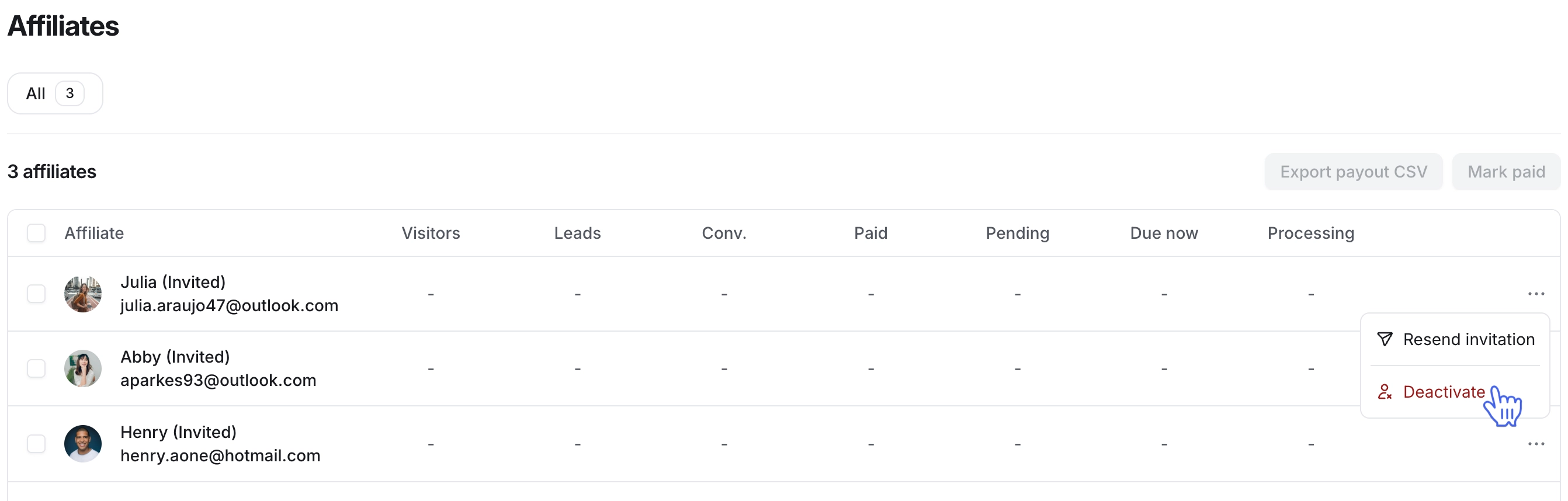
Upon deactivation, the affiliate entry will automatically move to the bottom of the affiliate list, and you’ll notice a Deactivated status next to their name.
Re-enroll an affiliate
You can re-enroll the affiliate in your community anytime. To re-enroll the affiliate:
Click Payments in the left sidebar, then select Affiliates.
-
Hover over the affiliate entry, click More actions (three dots) and select Re-enroll.
In the Re-enroll affiliate dialog, click Confirm.
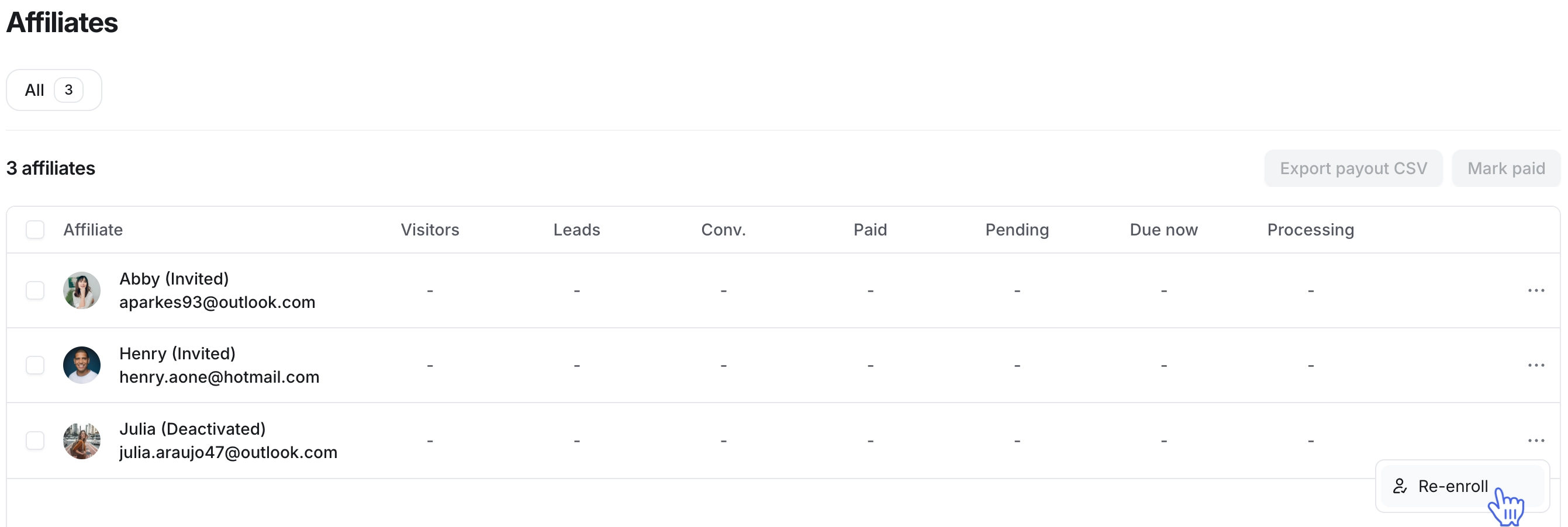
Upon re-enrollment:
The affiliate will regain access to their referral links in the Affiliate dashboard.
Tracking for future visits, leads, and conversions associated with the affiliate will resume.
Commission calculations for future recurring payments from the existing conversions will resume according to your Limit number of recurring commissions setting.