Assign a community member as an event host
Last updated: September, 2026
Would you like to have your community member take charge of an event? You can easily assign your member as a host when creating or editing a one-time or recurring event. The best part is that your presence is not required, as your chosen host will be fully equipped to manage and lead the event.
💡 Tip: Event space members can also create their own events when permitted by admins from event space settings. To learn more, please see Allow your members to create events.
When a member is assigned as a host, they have similar capabilities to manage the particular event. Here’s what a member can achieve as a host:
Update basic event information, event schedule, and location configuration.
Manage attendees and post details.
Update event notifications and advance settings.
With Circle live stream or room location, go live and manage the live session.
Delete the event.
ℹ️ Note: If a member is assigned as the host of an event, the admins and moderators of the event space can still manage the event.
Let’s take a look at the steps to assign an event host when creating or editing an event:
Click Community in the left sidebar, then select Spaces.
Click the space name to open the event space.
Click New Event, or click More actions (three dots) next to the existing event and select Edit event.
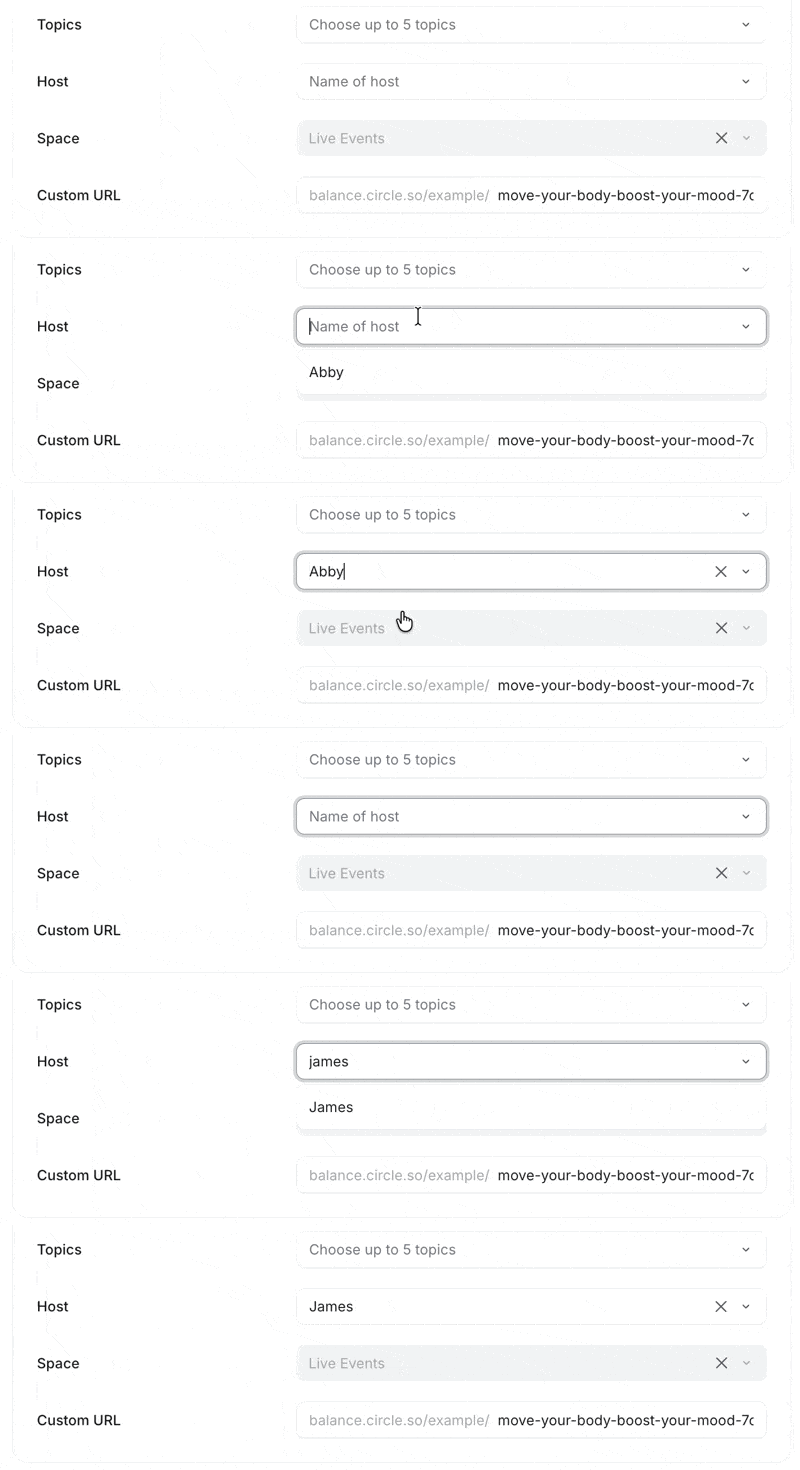
Navigate to the Basic info tab. Under the Event details section, click the Host field, and type the name of a member.
-
From the dropdown menu, search for the member to assign them as a host. If the member is not already part of the space, they will be automatically added to it.
-
If you are creating a new event, proceed to the next section and publish the event once it is ready. If you are editing an existing event, click Save.
ℹ️ For recurring event series, you will be prompted with the option to apply this change to only this event, this and following events, or all events of the recurring event series.
ℹ️ Note: The member can only manage and host the event after it has been published in the space.
Have you assigned a member to host a Circle live event?
If you have assigned a member to host an event using Circle's live stream or room feature, you can guide them through the steps by referring to our article on Hosting Circle live events.