Use dynamic variables to personalize messages and emails
Last updated: February 26, 2026
Personalize your member’s experience by using dynamic variables to automatically insert details like names, product names and prices or event details such as dates, times and locations.
In this article, we’ll explore what dynamic variables are and how they’re used in communication across your community.
About dynamic variables
Dynamic variables are placeholders you add to a message that Circle replaces with real information when it’s sent.
For example, instead of writing Hey there! in an automated message, you could write Hey {{member.first_name}}! When the message goes out, Circle automatically fills in the member’s first name, so it appears as Hey Jordan!
The value is pulled from the member’s profile or from the context of what’s happening, such as a paywall purchase or event reminder, so you don’t have to enter it manually.
Availability
Dynamic variables are supported through communication channels within the community such as:
Automations (Email and Direct message actions): Insert dynamic variables into Email and DM actions to personalize the automated messages sent to your members. Learn more about adding dynamic variables in Direct message actions through the provided link.
Email broadcasts: Personalize your email broadcasts with dynamic variables for group updates or reminders. To learn more about how to add variables to your email, please see our guide here.
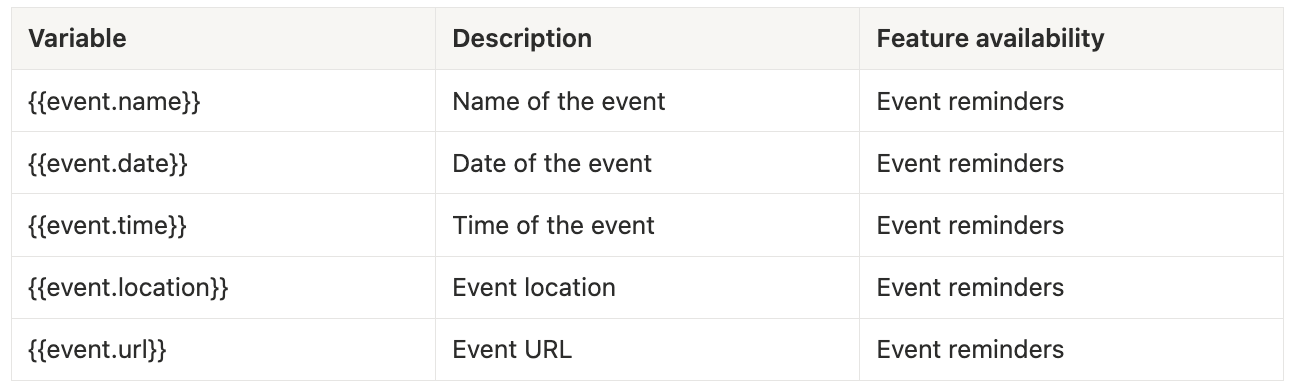
Event reminders: Customize email reminders with details like the event location or URL to boost attendance. Please see our guide for more information on setting up custom event reminders.
Drip course notifications: Make drip-course introductions feel more personal by using dynamic variables to address members by name and mention the section name or URL. Learn more about customizing notification emails for drip courses at the provided link.
Supported variables
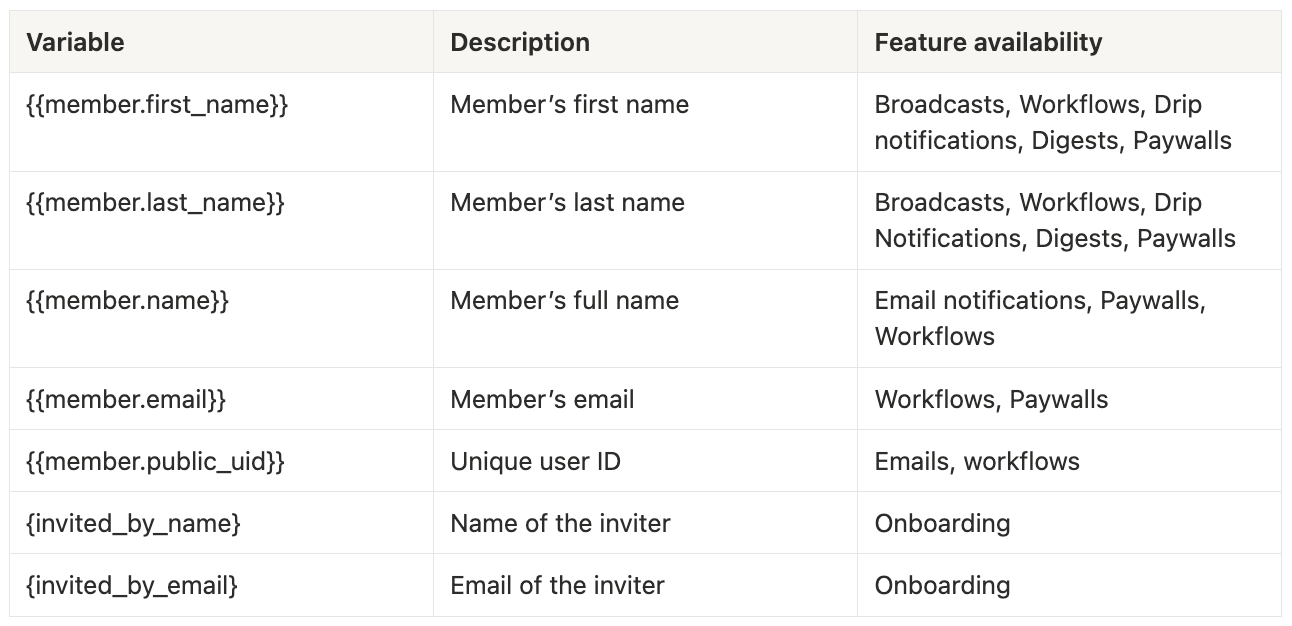
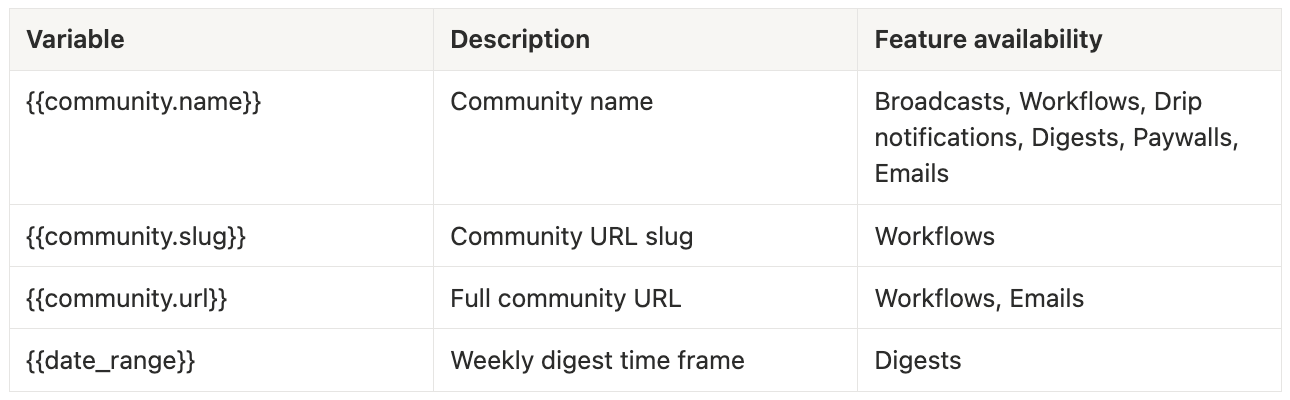
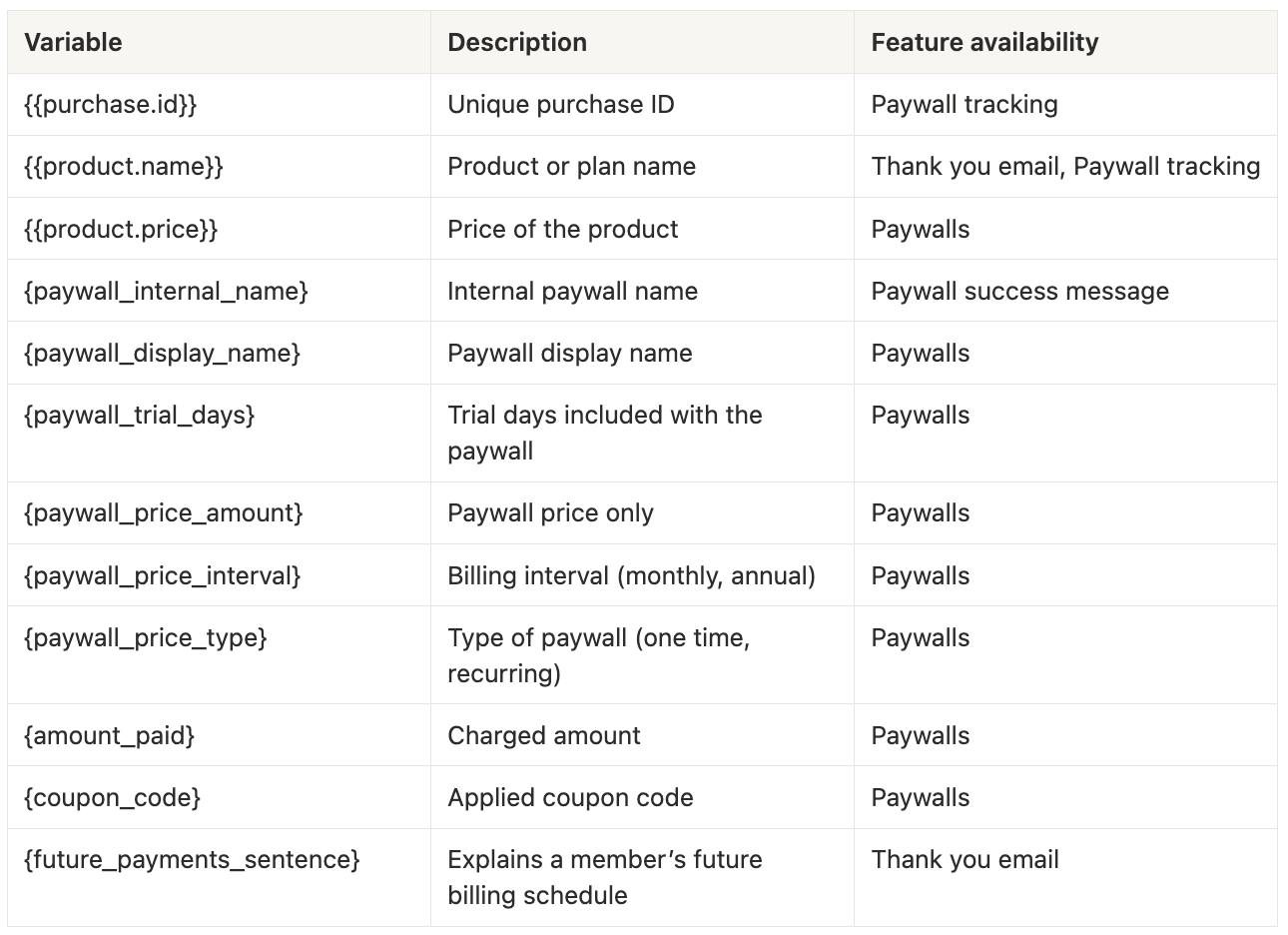
Use this section as a reference to find all the available dynamic variables by feature.
Members
Community
Paywalls
Events
Courses
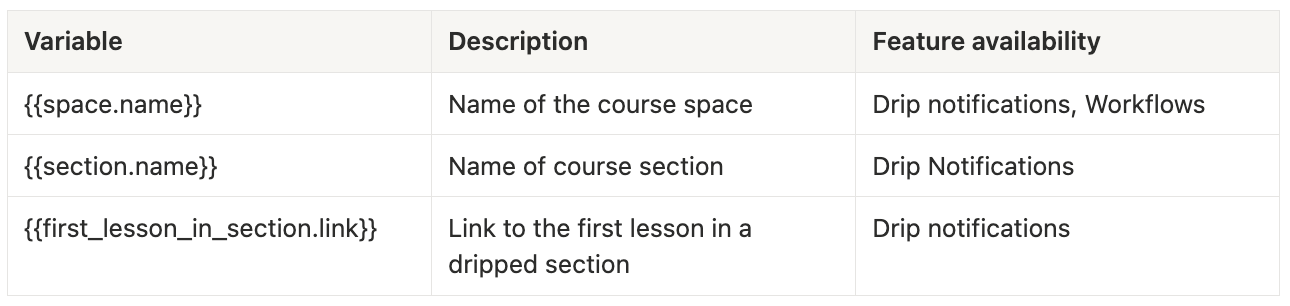
Spaces
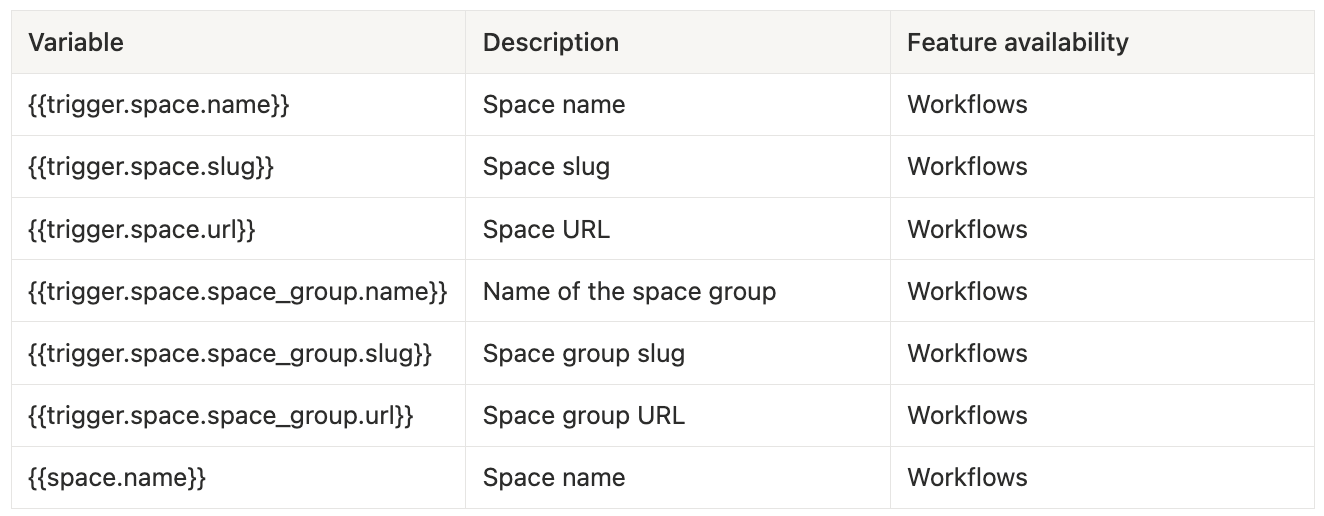
❗️Important: Variables are case-sensitive and must include the correct braces. Even a small change can prevent them from working.