Understanding invite access and paywall access
Last updated: February 03, 2025
This guide will help you understand the two types of access Circle offers when welcoming new members to your community: invite access (free) and paywall access (paid).
Before you learn about access types
Before diving into access types, it's essential to understand the different ways you can grant access to new or existing members.
Ways to grant access
There are several entry points you can utilize to add new members, as well as other methods to provide access to existing members. This includes:
Invites (individual or bulk invitations)
Invitation links
Having open spaces that allow members to join
Default access through onboarding settings
Manually granting access to specific spaces and space groups to existing members
Providing paywall trials via invites
Manually creating a subscription on behalf of an existing member
Paywall purchases
Methods of configuring access
When configuring various entry points for new members or manually granting access to existing members, you can configure access via one of the following:
-
Manual space access: This involves manually assigning access to spaces and space groups. This is basically any manual space grants provided without using access groups.
When setting up entry points, use the Space access option to provide legacy space access. Note that this option is only available in entry point setups for communities created before January 29, 2025.
Access granted using the Space access option appears under the Manually added section within the Access tab of a member’s profile.
💡 Tip: If admins or moderators manually grant access directly from a space or a member’s profile, it also appears under the Manually added section.
-
Access groups: Access groups allow you to predefine which spaces (and space groups) members can access when added to the group.
When setting up entry points, use the Access groups to provide access via specific groups.
You can also provide access to groups directly from a member profile or access group setup.
The above determines whether a member receives invite access or paywall access. Now, let’s walk through invite access and paywall access to help you make informed decisions about granting access to your members.
Invite access
Invite access gives individuals free, lifetime entry to designated spaces in your community. Members retain this access until they voluntarily leave or an admin removes them. It’s especially useful for onboarding members into non-paywalled spaces of your community.
Explore ways members can receive the invite access:
Community invites
Circle provides multiple invitation methods (entry points) to grant members access to your community spaces. By default, this access is provided via invite access, unless you specifically configure access through a paywall trial when configuring built-in invitation entry points.
Community invite entry points include:
Open spaces
When any community space has the space access set to Open, non-space members can see the content and can voluntarily join at any time. This provides them space access through invite access.
Even if you remove them from the space but keep the space access Open, they can rejoin it by themselves at any time.
Default access through onboarding settings
In your onboarding settings, you have the option to set default access, which allows you to automatically provide free entry (via invite access) to spaces when a new member joins the community, regardless of how they signed up for the community.
📚 For an in-depth guide on managing the default space access setting, please see Automatically grant free access to spaces when members join your community.
Granting access to existing members
You have the flexibility to add your existing community members directly to your spaces and space groups anytime in your community.
Let’s take a look at the following methods that are considered invite access:
Adding existing members to space or space group: When you add your existing members directly to specific spaces or space groups via methods that do not include paywalls, they gain invite access. For an in-depth guide on this, see Add existing members to spaces or space groups.
Granting access via member profile: When you add spaces or space groups access via the Access tab when editing a member’s profile, this member will receive the invite access to these spaces. For more information, see Update a member account.
Paywall access
Paywall access grants individuals entry to spaces specified in the paywall's access configuration upon purchasing a paid or trial paywall. This access is directly linked to their paywall membership and is automatically revoked upon the end of their paywall membership or failed payments based on your failed payment configuration.
Let’s take a look at the methods that provide this access:
Paywall checkout URL
When a new or existing member purchases a paywall or starts a paywall trial using the checkout URL, they gain paywall access to spaces included in the paywall.
Paywall trials via community invites
When using one of our built-in invitation entry points, you have the option to create a trial for new or existing members. This provides them with access to paywalled spaces via paywall access.
Manual subscription creation
When you create a paywall subscription for an existing member directly from their profile, they are granted paywall access to spaces included in the paywall.
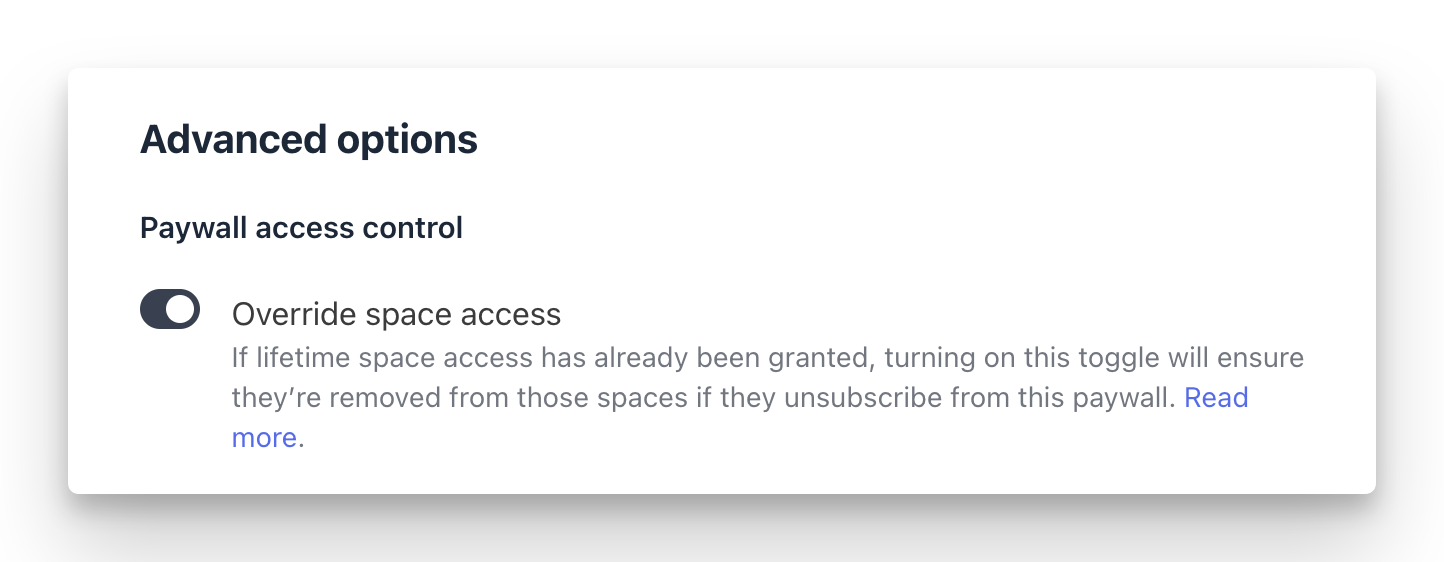
While creating a subscription, we highly recommend enabling the Override space access toggle. This option replaces any previous invite access the member might have had for the same spaces with the paywall access granted through this new paywall subscription.
Understanding access conversion rules
As we learned earlier in this article, members can get access to spaces controlled by one of the following access types:
Invite access (free)
Paywall access (paid)
We've implemented some safeguards to manage instances where both types of access are unintentionally provided to the same spaces or space groups via different entry points.
For instance, Amy already has access to Space 1 via invitation. Later, she gains access to Space 1 again by purchasing a paywall membership. In this case, the system ensures that the paywall membership takes precedence, meaning Amy’s access to Space 1 is now managed automatically through her membership.
The following sections outline how access to the same space given through the above-mentioned methods automatically transitions to a different access type under various scenarios:
Converting members’ invite access granted via “manual space access” to paywall access via “manual space access”
Converting members’ invite access granted via “access groups” to paywall access via “access groups”
Converting members’ invite access granted via “manual space access” to paywall access via “access groups”
Converting members’ invite access granted via “access groups” to paywall access via “access groups” with overlapping spaces
Converting members’ invite access granted via “manual space access” to paywall access via “manual space access”
If a member has the invite access to certain spaces given through the manual space access and then gains paywall access to those same spaces via manual space access you have set in the paywall configuration, the paywall access takes precedence. This ensures that the paywall manages the member’s access to those spaces moving forward.
For example, let’s say:
James initially received the invite access to Spaces A, B, and C via the manual space access method when invited to the community.
Later, James purchased a paywall that included Spaces B, C, D, and E.
In this case:
James’s access to Spaces B and C will be converted from invite access to paywall access and controlled by paywall membership.
The paywall also grants him paywall access to Spaces D and E.
If James loses his paywall membership, he will lose access to Spaces B, C, D, and E. However, he will retain access to Space A (from his original invite access).
Converting members’ invite access granted via “access groups” to paywall access via “access groups”
When a member with invite access to an access group also gains access to the same group via a paywall, the paywall will control their access going forward.
Example:
Olivia was granted invite access to Access group 1 when she was invited to the community.
Later, Olivia purchased a paywall that gave her access to Access group 1.
Now, her access to Access group 1 is managed by the paywall. When her paywall membership ends, she will lose access to the group entirely.
Converting members’ invite access granted via “manual space access” to paywall access via “access groups”
There can be scenarios where you used the manual space access method to provide access to certain spaces or space groups, and now members purchase a paywall membership that grants them access using access groups.
When this happens, any space access member received earlier via invite access, if also part of the access group they will get access to via paywall, that space will now be controlled by the access group and paywall access.
Example:
Will was granted invite access to Spaces 1 and 2 when he was manually added by admin to those spaces directly. These spaces appear under the Manually added section within the Access tab in the member’s profile.
Later, Will purchased a paywall that granted him access to Access group 1. This Access group 1 includes access to Space 1.
As a result:
Space 1 will be moved from the Manually added section to Access group 1. This Access group 1 is controlled by a paywall, so if Will’s paywall membership ends, he will lose access to Access group 1, including Space 1.
Will’s access to Space 2 (from his original invite access) will remain as is under the Manually added section.
Converting members’ invite access granted via “access groups” to paywall access via “access groups” with overlapping spaces
In some cases, spaces overlap between different access groups. When this happens, it’s important to note that the invite access to paywall access conversion happens differently.
For example:
Access group 1 includes Spaces A, B, C, and D.
Access group 2 includes Spaces C, D, E, F, and G (Spaces C and D overlap).
Let’s say Olivia has invite access to Access group 1, which gives her access to Spaces A, B, C, and D. Later, she purchases a paywall that gives her access to Access group 2.
In this scenario:
Olivia’s paywall access grants her access to only Spaces E, F, and G from Access group 2. Her access to Spaces C and D remains under Access group 1.
If Olivia ends her paywall membership, she will lose access to Access group 2 (Spaces E, F, and G) but retain access to Access group 1 (Spaces A, B, C, and D) from her original invite access.
To keep invite access and paywall access distinct, consider creating access groups specifically for paywalls. Alternatively, ensure that access groups dedicated to the paywall do not contain overlapping spaces that are also present in access groups meant for non-paywalled access (via invite access). This approach minimizes conflicts and ensures a clear separation between free and paid access.