Share a paywall checkout link with a pre-selected price
Last updated: September, 2026
You can share a paywall checkout URL that opens with a specific price automatically selected. This is especially useful for one-off promotions or for easily directing members to a specific price. It doesn't affect the currently preferred price configured in the paywall’s settings.
Copy a link with a pre-selected price
To copy a checkout URL with a pre-selected price:
Click Payments in the left sidebar and then select Paywalls.
Click the More actions (three dots) icon on a paywall entry and select Edit.
Select the Product tab and scroll down to the Price options section.
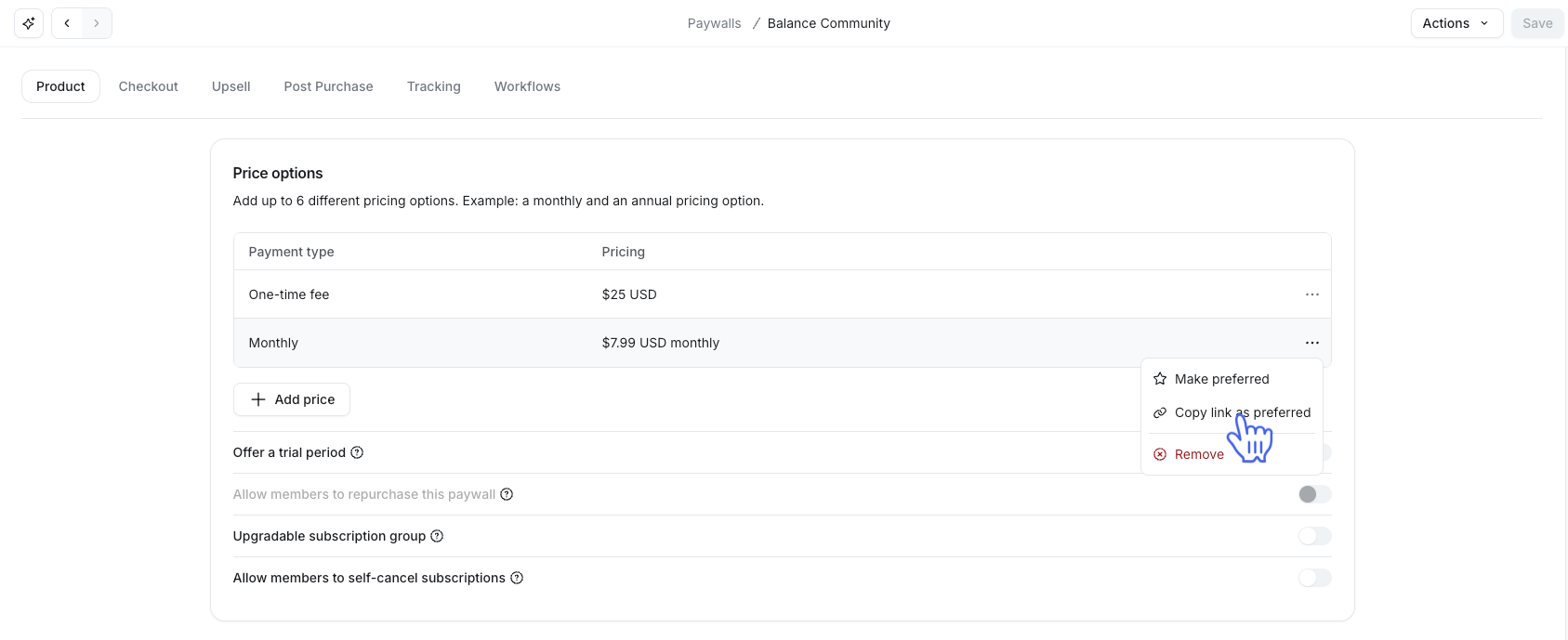
Click the More actions (three dots) icon next to the price you’d like to pre-select.
-
Select Copy link as preferred.
ℹ️ Note: This option is different from Make preferred, which changes the price selected by default for everyone who visits the paywall. The Copy link as preferred option only affects the one link you share; your paywall's regular preferred price stays the same.
❗️Important: Sharing a link with a pre-selected price doesn't hide other pricing options at checkout. Members can still see and select a different option if they choose.