Update members' profile fields with Circle API or Zapier endpoints
Last updated: May 22, 2023
You can use Circle’s API or Zapier endpoints to update profile field data for members of your community.
💡 Tip: You can also add profile field data when inviting new members to your community via the Invite member endpoint in Circle’s API or Zapier.
Circle API
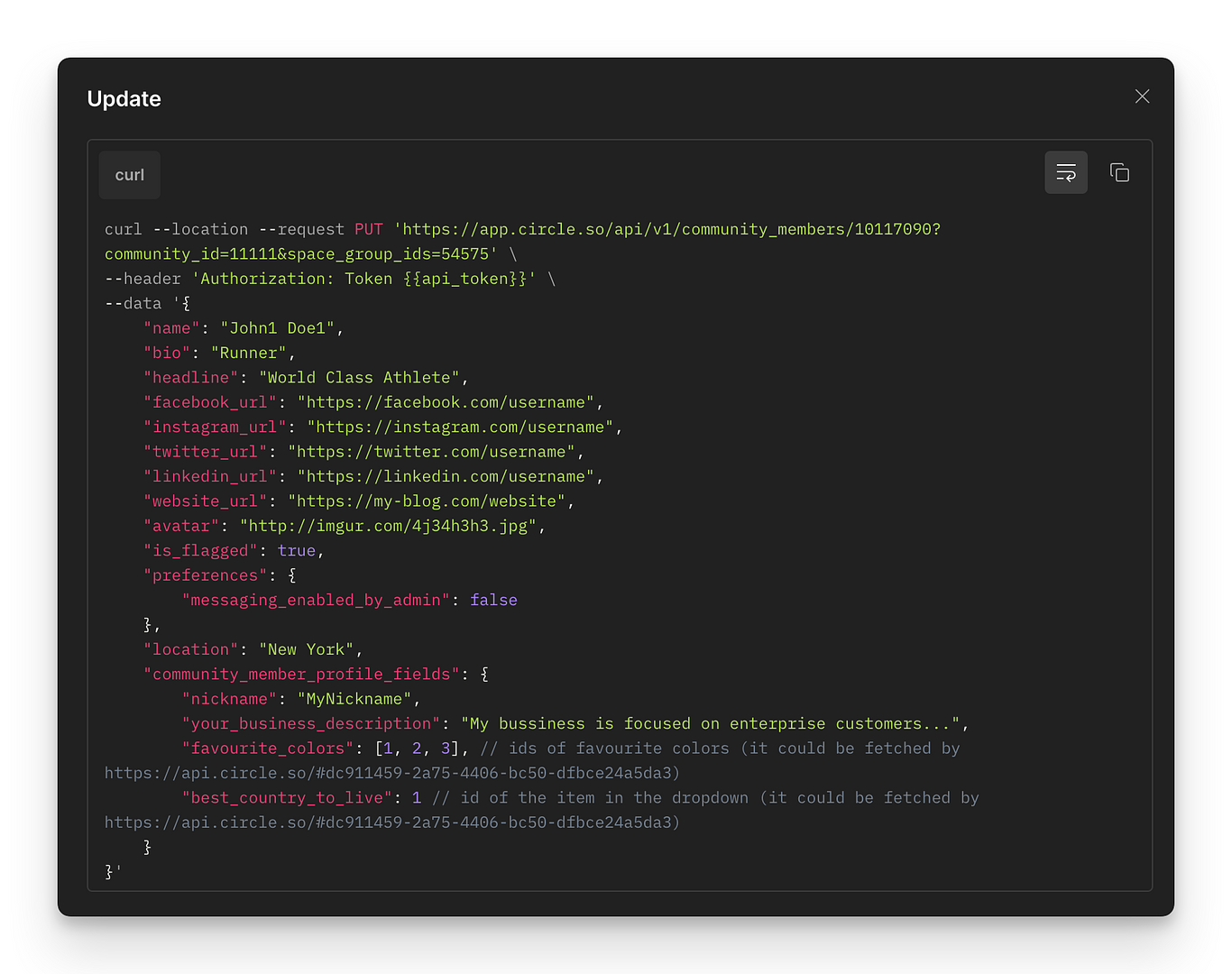
To update members' profile fields using API requests, go to our API documentation. In the left sidebar, click Members and select PUT Update. Use the PUT method in Members API, which lets you update existing community members, including their profile fields.
💡 Tip: Check out the Notes section in our API documentation for additional information about this endpoint.
See the following example of the Update request.
Zapier
You can also set up automation in Zapier to automatically update members’ profile field data based on a specific trigger.
To achieve this, do the following:
Create a new Zap.
Set up your trigger.
For action, choose the Circle app and select the Update Member event.
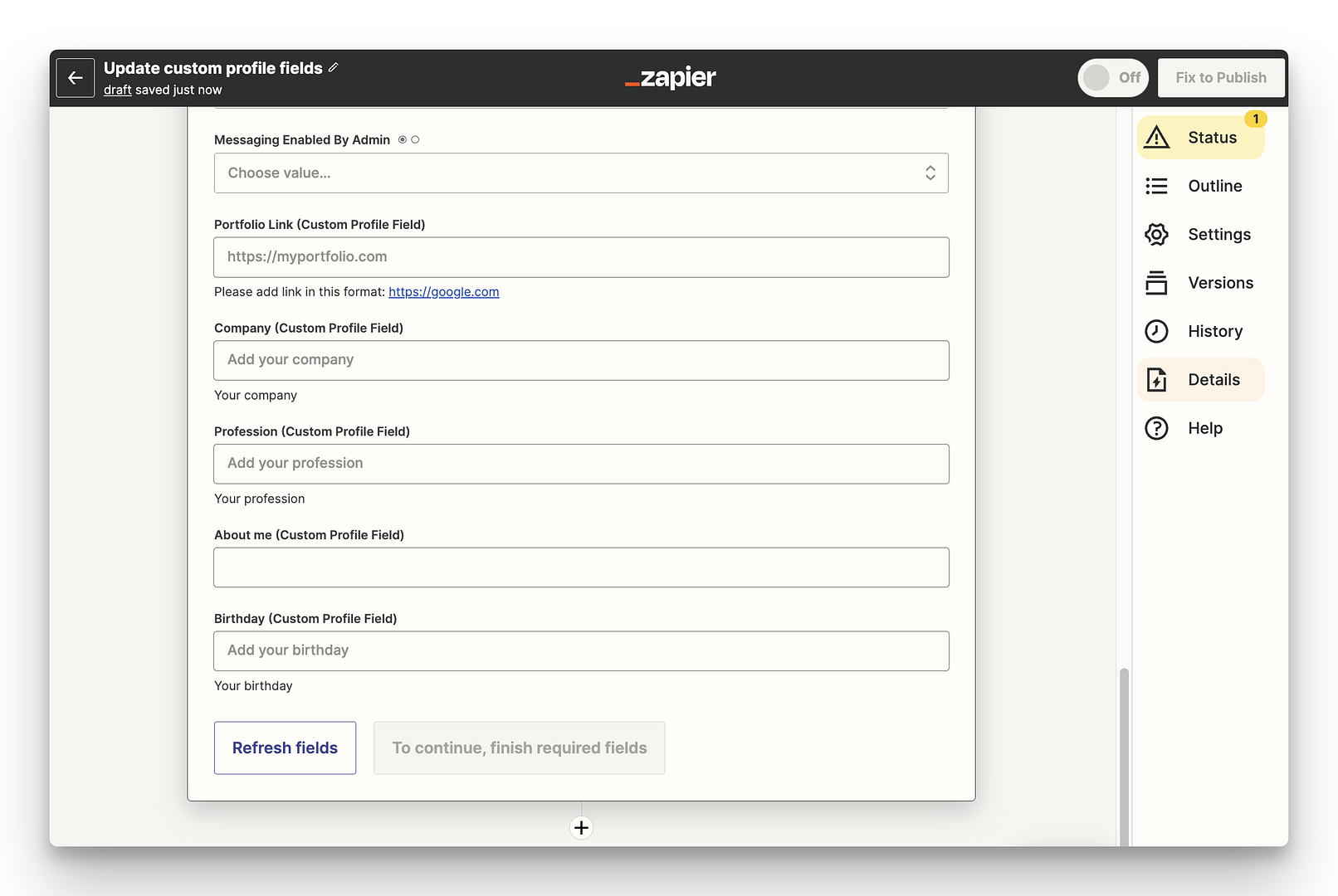
In the Step details section, any custom profile fields you have set in your community will appear at the end of the page.
To access the data based on your set trigger, click in the field under the profile field you would like to update. From the dropdown, you can select the specific data you wish to retrieve from the trigger to update the profile field.