Create an API token
Last updated: October, 2026
The Circle Developer Platform allows you to create and manage various types of API keys, empowering you to build custom tools, automate tasks, and integrate community features with your website or app. Additionally, it allows you to set up integrations with Zapier via a dedicated token.
Depending on your plan, you can create four types of API tokens within your community:
Admin v2
-
Admin v1 (previously known as Public API)
❗ Important: As part of the Admin v2 rollout, we’re freezing and renaming the Public API to Admin API v1. The API v1 will continue to work as expected and receive critical bug fixes, but we’ll no longer add new endpoints to it. We recommend updating your scripts and apps to v2 as soon as your preferred endpoints become available.
Headless Auth
Zapier
ℹ️ Note: Access to Headless and Admin API is available only on Circle’s Business plan and higher. If you’re on the Professional plan, you will only have access to a Zapier token. For more information, see our pricing page.
❗Important: Please note that an API token created by the admin will only work as long as they have admin privileges in the community. The token admin created will be removed from the tokens page if they loose the admin privileges.
Create a new API token
Click the community name or logo (or the dropdown icon next to it) in the top-left corner and select Settings.
Scroll down to the Developers section and select Tokens.
-
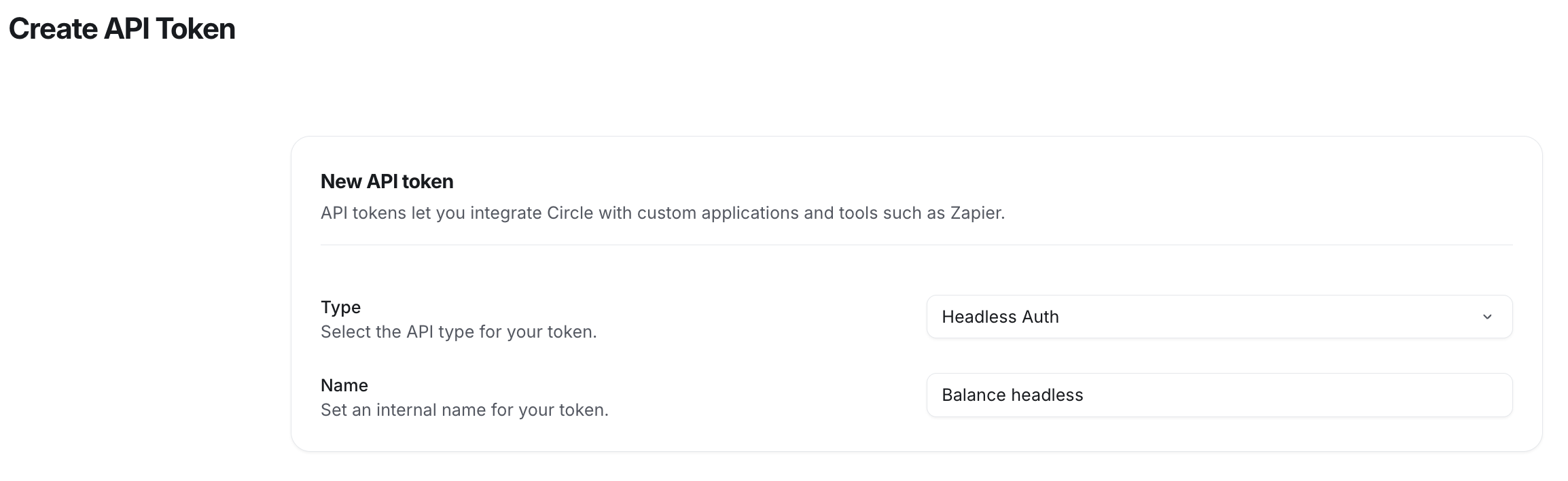
Click New token in the top-right corner of the page and set up the following:
Type: Select the API type for the token.
-
Name: Provide an internal name of the token for easy identification.
Click Save.
Once the API token is generated, it will appear at the top of the page. You will see several columns providing key information, including:
Name: The internal name assigned to the token.
Type: The type of API token (e.g., Admin v2).
Token: The unique token itself, which can be used for API requests.
Creator: The name of the admin who generated the token.
Last used: The last time the token was utilized for an API request.
Created on: The date when the token was initially generated.
ℹ️ Note: If you created any legacy tokens in the past before the introduction of Admin API v2, you can access them from the My tokens tab. Otherwise, this tab won’t be visible in your admin account.
Copy API token
To copy the token:
Click the community name or logo (or the dropdown icon next to it) in the top-left corner and select Settings.
Scroll down to the Developers section and select Tokens.
-
Click the Copy token icon next to the token.
