Monitor your API usage
Last updated: October, 2026
You can effectively track and monitor the number of API requests your community is using in a given month.
About API limits
Each eligible plan includes a set number of Admin API (including Admin v1 and v2) and Headless API requests per month, offering more flexibility as your needs grow. Here’s a quick breakdown of the API request limits by plan:
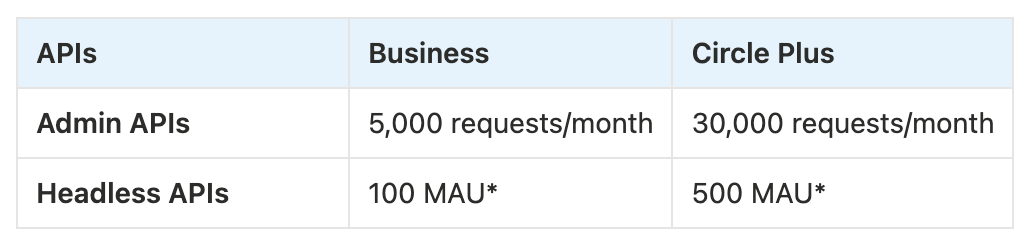
When you exceed the API limits included in your plan, overage charges will automatically apply for the excess usage.
📚 To learn more about API billing and overages, see our guide here.
❗Important: Please note that any API requests that return 500 errors or other internal server errors won’t count toward your API usage. Additionally, the use of Zapier integration does not affect or count toward your Admin API usage.
Access API overview
To view your community's API usage:
Click the community name or logo (or the dropdown icon next to it) in the top-left corner and select Settings.
Scroll down to the Developers section and select Overview.
Here, you will see various sections, including API usage, Endpoint overview, and Whitelisted domains.
API usage
In the API usage section, you can find the following information:
-
Request count: Track the number of API requests used from your total monthly limit based on your billing cycle. For example, if your plan includes 30,000 API requests per month and you’ve used 10,000, you have 20,000 requests remaining for the rest of the month.
If you exceed your limit, overage charges will apply, and a message will appear under the request count indicating that you have surpassed your request limit.
Billing cycle start date: View the start date of your current monthly billing cycle.
ℹ️ Note: API usage counts are not updated in real time due to backend processing. We cache the usage count for one minute on our side, so you can expect the count to be updated approximately five minutes after performing that call.
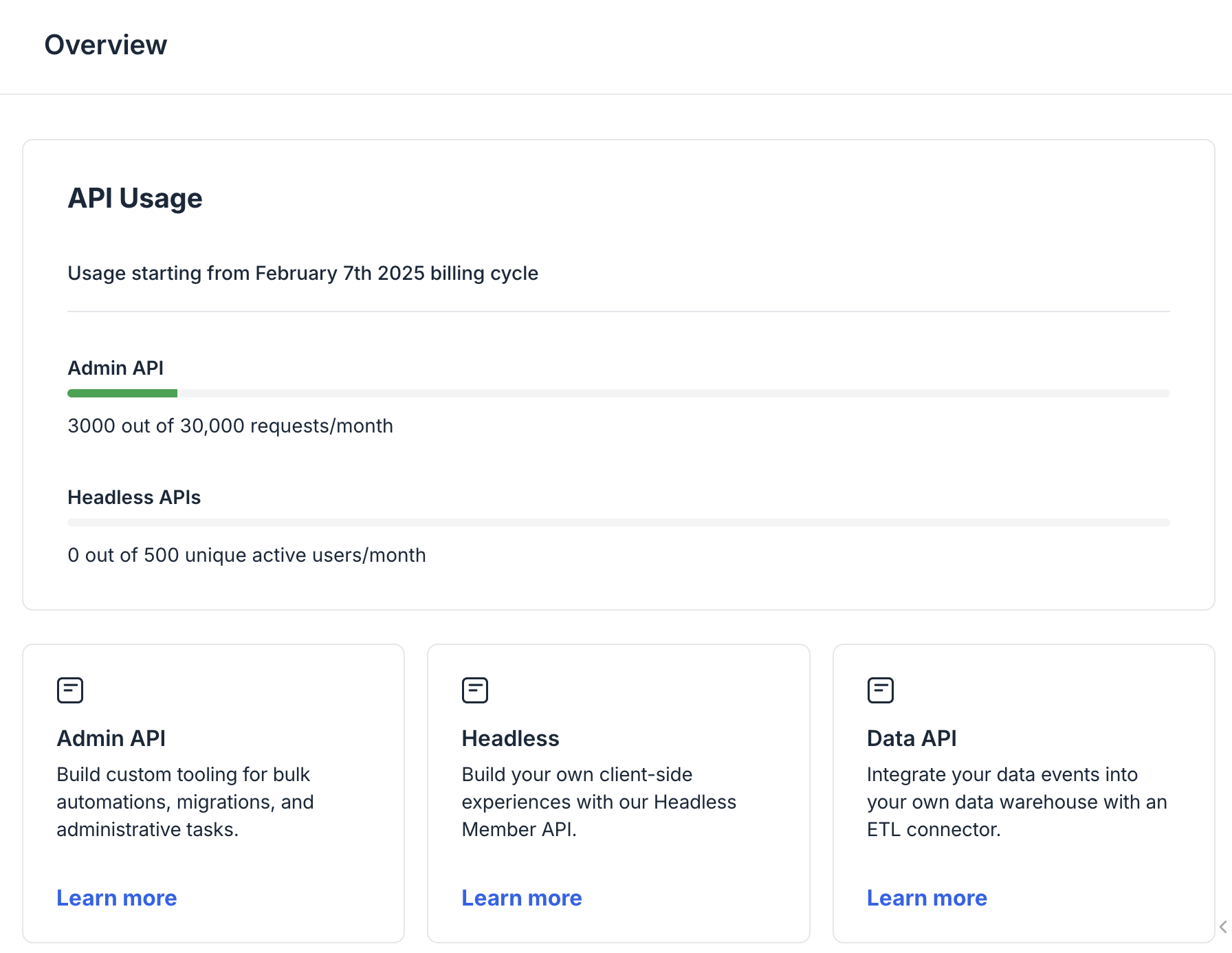
💡 Tip: From the overview page, you can also access developer documentation for APIs and add your whitelisted domains to make requests to the Headless Member API.
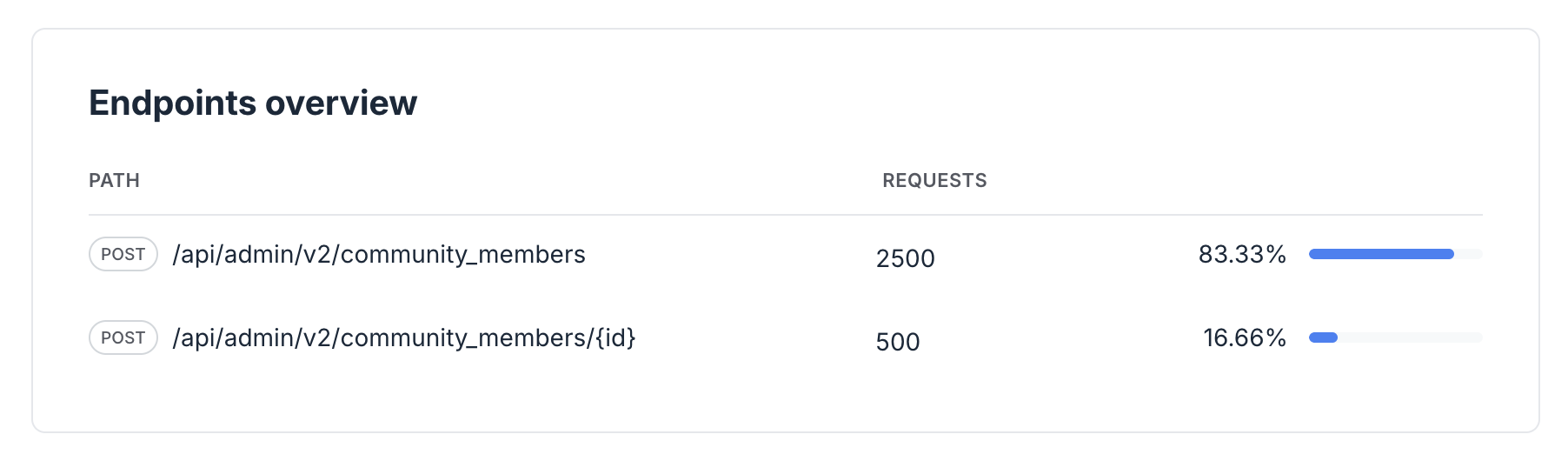
Endpoints overview
This section allows you to monitor which API endpoints are used the most by tracking their request volume and overall contribution to your total usage.
Understanding endpoint activity can help you optimize API calls and improve efficiency.