Extend trial duration for paywall subscriptions
Last updated: August, 2026
Admins can extend a member’s subscription trial directly from the Paywall subscriptions page in Circle or through their Stripe account. This article will walk you through both methods to extend a member’s trial end date.
Extend a trial in Circle
To extend a member’s trial directly from your paywall's subscriptions page:
Click Payments in the left sidebar, then select Subscriptions.
Click the Filters icon in the top-right corner and filter members by name, email, or paywall to find the member.
Click the More actions (three dots) icon beside the member entry and select Extend trial.
-
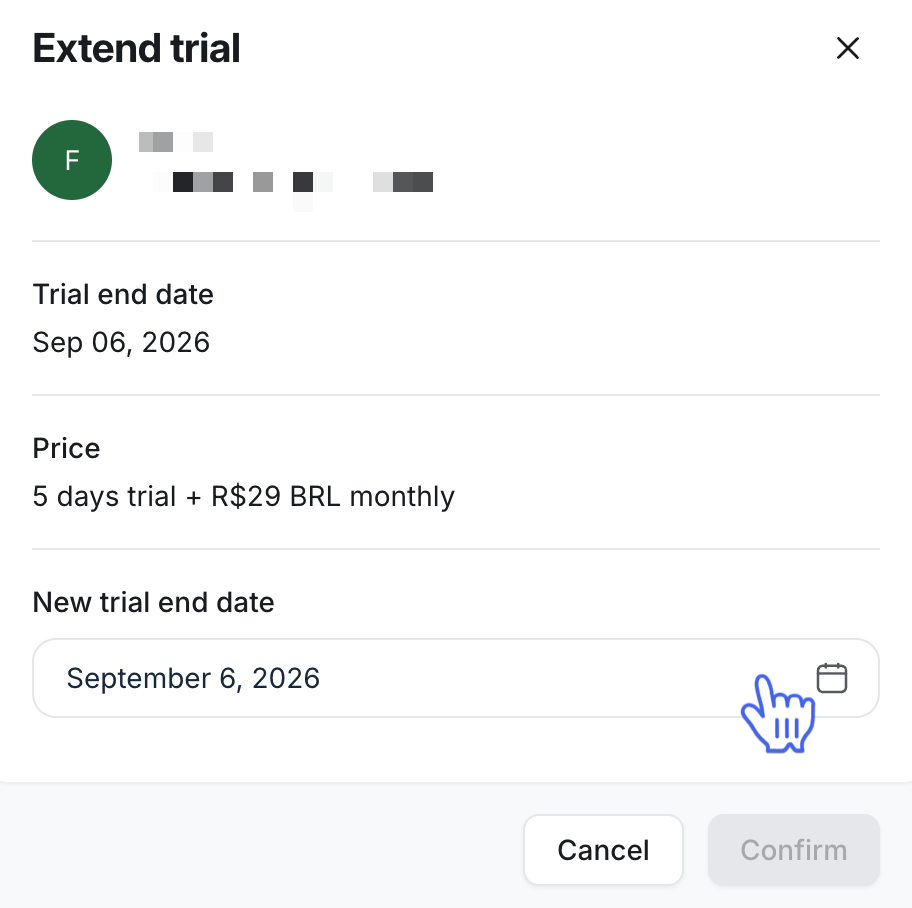
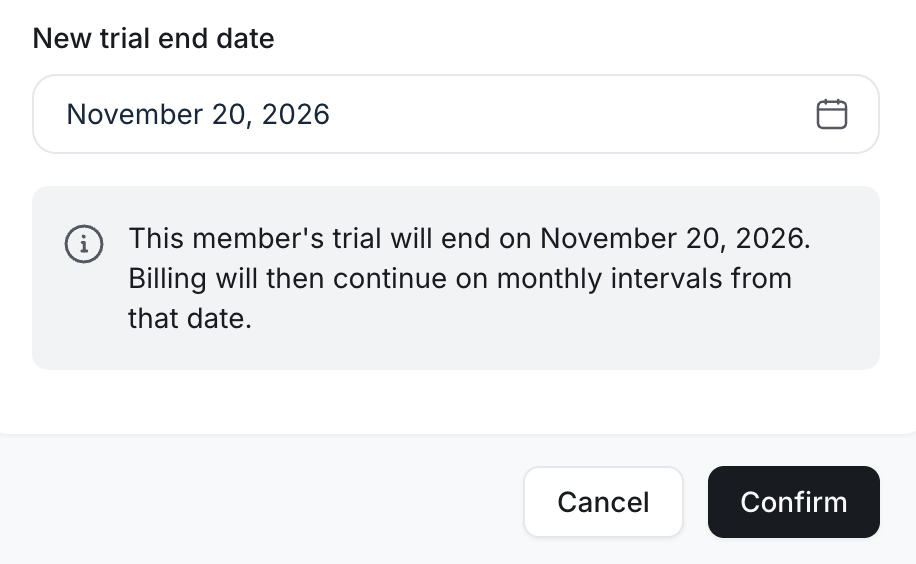
In the Extend Trial dialog box, under New trial end date, click the date field and select the new date.ℹ️ Note: You can move the trial end date up to two years ahead.
-
Review the changes and click Confirm.
You can also extend a trial from the billing page on a member’s profile. To learn more about how to access a member’s account, please see our guide here.
Extend a member’s trial from your Stripe account
You can follow these steps to extend a trial duration for a member subscription directly from your Stripe account.
Go to your Stripe account
Navigate to your Stripe account that is connected to your community paywall.
If you have multiple businesses under your Stripe account, make sure you’re viewing the correct business. You can switch between businesses by clicking the business name in the top-left corner.

Find a member
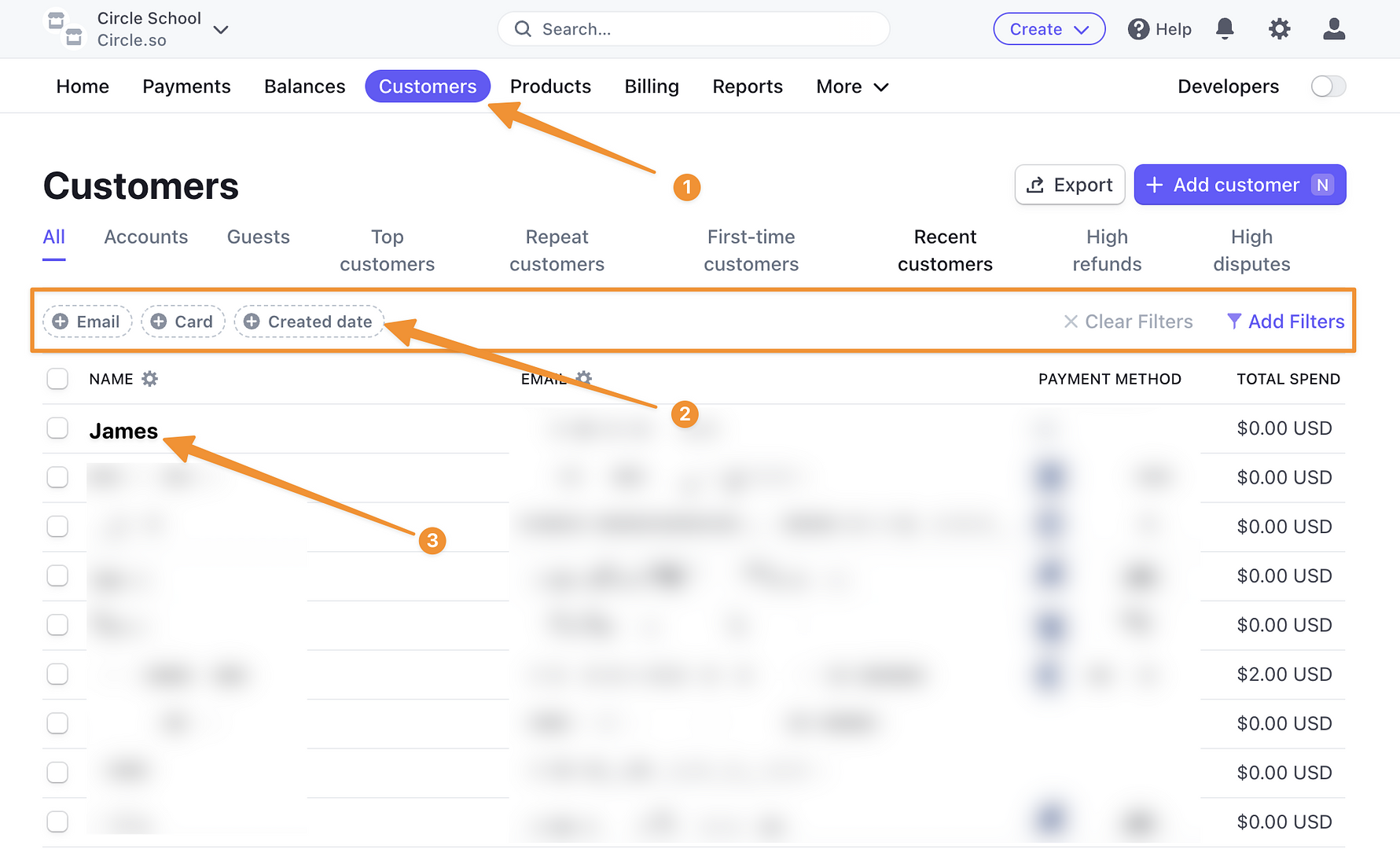
Go to the Customers tab and select a customer. You can use the email filter to find members via their email, as highlighted by the second point in the screenshot.
💡 Tip: Members show up as customers in your Stripe account.
Update subscription
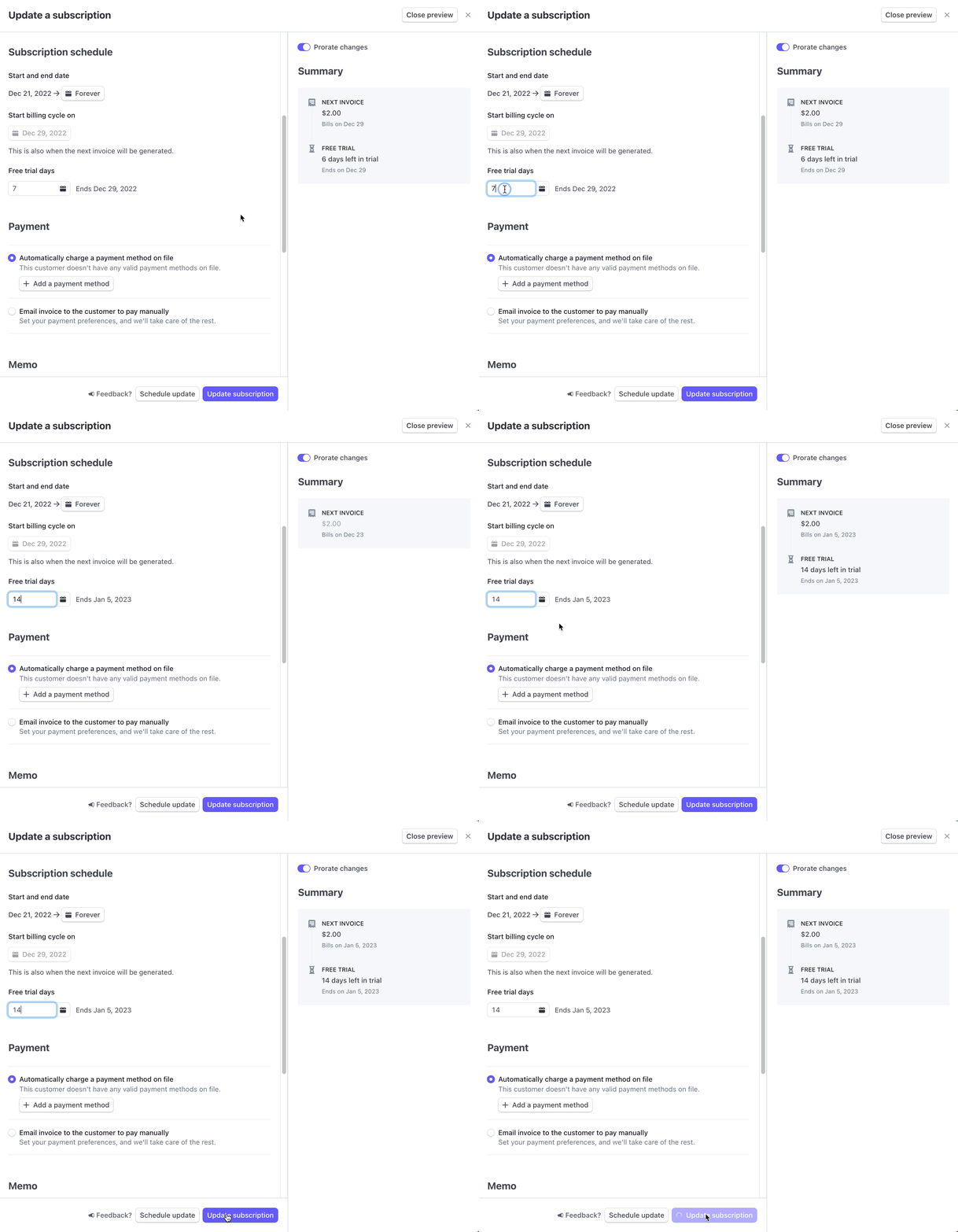
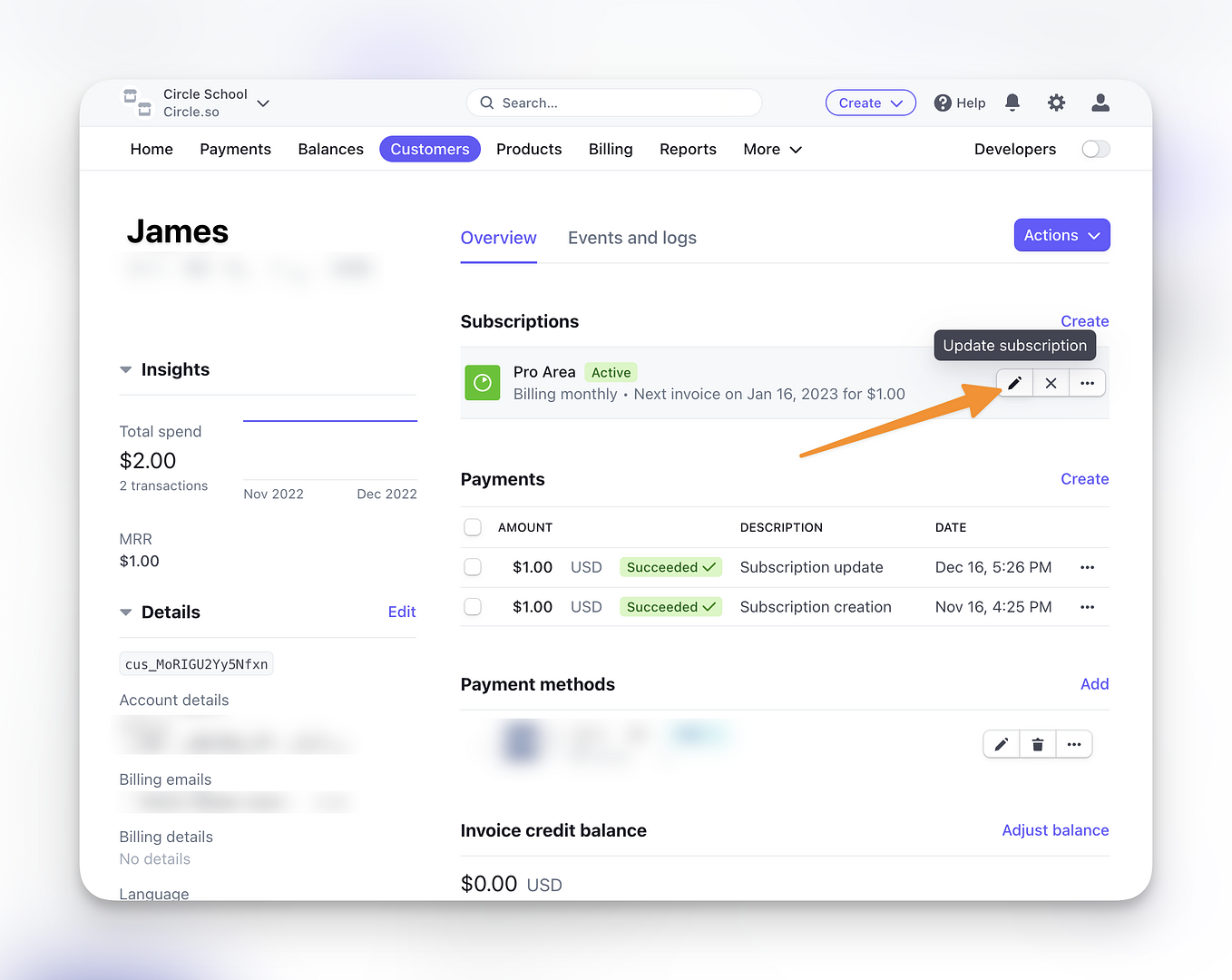
In the Subscriptions section, hover over the subscription and click the Update subscription icon to go to the Update subscription page.
Extend free trial days
On Update a subscription page:
Scroll down to the Subscription schedule section.
Add your preferred duration for the trial extension under Free trial days.
Click Update subscription.
💡 Tip: You can preview the summary of changes on the right sidebar when you make changes to a member subscription.