Export attendee list for a live session
Last updated: September, 2026
Live attendee export lets you download a CSV file listing everyone who joined a live session. It's useful for reviewing attendance or keeping records. The export includes only actual attendees, so you can accurately track attendance across live streams, live rooms, and live events.
Important notes
Only admins can access and export the live attendee list from the live dashboard.
-
Guest attendees (visitors) are not included in the CSV in the following cases:
Instant live stream sessions.
Public live stream events where someone joins without RSVPing.
For live events, the attendee list may differ from the number of people who RSVP’d. Only attendees who actually joined the session are included in the export. You can cross-check this list with your RSVP list by exporting it from the event setup.
How to export the attendee list
Click Community in the left sidebar, then select Live streams.
Locate the live stream, live room, or live event you want to export attendees for.
Click the name of the live session and navigate to the participants tab.
-
Click the CSV download icon.
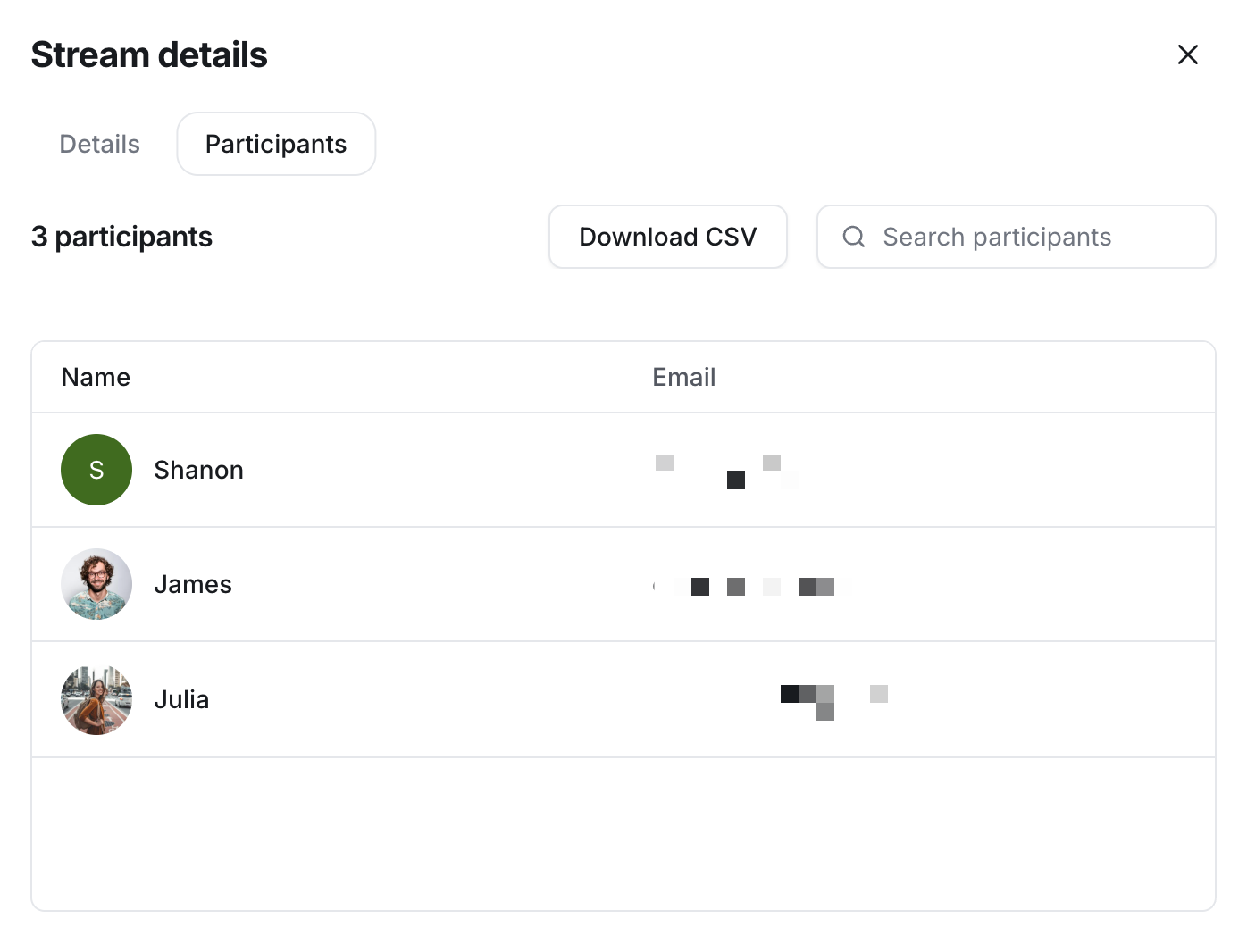
Once requested, the CSV file is emailed to the email address associated with your admin account.
What’s included in the CSV file
The exported CSV includes attendees with the following roles:
Hosts and co-hosts.
All members who joined the live session as participants.
Non-members who RSVP and join the live event session (for live events with public RSVP enabled).
The CSV file includes the attendee information, such as:
Name and email address.
Standard platform fields.
Profile fields, including any custom ones.