Changing the course type
Last updated: July, 2026
You can change your course type even after you've started building it or published it in your community. Before proceeding with the change, let’s take a look at what happens when you change the course type from one to another.
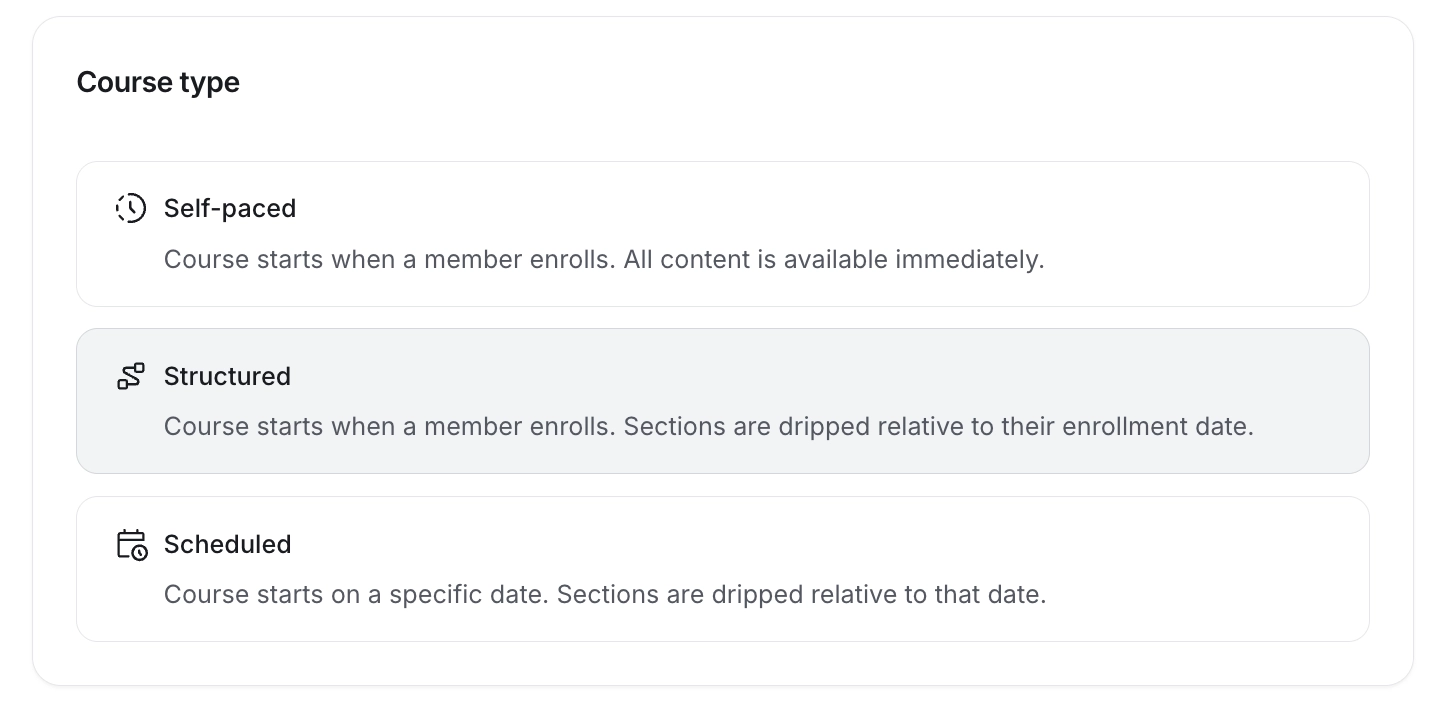
Changing your course type to self-paced
If you change your course type from structured or scheduled to a self-paced course, all lessons that are in published status within sections become immediately available to enrolled students.
Changing your course type to structured
When you switch your course from self-paced or scheduled to a structured course, you can set up the drip delay for sections that you don’t want to release right away. It's worth noting that sections already released will remain accessible to enrolled students until drip configurations are adjusted.
ℹ️ Note: Once the drip delay is configured, existing students can access course sections that have already been dripped based on their enrollment date or those released immediately by the admin.
Changing your course type to scheduled
Should you decide to transition from a self-paced or structured course to a scheduled course, you can set up a new drip schedule for sections you don’t want to release immediately. As with the other transitions, please note that previously released sections will remain accessible to enrolled students until drip configurations are adjusted.
ℹ️ Note: Once the drip schedule is configured, existing students can only access course sections that are already released based on the drip schedule or those immediately released by the admin.
To change the course type
Click Courses on the left sidebar and select Courses.
Click the More actions (three dots) icon on a course entry and select Edit course.
Click on the current course type.
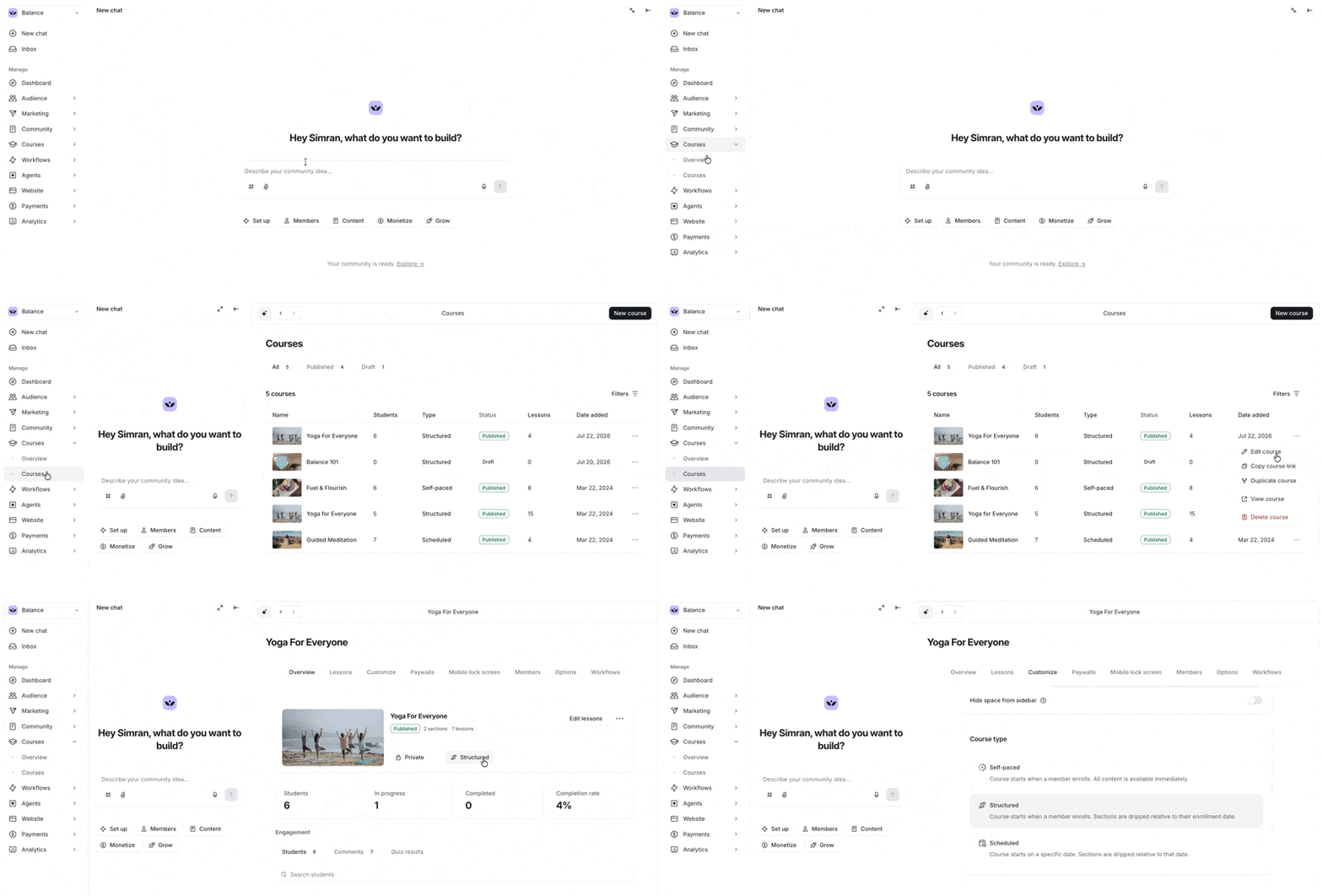
Select the type you would like to change your course space to.
Click Save changes. Next, confirm the change by clicking Confirm again.