Migrating from Kajabi to Circle
Last updated: March 1, 2026
Concierge migration service
Let our migrations team do the heavy lifting by moving your courses, payments, or email setup so you can focus on building your community and your audience. Simply request a migration and our team will review your application.
Here’s how it works:
Submit the request form: Our team will review your information and if you qualify, we’ll reach out in 1–2 business days to get things started.
Custom migration plan: We’ll evaluate your setup and create a tailored plan for your migration.
Approve the plan: Once you give the green light, our team will move everything over for you.
Final review & launch: When your migration is complete, you’ll review the setup and invite your students or start sending out your emails.
To learn more, check out our feature-specific migrations pages below:
Why move from Kajabi to Circle?
When you migrate from Kajabi to Circle, you’re moving into the AI-powered home for your business. Circle is a true all-in-one platform where your community, courses, events, website, payments, email marketing, and AI agents work seamlessly together from day one.
Circle is purpose-built for community-led businesses. Every feature, from real-time discussions and events to course hosting and payment processing, is intentionally designed to drive member engagement, scale with your business, and streamline your workflows.
What you gain by migrating to Circle
A purpose-built community platform: Spaces and Space Groups designed for connection and collaboration.
True all-in-one experience: Community, courses, events, website, payments, email, and AI Agents in one place.
AI-powered efficiency: Automate onboarding, moderation, and support to free up your time.
Brand control: Fully customize the look and feel of your community to match your brand.
Flexible revenue options: Subscriptions, one-time payments, buy now pay later and 0% platform fees.
Unified member experience: One login, one interface, seamless across web, mobile, and desktop.
Recreate your Kajabi community layout with Circle
Here are some key terms that are important to remember when migrating from Kajabi to Circle:
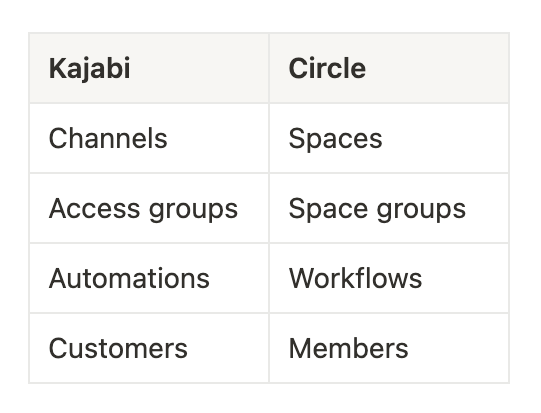
Spaces
Spaces are the building blocks of your Circle community. They give you the flexibility to create the right experience for your community. Whether it’s posts, events, chats, or courses, each space is designed to spark engagement and encourage meaningful interaction.
Organize the spaces in your sidebar by categorizing them into Space groups. When you create a new space, its always housed within a space group making it easy for users to find their way around the community.
Space groups also help you organize multiple groups of similar spaces, for example, a set of spaces in English and a similar set in Spanish. Adding members to their preferred space groups helps keep conversations relevant.
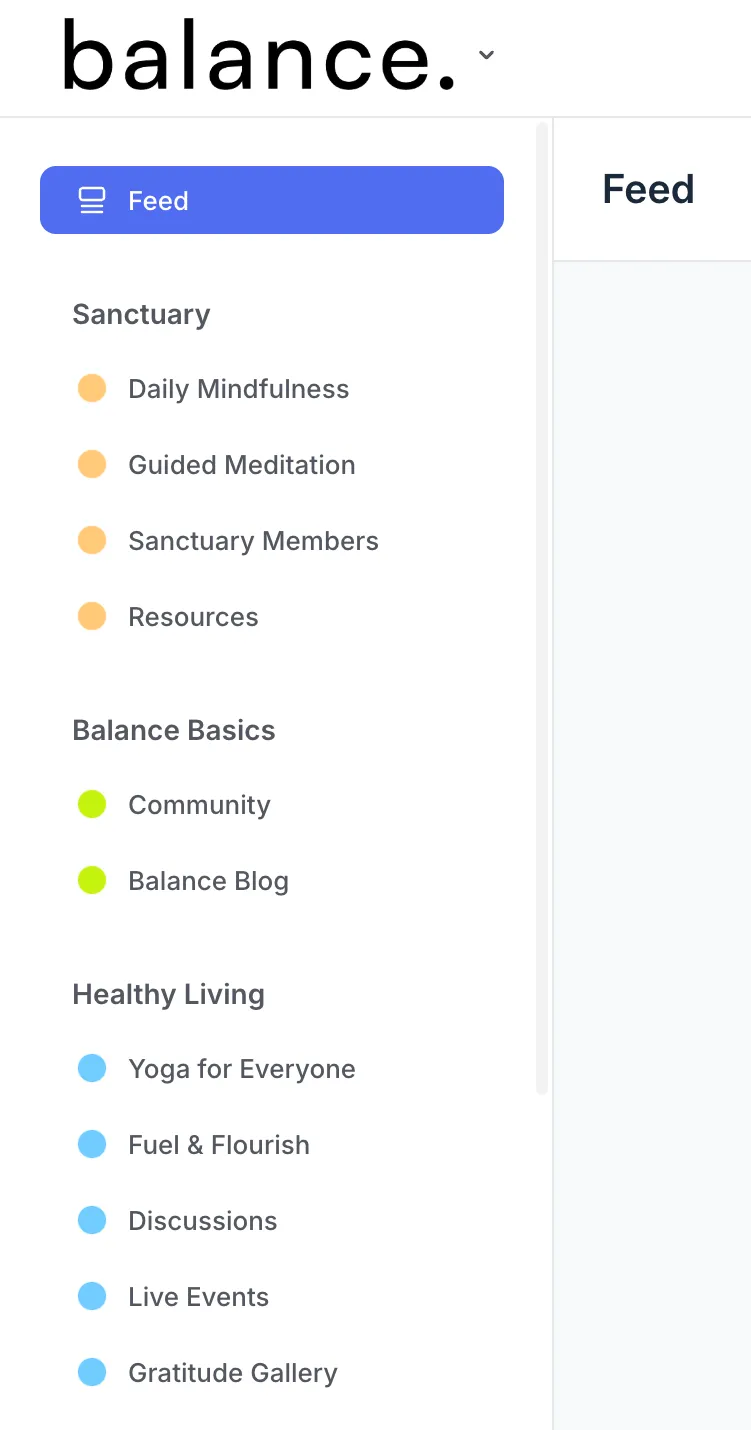
📚 To learn more about creating and managing spaces and space groups, refer to our guide here.
Navigation bar
The top navigation bar is your community’s central hub, making it easy for members to navigate. From feeds and directories to custom web pages, the navigation bar puts your most important spaces just a click away. You can customize it to highlight what matters most, whether you’re using built-in links or adding your own.
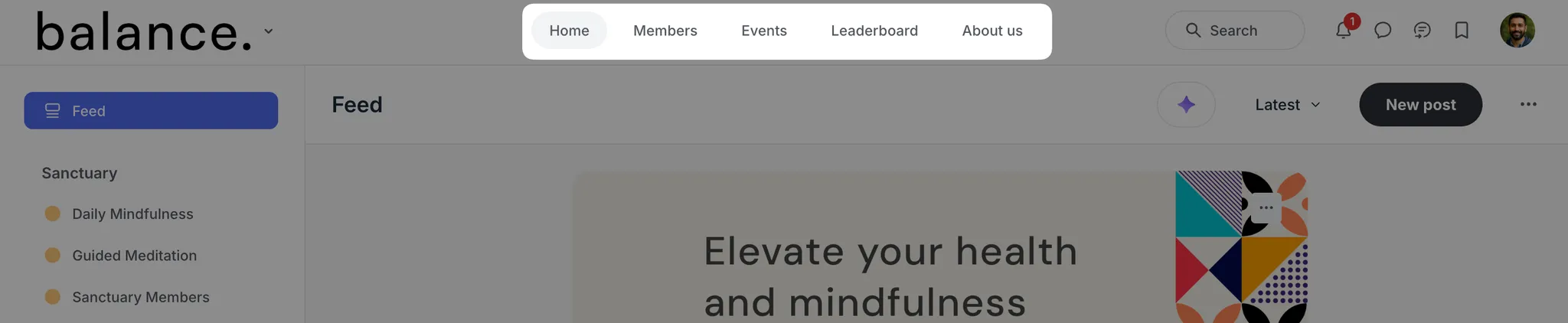
📚 Learn more about the navigation bar.
Migrating from Kajabi to Circle
Best practices
-
Leverage Circle’s concierge migration service
Let our team move your courses, emails and paywalls.
Use your time to focus on your audience and community growth.
-
Communicate your migration early
Announce it to your community 2-4 weeks in advance and share a clear migration timeline so your audience has time to prepare.
Share the reason behind making this change and how it will impact your members going forward.
Mention your plan to cover current subscription cycles during this transition.
-
Introduce your audience to Circle
Record a short video or share some screenshots of your Circle community, including key areas such as direct messages, notifications, course directory and events.
Host a welcome event in Circle. Use our public live stream feature so your audience can join in without creating an account just yet.
Invite a select group of member beta testers.
-
Launch and onboard
Send invites and reminders.
Host a kickoff members-only event to energize members.
Post a welcome checklist in your new community using a pinned post in an announcements or start here space.
Migrate your members
There are a few ways to import your members into Circle, the most direct way is to import a CSV of your contacts from Kajabi through our invite system.
To get started:
-
Export a CSV of your contacts from Kajabi.
📚 How to export your contacts from Kajabi.
Prepare your file for bulk importing into your Circle community.
-
In Circle, click the community name or logo in the top-left corner and select Audience.
On the manage audience page, click Add in the top-right corner.
-
Select Invite members in the dialog.
-
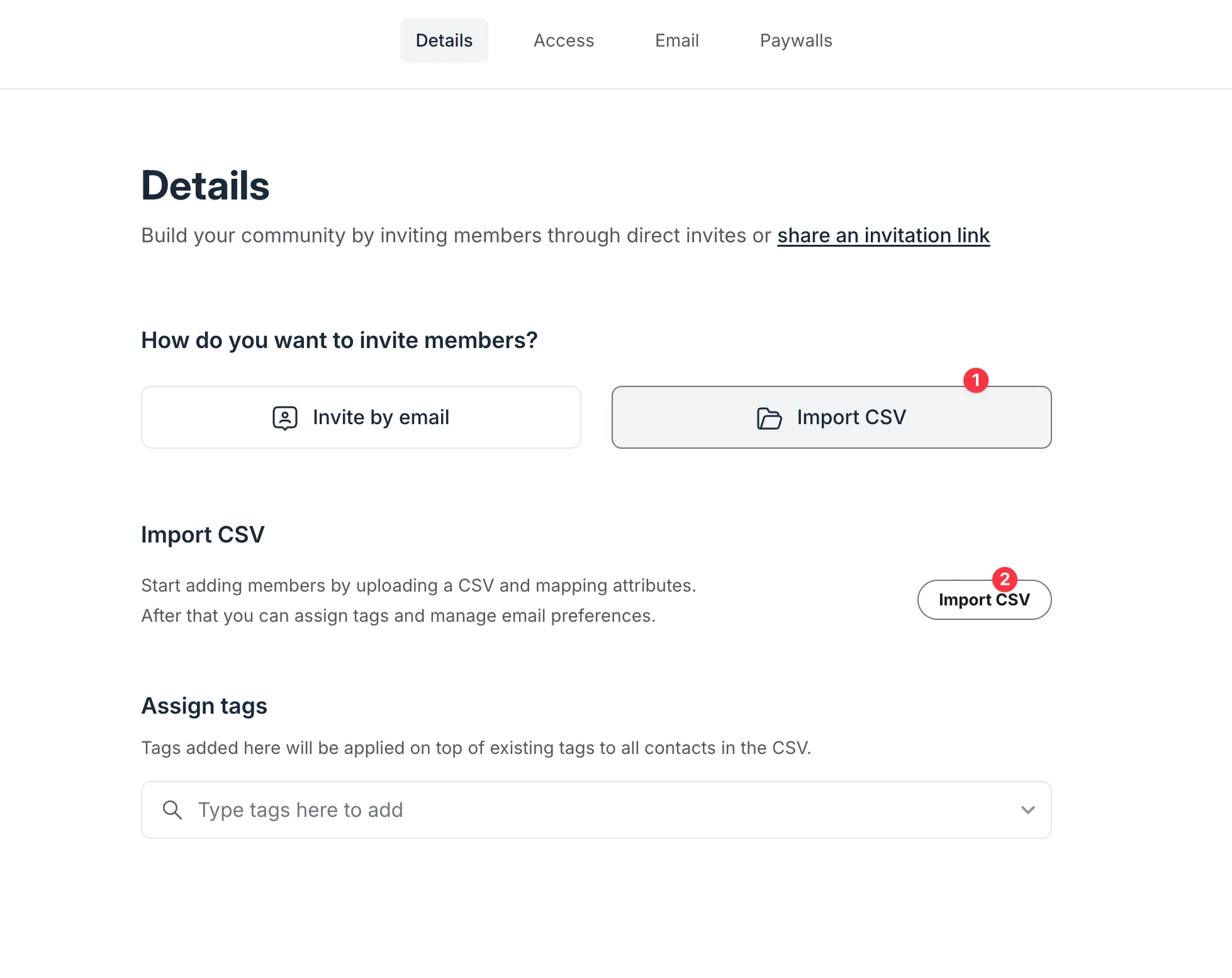
Select Import CSV on the details page and click the Import button to upload your file.
-
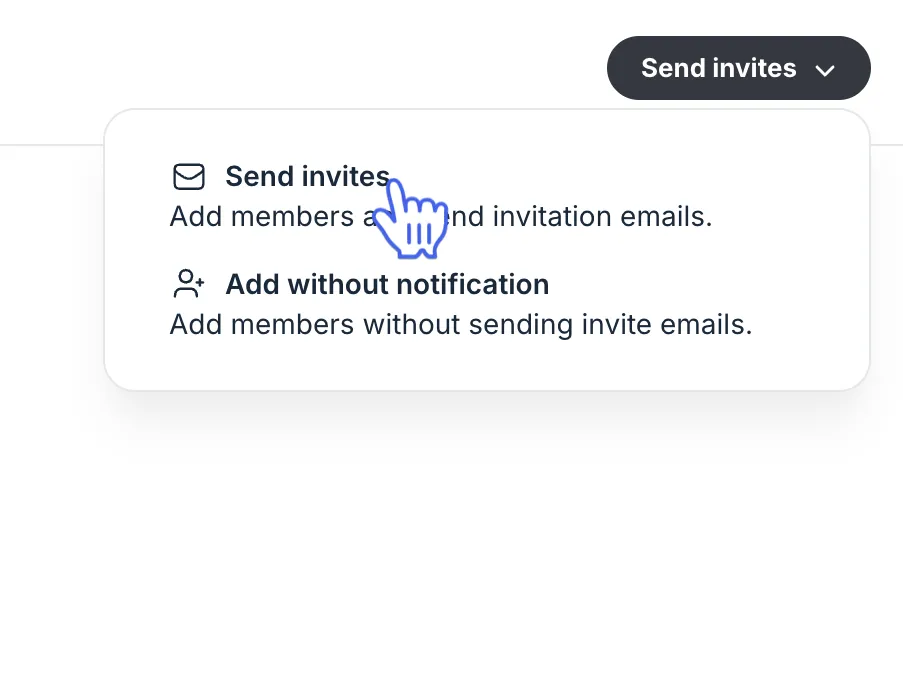
Assign access to spaces, add member tags and customize your invitation email. Once you’re ready, click Send invites in the top right corner.

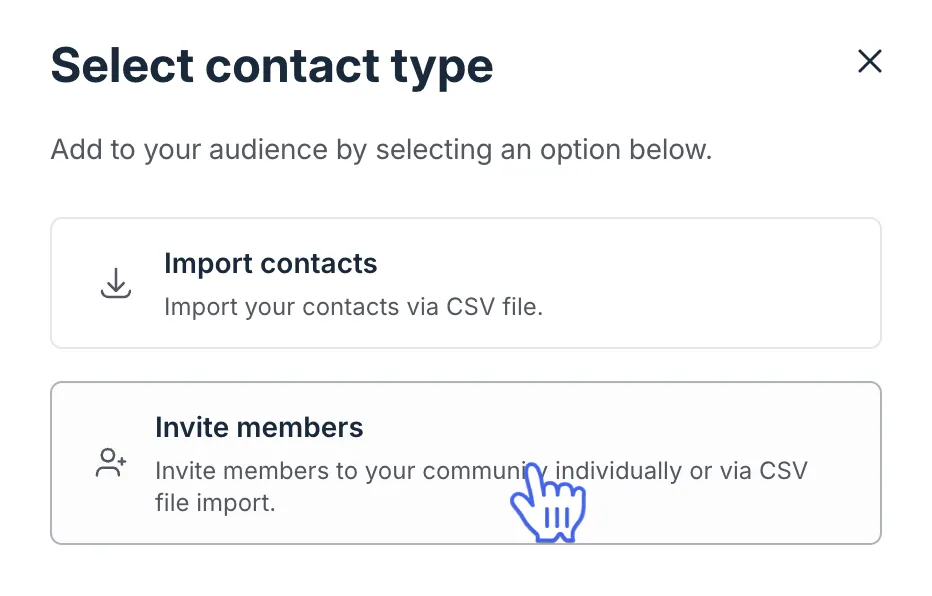
📚 For a step-by-step guide on preparing your file and the bulk import process, see our guide here.
Migrate your payments
If you’ve been using Kajabi or another platform to manage member subscriptions, you can transition those payments to Circle’s Paywalls. This lets you centralize access and billing inside your community.
Here’s how it works:
First, create paywalls in Circle that mirror your existing Kajabi offerings.
Invite members to Circle using trial paywall subscriptions that match the remaining days in their current billing cycle.
Once trial subscriptions are active in Circle, cancel the original Kajabi subscriptions to avoid duplicate billing.
You can invite members individually or in bulk using CSV import or invitation links. For trials with varying lengths, use the manual or individual invite options to customize each member’s trial period.
💡 Tip: Communicate the transition early and clearly with your members. Let them know how to join Circle and when they’ll need to add a payment method to continue access.
📚 To learn more about how to migrate your member payments to Circle paywalls, check out our guide here.
We offer a payment migration service for all Circle plans so you can focus on building your community. To request a migration, fill out the form here and our migrations team will follow up with you directly.
Migrate your courses and email marketing
If you’re bringing courses and email marketing over from Kajabi, Circle gives you flexible migration options to help you make a smooth transition.
Courses
You can move over your course content manually, or in bulk via Circle’s API. For a more hands-off experience, we also offer concierge course migrations for customers on our Business annual plan or higher.
If you qualify, we’ll migrate all course lessons for you.
Quizzes are not migrated, but we can create placeholders so you can easily fill in quiz details afterward.
📚 To request a course migration and check your eligibility, please submit your information through this form.
Email Marketing
For customers on all Circle plans, our migrations team can migrate your email marketing setup so you can keep your workflows running seamlessly.
This includes:
Subscriber lists, along with tags, segments, and custom fields
Email templates
Active automations (e.g., welcome flows, lead nurture series)
Please note that past campaigns and previously sent content cannot be migrated at this time.
📚 For more information on email migrations and to request a migration, submit your information to check your eligibility here.
💡Tip: Migrating your email marketing to Circle lets you centralize community, content, and communications in one place, making it easier to grow and engage your audience.