Set a default language for new members
Last updated: August, 2026
You can choose a default language for new members, so they begin their experience in the language that best fits your community.
Key things to know about language
Before choosing or updating the default language setting, it’s helpful to understand how it works and what the setting controls.
Supported languages
The following languages are supported for the community interface:
English
French
Italian
Portuguese (Brazil)
Portuguese (Portugal)
Spanish
How the default language setting works
The default language sets the interface for visitors and anyone joining your community.
Here’s how it works:
It applies to the onboarding flow for new members, including sign-up pages and paywall checkout when someone joins through a browser.
If your community is public, visitors see the interface in the default language, including sign-up and sign-in screens.
After joining, members can change their account language preference at any time in their profile settings. To learn more, see Change language for your account.
Updating the default language doesn’t affect existing members.
What changes and what doesn’t
Changing the default language updates the Circle interface only. This includes menus, buttons, prompts, dialogs, navigation, and other system text.
It does not translate user-generated content, such as posts, lessons, comments, descriptions, or attachments. Content remains in the language it was originally written in.
Where the default language applies
The default language applies only to the community interface when visitors and members access the community through the desktop app, web browser, and mobile browser.
On mobile devices, the Circle community apps and branded apps follow the device’s system language if it’s one of our supported languages. When members switch their phone’s OS language to a supported language, the app will automatically update to match.
Set the default language for your community
Open your community in the desktop app or a browser. Please note that this setting is not available on Circle or branded mobile apps.
Click your community name or logo (or the dropdown icon next to it) in the top-left corner and select Settings.
Click General under the website section of the settings page.
-
Select the Default language dropdown menu and pick the language you prefer.
Click Save changes.
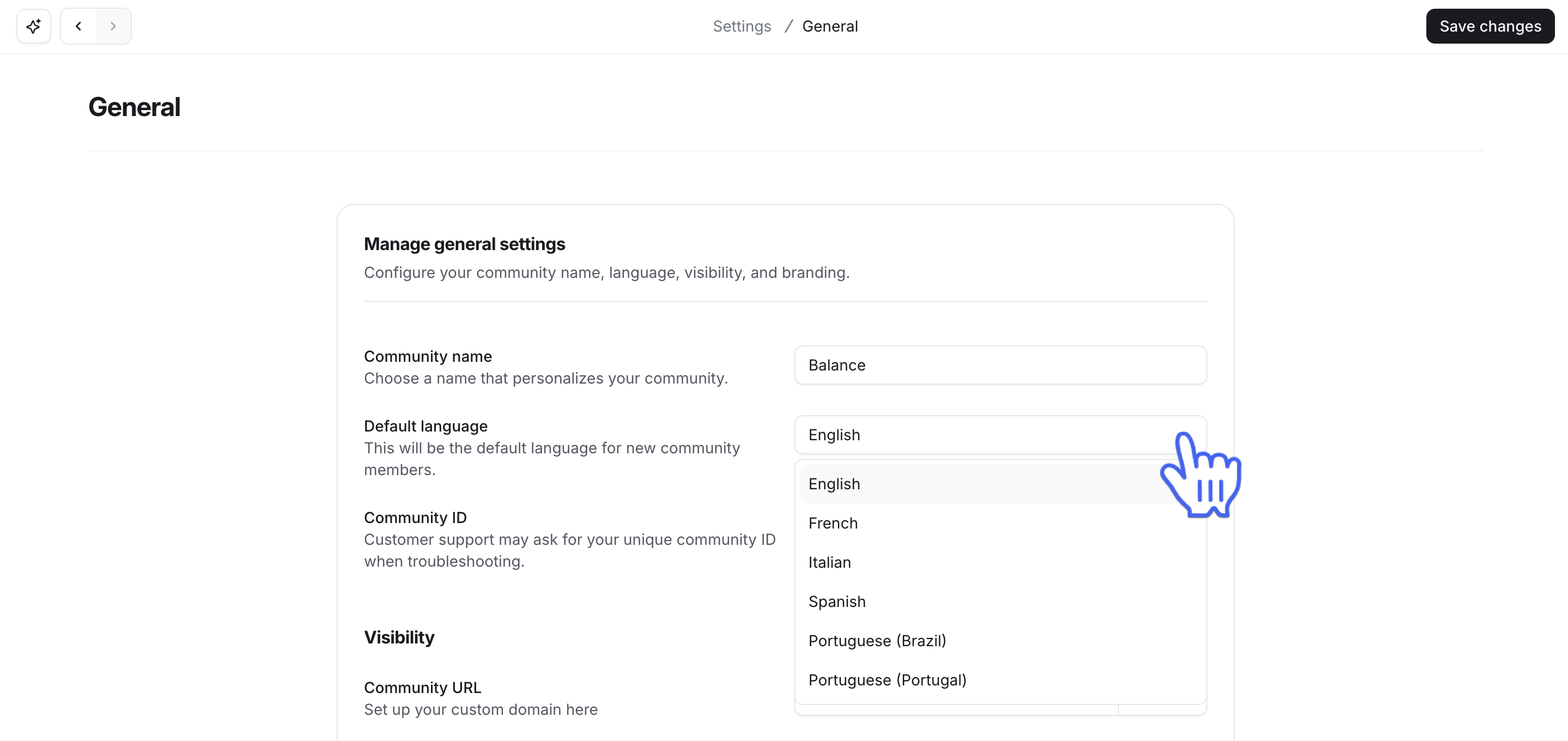
Once this is set, visitors (in public communities) and new members will automatically see the community in your selected language going forward.