Stay on top of your community activity with Daily Brief
Last updated: October, 2026
The Daily brief is a personalized summary from Circle AI that recaps what’s happened in your community, flags what’s changed, and suggests what to do next. You’ll find it in Circle AI every day, and admins also get a weekly recap by email every Monday.
About Daily brief
Your brief appears on the Today tab of the new chat screen in Circle AI. It refreshes daily and pulls together signals like:
Daily and monthly active members
New members who have joined
Revenue movement
Your top spaces and content
Product adoption and usage, admin login frequency, and activation milestones
Low-engagement members, spaces, and content
Top-performing and scheduled content
Event RSVPs and attendance
Rather than reporting on everything, Circle AI narrows this down to 3 to 5 signals most relevant to your stage and what you should focus on next. For example, if you're on a trial, it prioritizes activation progress and early momentum.
Your brief also suggests up to three actions worth taking that day. Each is a clickable prompt that runs in Circle AI, and you can choose whether to act on it.
Access your daily brief
To access your daily brief:
Click New chat in the left sidebar.
Select Today from the categories below the chat window.
Click Open brief.
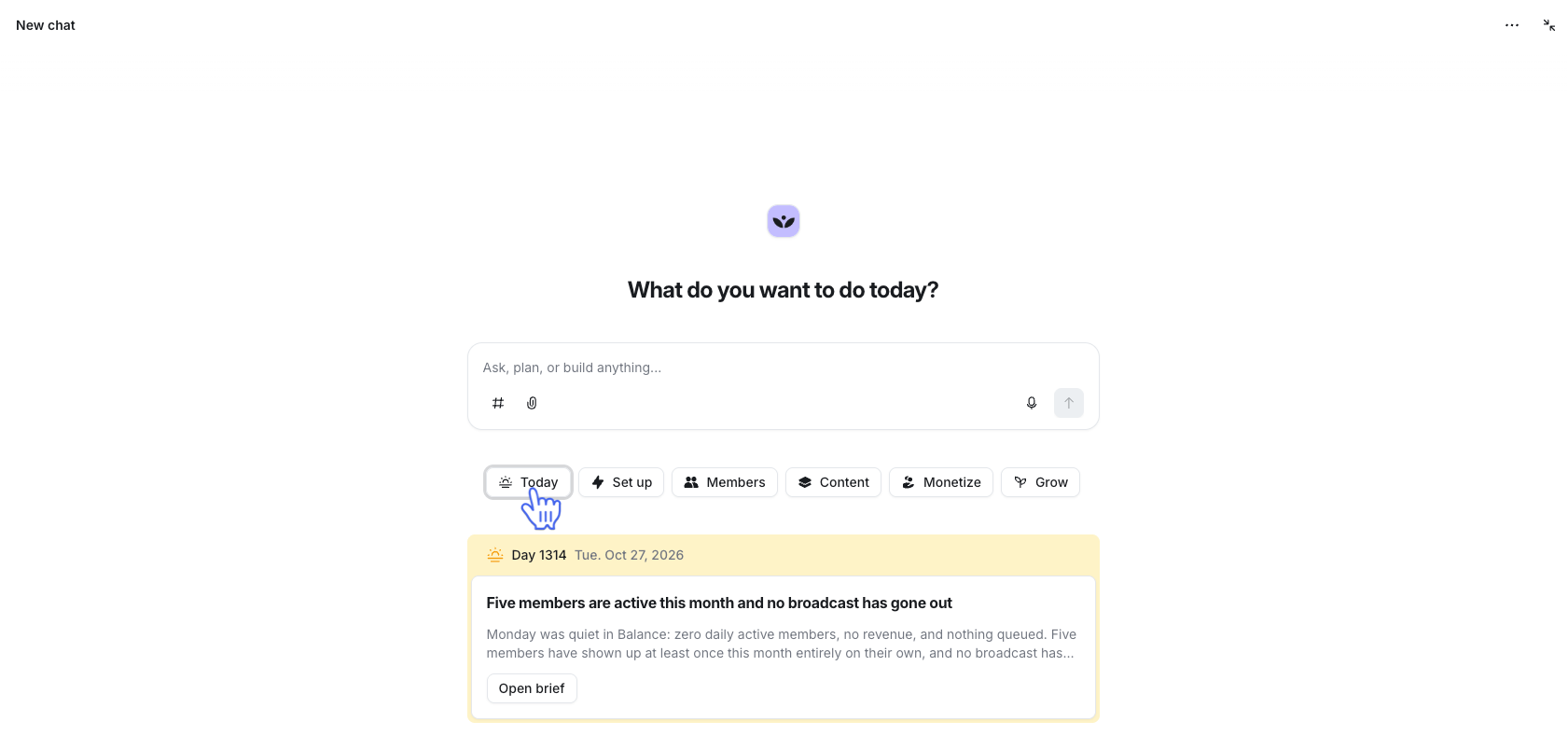
💡 Tip: You can chat with your brief directly. Ask Circle AI a follow-up question about anything it surfaces, and it will answer using everything it knows about your business.
Review past briefs
Circle AI organizes your past briefs into a dedicated project. To access and interact with your past briefs, click Projects in the left sidebar and then select Briefs.
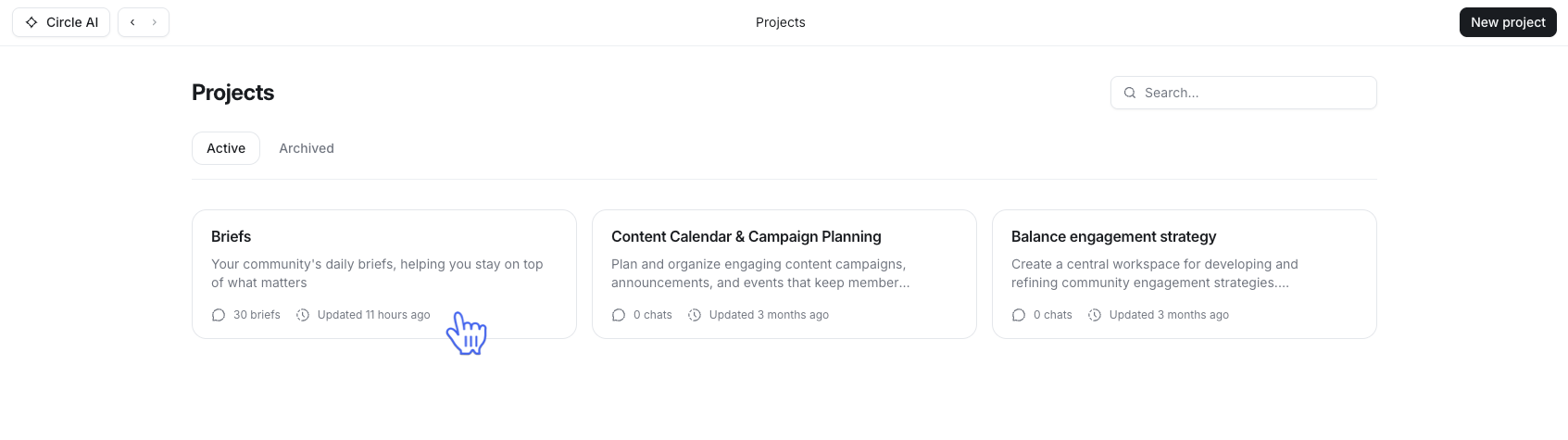
Here you’ll see all your past briefs sorted by date. Click one to open and interact with it.
Weekly recap email
Admins in communities on paid plans receive a weekly recap email every Monday. The email summarizes the past week’s activity and links back into Circle AI so they can act on anything that needs attention.
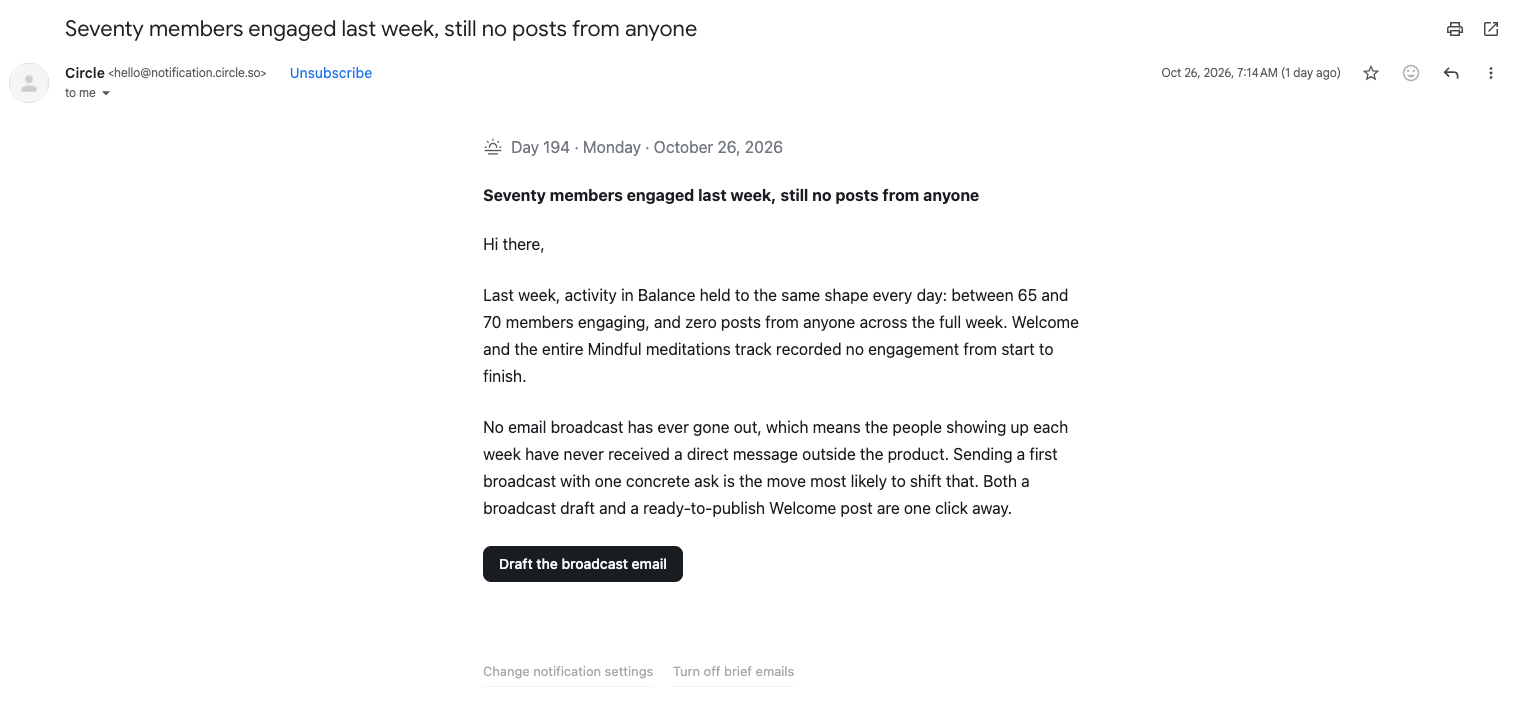
ℹ️ Note: Communities on trial don’t receive recap emails. Only the in app briefs.
Opt out of the weekly recap email
Each admin can choose to opt out of the weekly recap email. Turning off this setting only applies to their account and does not affect other admins.
To opt out:
Click your profile picture in the bottom left corner and select Notifications.
Toggle the email setting from Weekly to Off.
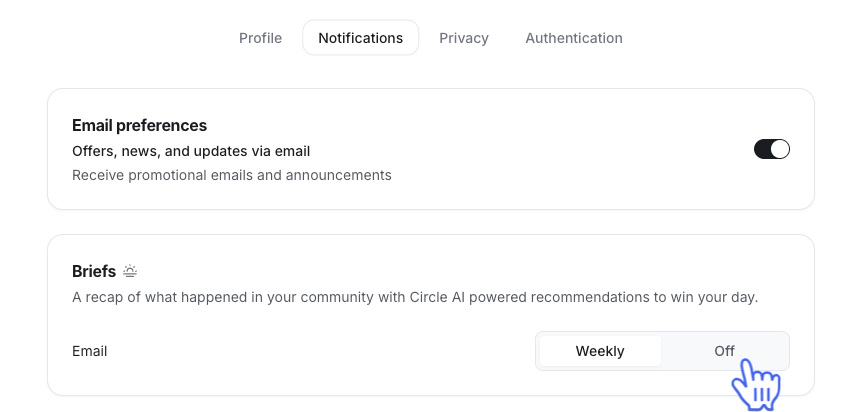
💡Tip: You can also turn off the weekly email directly on the email by clicking Turn off brief emails.