Find the unique ID of spaces and space groups
Last updated: October, 2026
There are several ways you can find the ID of a community space or space group:
API v1
Inspect tool
Zapier
API v1
You can retrieve information about a set of spaces and space groups in your community, including their IDs, using Circle API.
To achieve this using API requests, go to our API documentation. In the left sidebar, click Spaces or Space Group and select Index. Use the GET method to retrieve this information.
Inspect tool
You can find this information directly in your browser using the inspect tool.
To find the unique ID using the Chrome browser:
Click the community name or logo (or the dropdown icon next to it) in the top-left corner and select Back to community.
-
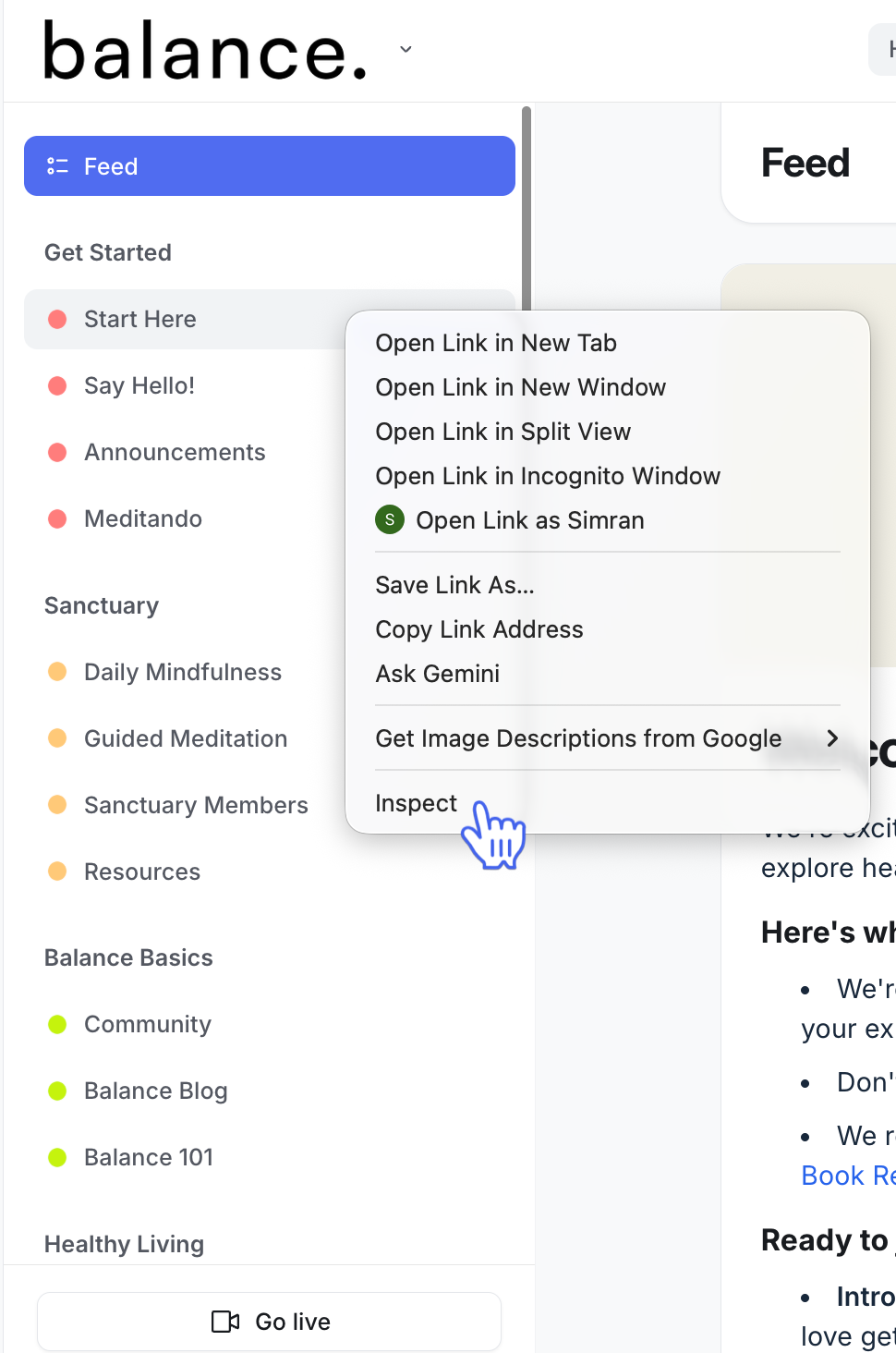
In the community sidebar, right-click on the space or space group and select Inspect.
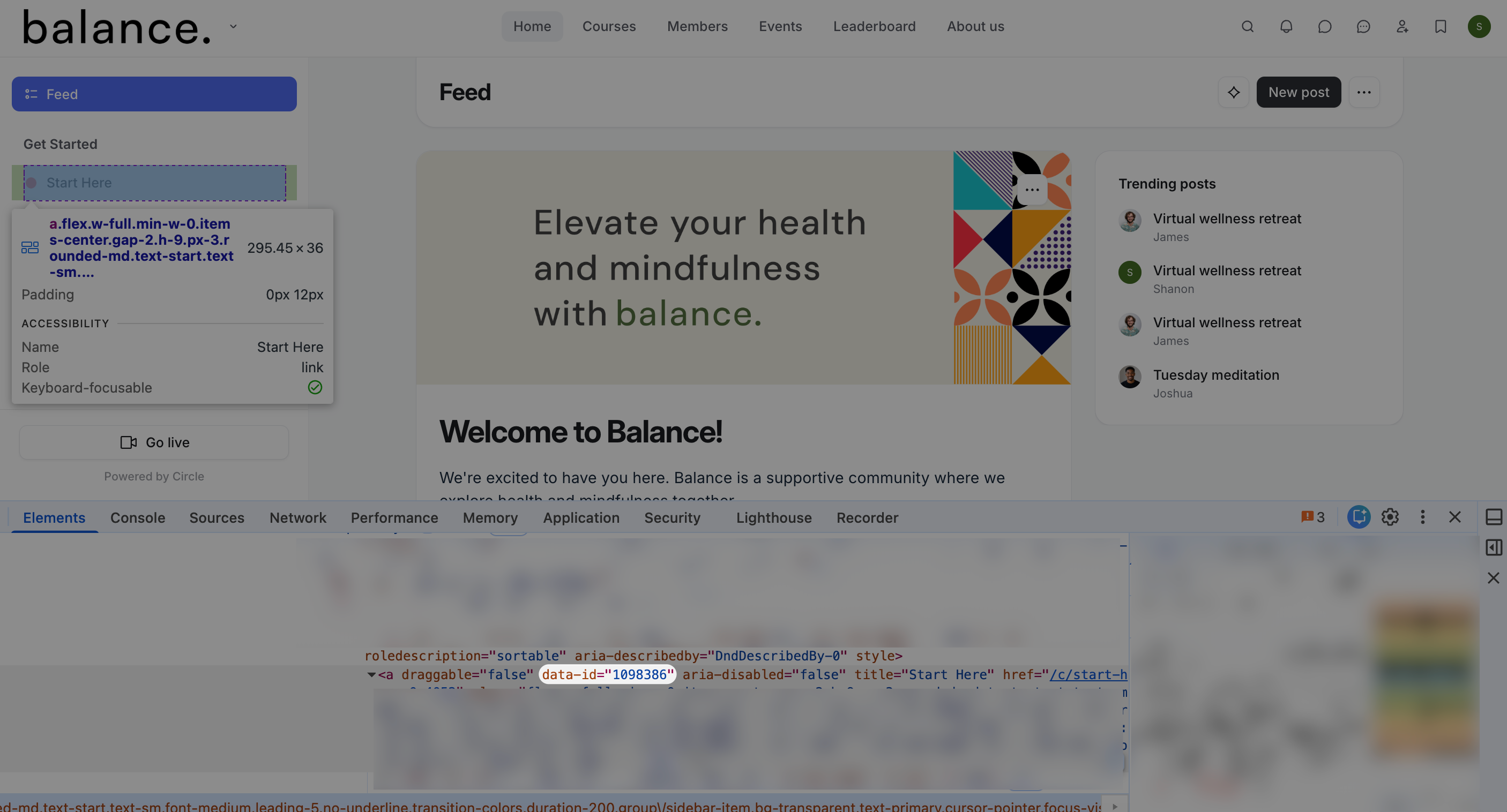
The Elements panel shows the highlighted HTML code for the selected element.
-
In the highlighted code, find the data-id, which is your space's ID. In the following example, you can see the highlighted data-id for the Start Here space.
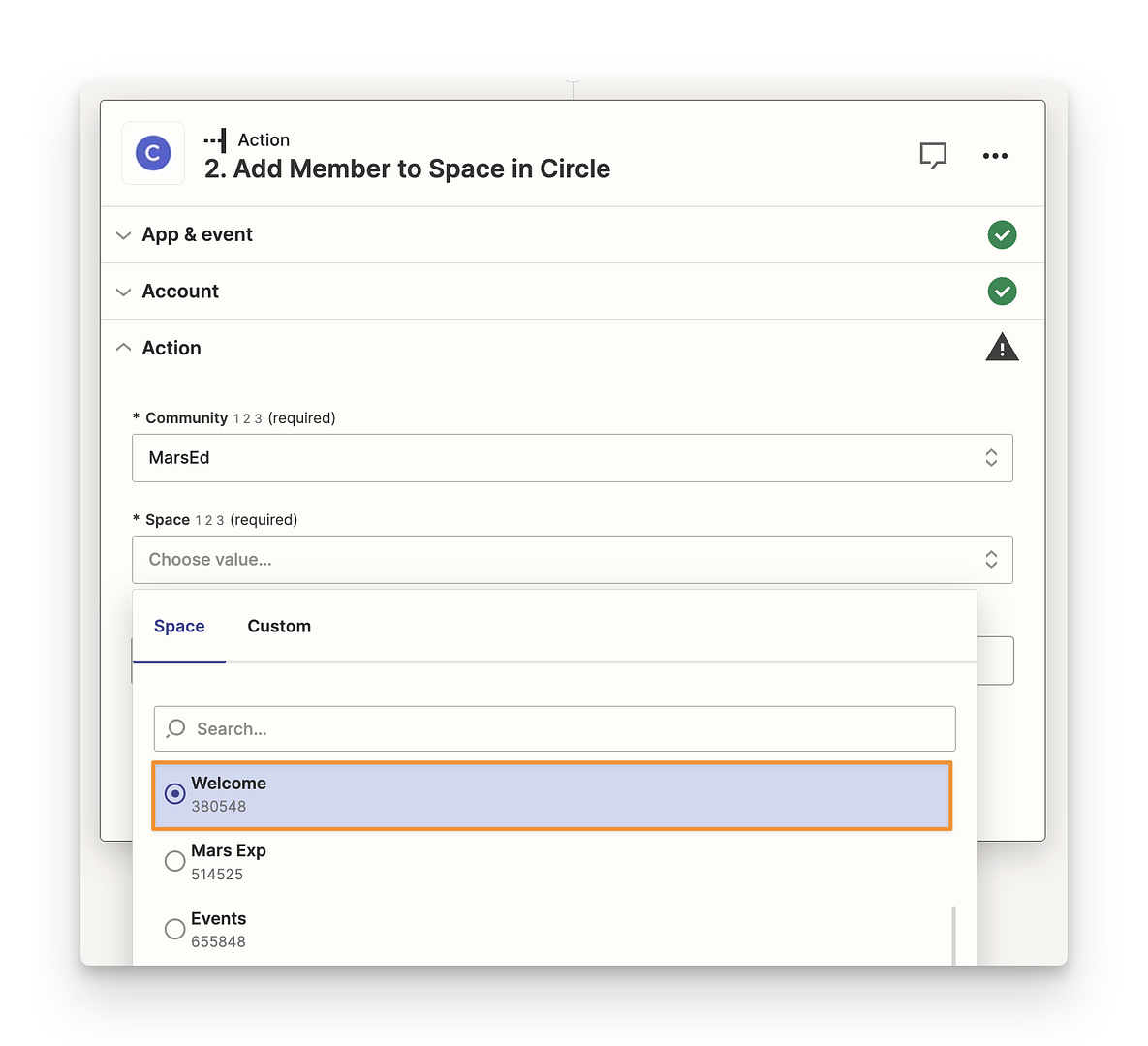
Zapier
You can also get this information from automation platforms like Zapier, where Circle is available. When you are adding members to a space or space group in Zapier, click the dropdown menu for the Space or Space group field to view the unique IDs.