Understanding prorated charges and credits for subscription changes
Last updated: August 14, 2024
When a member decides to make changes to their subscription, they can expect to see either an additional charge or a credit. This adjustment is referred to as prorated charges, which consider the price increase or decrease based on the subscription changes.
Proration ensures that members are billed accurately, reflecting charges and credits based on the number of days a member used a current subscription plan and the number of days remaining on a new subscription. This means a member is only charged part of a subscription’s cost to reflect partial use.
Before confirming a subscription change, a full billing summary will be displayed, including the amount to pay and proration charges, if applicable.
❗Important: This proration only applies to the recurring pricing amount. If the member’s original purchase included an upfront payment, they won’t receive a prorated credit for that upfront amount when making changes to the subscription. Similarly, if the new billing cycle or plan requires upfront payment, members will be charged the amount in full.
By default, the following actions usually result in a proration:
-
Changing billing cycle: When a member changes the billing cycle of their plan with a different cost. For instance, upgrading from monthly pricing ($5) to quarterly pricing ($10). In this case, the member will be charged with a recurring plan based on the new cycle starting upon the confirmation. To account for the unused time on the previous billing cycle, a prorated credit will be applied toward the amount due.
-
Changing plan: When a member changes their current plan to a different subscription plan. For example, upgrading from monthly Basic Membership ($5) to a monthly Pro Membership ($15) plan. In this case, the member will be charged with a prorated debit for the remaining time on the new plan. To account for the unused time on the previous billing cycle, a prorated credit will be applied toward the amount due.

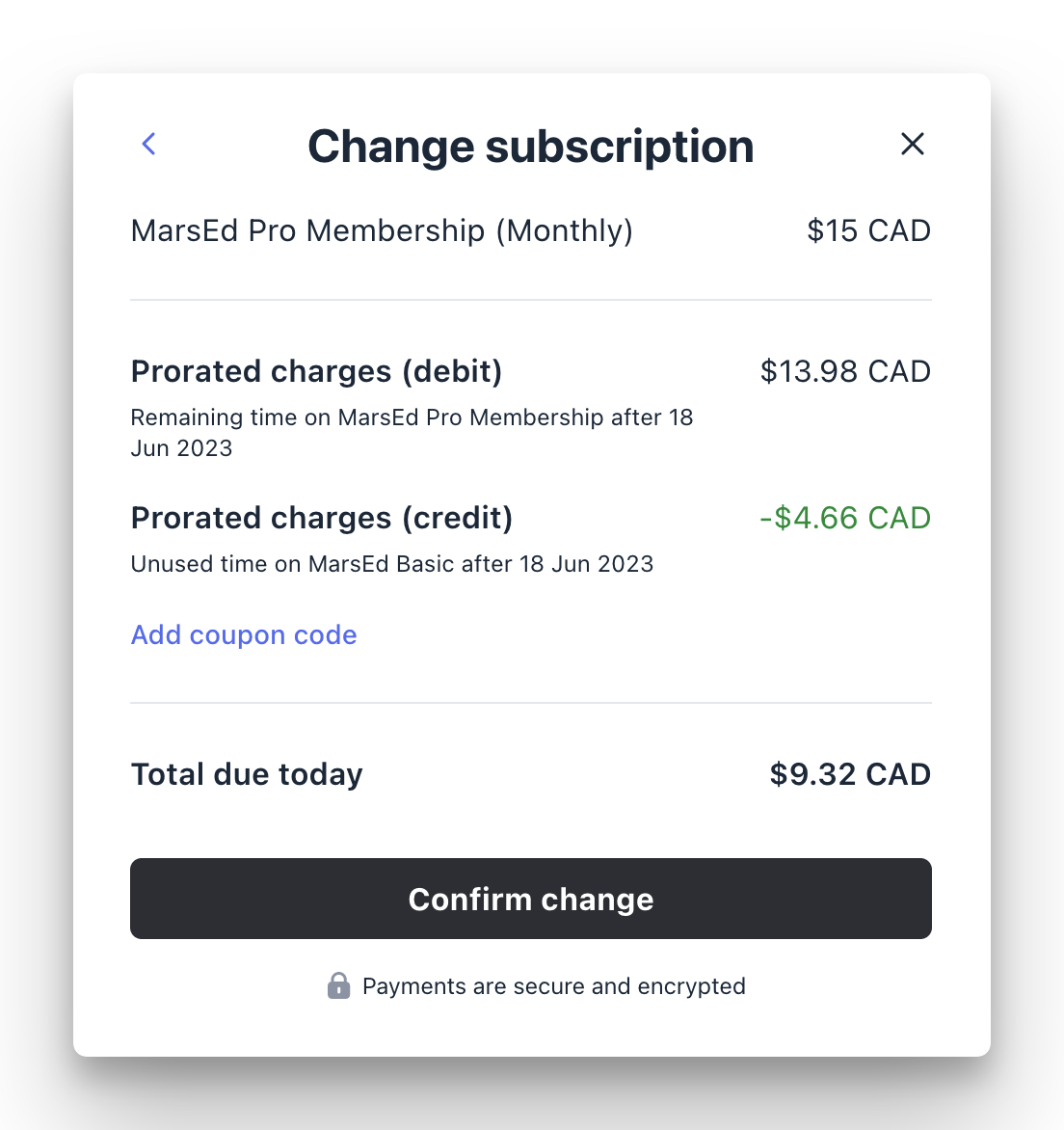
It's important to note that proration credits are not automatically refunded to members immediately. When changes result in proration credits, these credits are applied toward the member’s payment.
Suppose the credit amount exceeds the due amount when confirming the change. In that case, the excess credit will be added to their Stripe account balance and subsequently applied to their future invoices until the total credit amount is utilized.