Upgrade your trial membership subscription
🟡 Member-focused article | Last updated: October, 2026
When you enroll in a trial for a recurring membership subscription, you have the flexibility to upgrade to a different billing cycle within the same membership or to a new membership plan.
In this guide, we will walk you through the steps to update your trial subscription.
About upgrading your trial
There are two options when upgrading your trial subscription, depending on the membership price and plan availability:
-
Change billing cycle: If the trial you are currently subscribed to offers multiple pricing options, you can change the billing cycle. For example, changing from a monthly to an annual billing cycle.
ℹ️ Note: When you upgrade to a new billing cycle within the same membership plan, you will only be charged at the end of the trial period, allowing you to use your remaining trial duration.
-
Change tier: If you have subscribed to a membership with multiple tiers, you can upgrade or downgrade to a different tier during your trial. For example, changing from a Basic membership to a Premium membership.
-
ℹ️ Note: When changing your subscription to a different membership plan, it’s important to take note of the following.
Your trial days from the current subscription will end immediately. If your new plan also includes trial days, they won’t apply when you upgrade from your current trial subscription.
Once you have confirmed the upgrade, you will be charged immediately, and the new plan will be activated.
-
Upgrade your trial subscription
Click your profile photo in the top-right corner of the community header and select Billing.
-
Click Upgrade on your subscription entry.
💡Tip: If your plan is not part of an upgradable subscription group, you will not see an upgrade button on your billing page. If you do not see it, click the More actions (three dots) icon and select Change billing cycle.
-
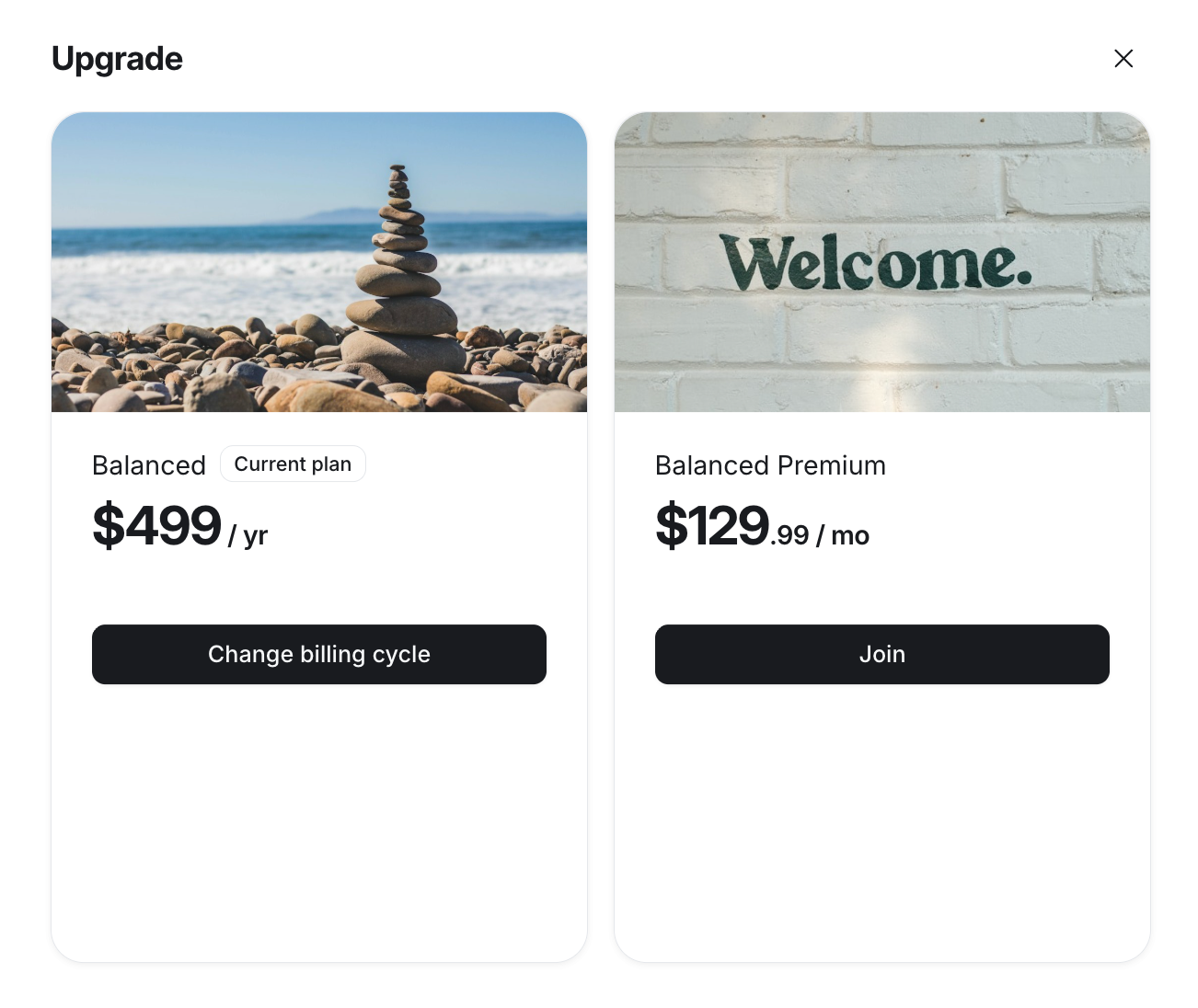
You will now see a dialog with options to change your billing cycle or upgrade to a different tier. Select from one of the following options:
Change your plan: If your current trial subscription is part of a multi-tier membership, you can switch to another tier. To do so, click Join on the plan you’d like to upgrade to.
Change billing cycle: If your plan has multiple billing cycle (pricing) options, select your preferred new billing cycle.
(Optional) If you have a coupon code, enter it in the Coupon code field to apply the discount.
Add a payment method and review your charge details.
Click Confirm change.