Download live Q&A log
Last updated: September, 2026
A Q&A log lets you revisit the questions submitted during an instant live session or live event. It's useful for post-event follow-ups, sharing key questions with your team, or keeping a record of what your members asked.
Key things to know about Q&A logs
A Q&A log is only available if at least one question was submitted during the live session. If there was no Q&A activity, the download option won't appear in the live dashboard.
Only admins can download Q&A logs.
Q&A logs can be downloaded only from a web browser or the desktop app. This option isn't available on mobile apps.
How to download the Q&A log
To download the live Q&A log:
Click Community in the left sidebar, then select Live streams.
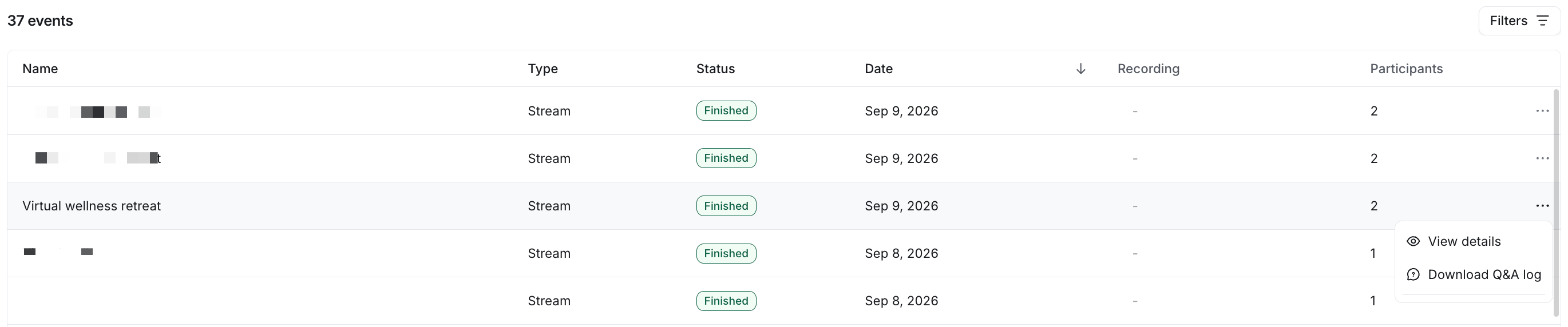
Click More actions (three dots) next to the live entry.
Select Download Q&A log and confirm the action.
-
The Q&A log CSV will be sent to your admin email.
What's included in the Q&A log
The downloaded CSV includes:
Timestamp for each entry
Entry type, either Question or Answer
Submitter's first and last name. If the question was submitted anonymously, the first name will appear as Anonymous and the last name will be empty.
Submitter's email address
Text of the question or answer
What’s not included in the Q&A log
The downloaded CSV file does not include:
Questions dismissed by an admin or moderator. If question moderation is enabled, only approved questions appear in the export.
Moderation status. Approved questions appear as regular entries with no label showing they were reviewed or approved.