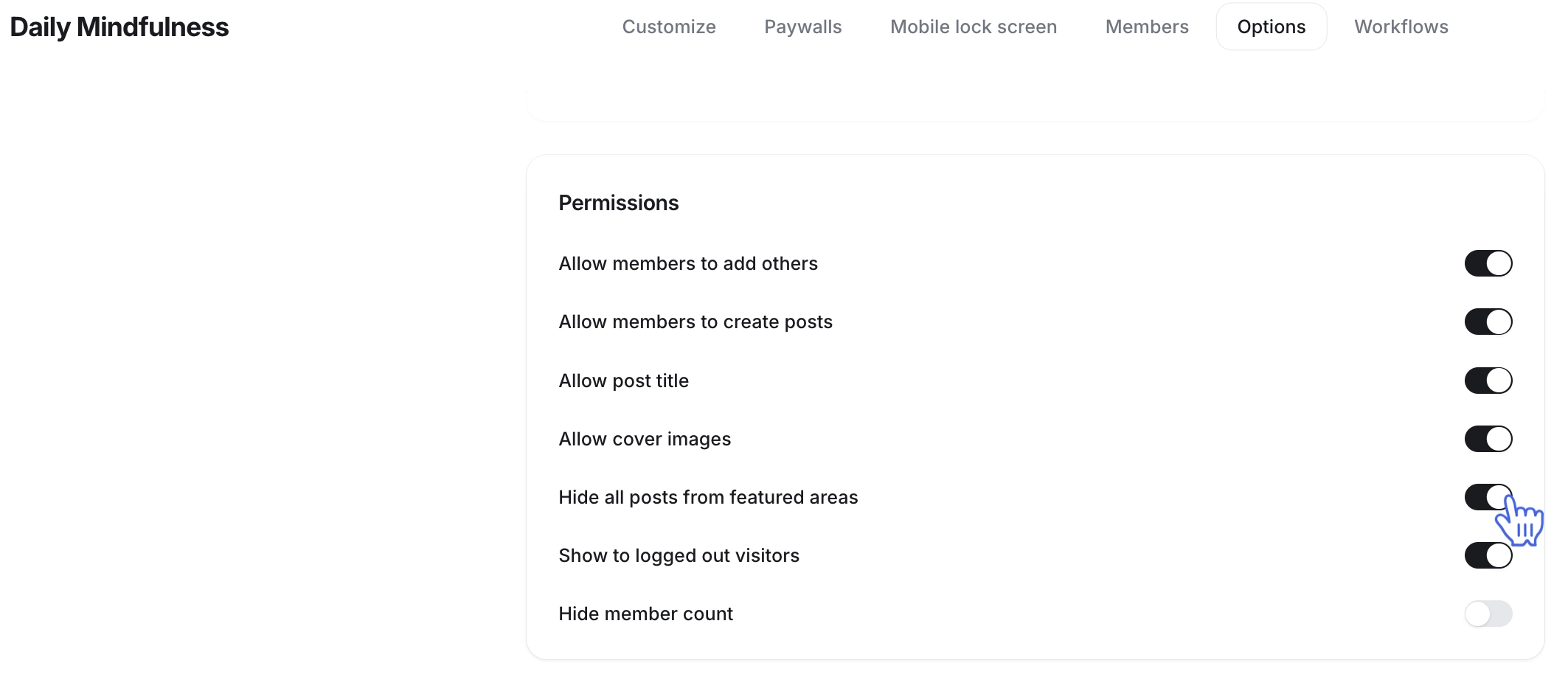
Exclude the specific event, post, or space from the Feed and weekly digest
Last updated: August, 2026
You can hide specific posts, events, or entire spaces from appearing in the featured areas, which automatically excludes them from both the Feed and the weekly digest. This helps you keep the focus on essential content, ensuring that members see only the most relevant and valuable information in their community feed.
ℹ️ Note: The option to hide content from the featured area is only available for the event and post type spaces.
Hide a post from featured areas
To hide post from featured areas:
Navigate to the post space where the post is located.
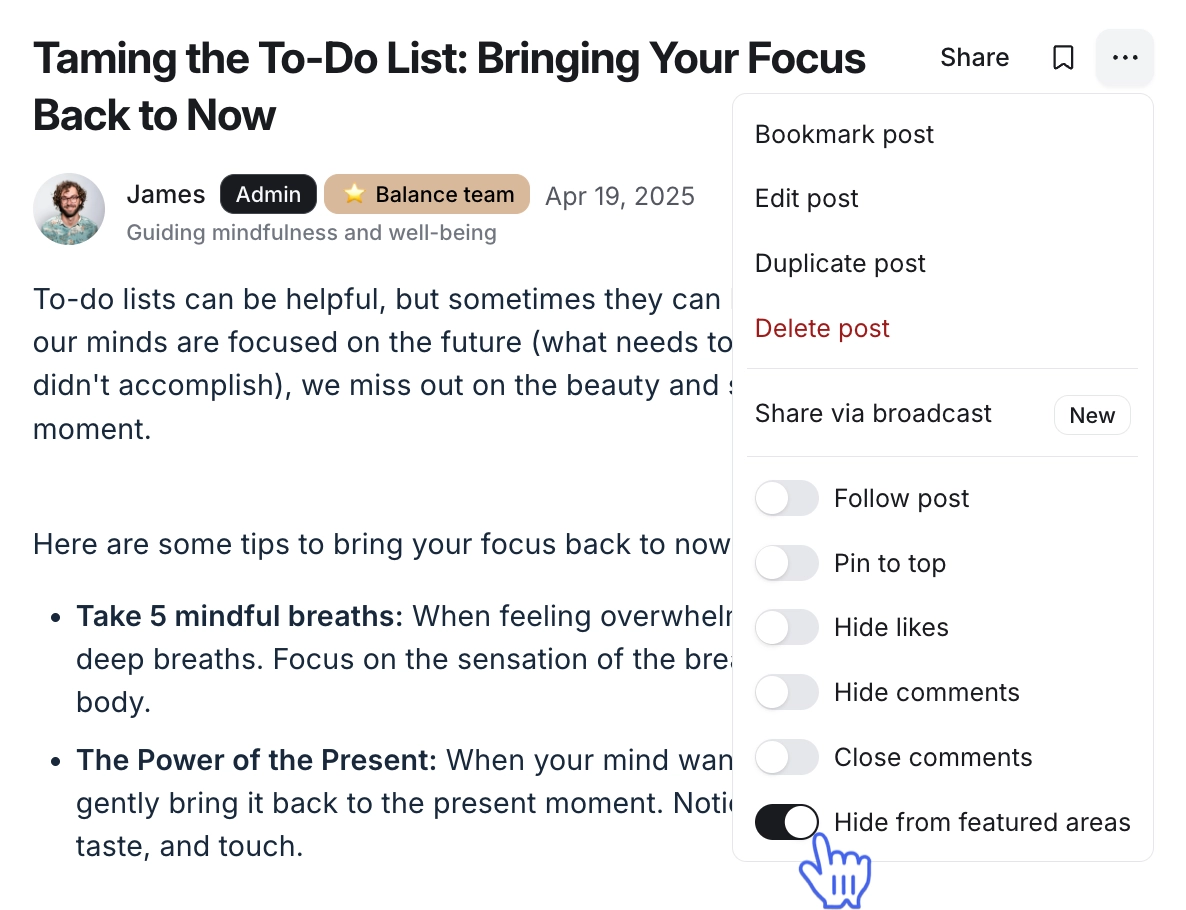
Click the More actions (three dots) icon next to the post title.
-
Toggle on the Hide from featured areas option from the dropdown list.
Create a moderation workflow from a template (optional)
As an admin, when you toggle on the Hide from featured areas setting for a specific post in an Image or Post space, you see a dialog with the option to create a moderation workflow from a template using AI filters and actions.
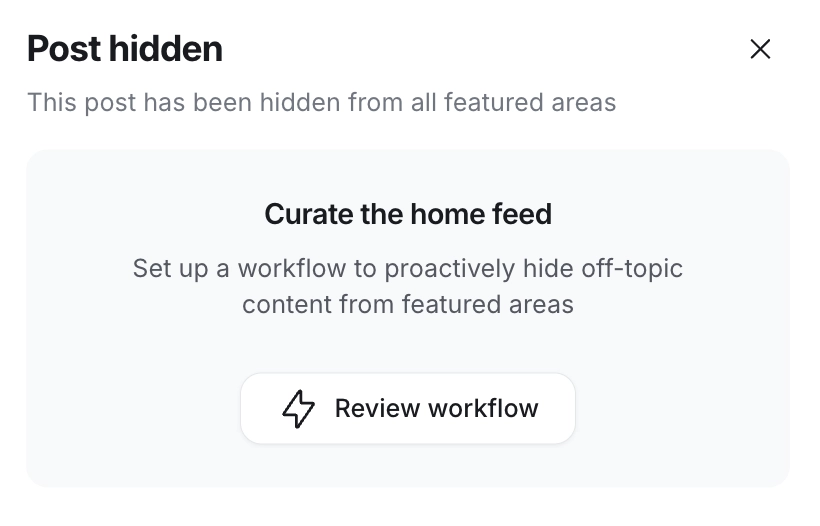
Click Review workflow to preview the template and select Use this template in the top right corner to make any necessary changes. Once updated, you can save the workflow as a draft or activate it immediately.
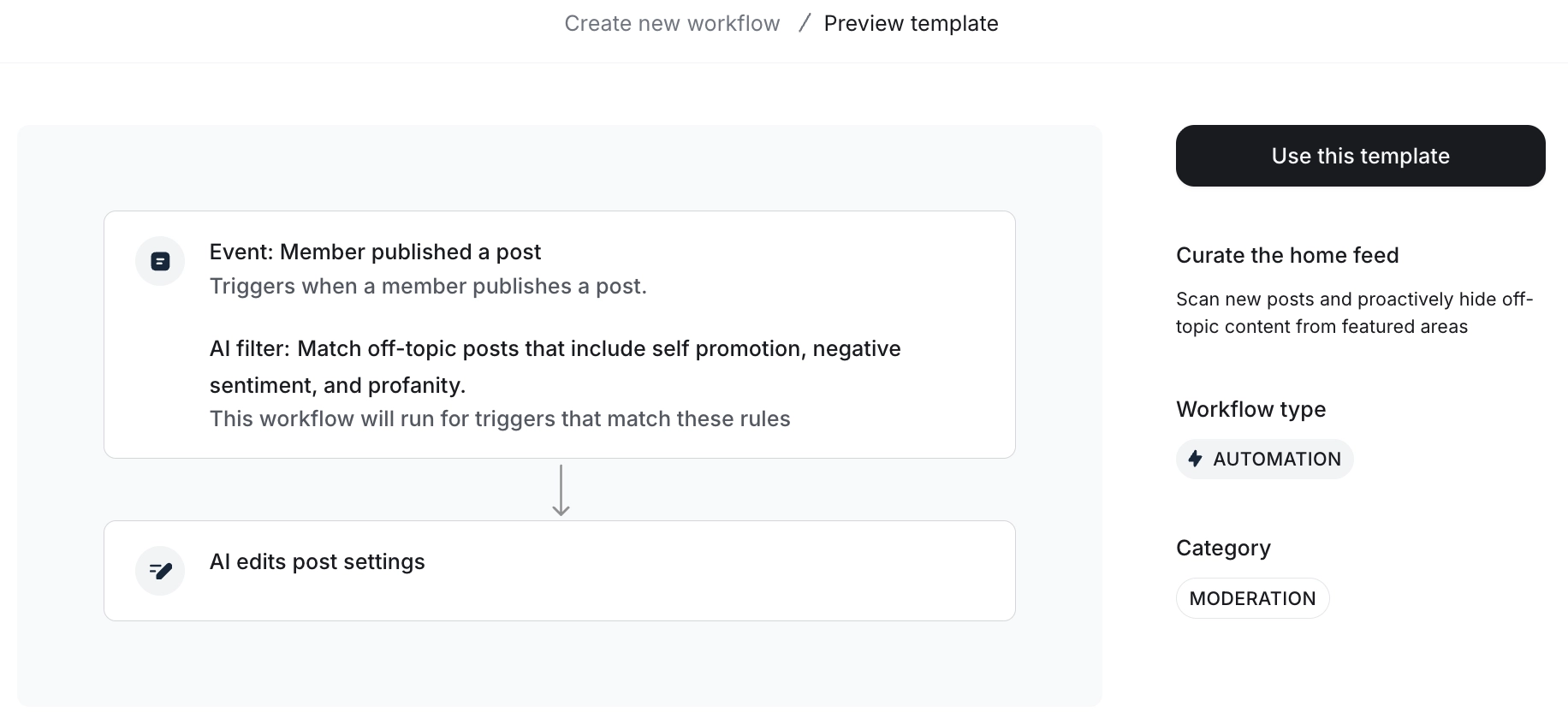
💡Tip: We recommend reviewing your existing moderation workflows before activating the new one to avoid duplicates.
Hide an event from featured areas
Go to the event space and find the event you wish to hide.
Click the More actions (three dots) icon next to the event and select Edit event.
Go to the Advanced tab and toggle on Hide from featured areas under the Permissions section.
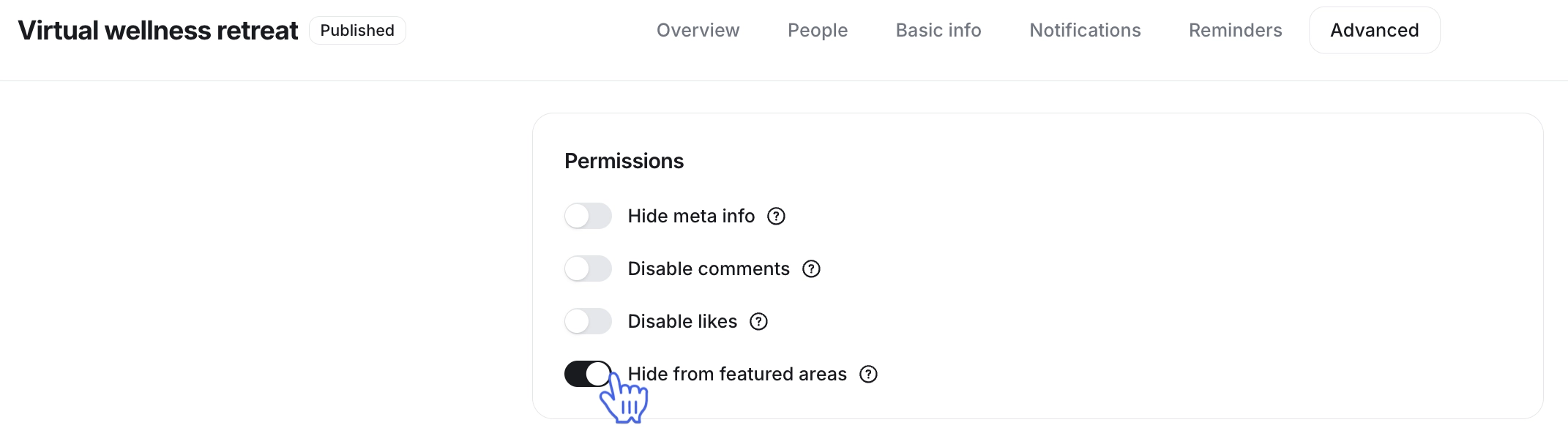
Click Save to confirm the settings.
Hide all content of space from featured areas
Navigate to the space where you want to hide posts from the featured areas using the left sidebar.
Click the More actions (three dots) icon in the top-right corner of the space, then select Options under Settings.
-
Toggle on Hide all posts from featured areas in the Permissions section.
Click Save changes to update the settings.