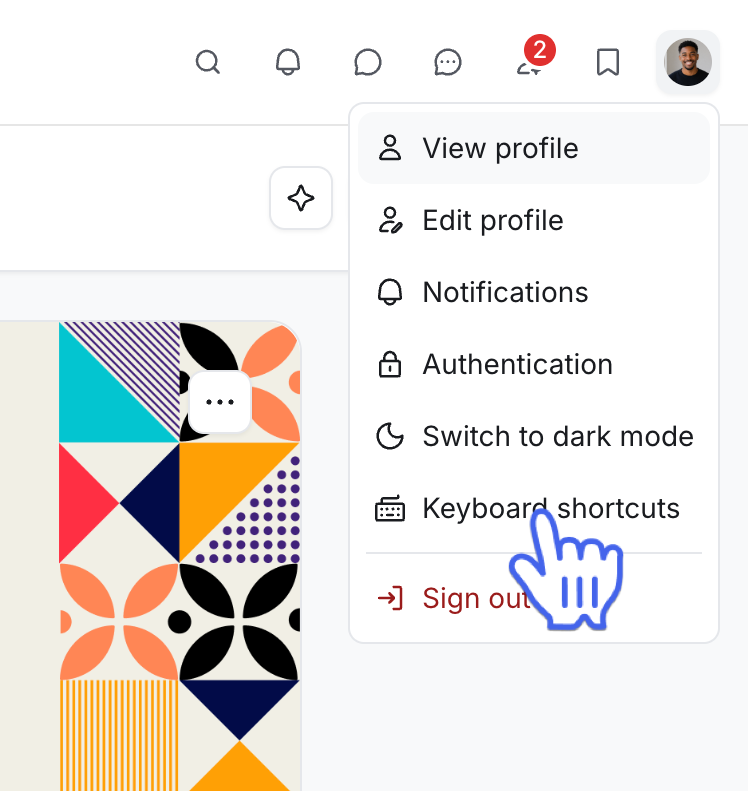
Accessing keyboard shortcuts
Last updated: July 2026
You can use keyboard shortcuts to quickly accomplish various tasks within the community.
These shortcuts help you take actions in the community that usually require the use of a mouse, including:
Edit your profile
Start a post
Create a space
Community switching (If you are part of multiple communities).
Text editor formatting, commands, and autocomplete functions.
To access the list of all keyboard shortcuts, click your profile picture in the top-right corner and select Keyboard shortcuts.
💡 Tip: You can also press Command+Slash (/) on macOS or Ctrl+Slash (/) on Windows to open the list of shortcuts.