Set up your Discover creator page
Last updated: June 2026
The creator page is your public profile on Circle Discover, it shows your name, bio, highlights, and all your published listings. You need to set up your creator page before you can create a listing.
ℹ️ Note: Your creator page becomes public after our team reviews and approves your first listing.
Access your Discover page
Navigate to Discover from the community switcher, or by opening discover.circle.so in a browser tab.
Set up your creator page
To setup your creator page, click your profile picture in the top-right corner of the Discover page and select My creator page.
Update your profile
Click Edit cover image to upload a cover photo, then click Save.
-
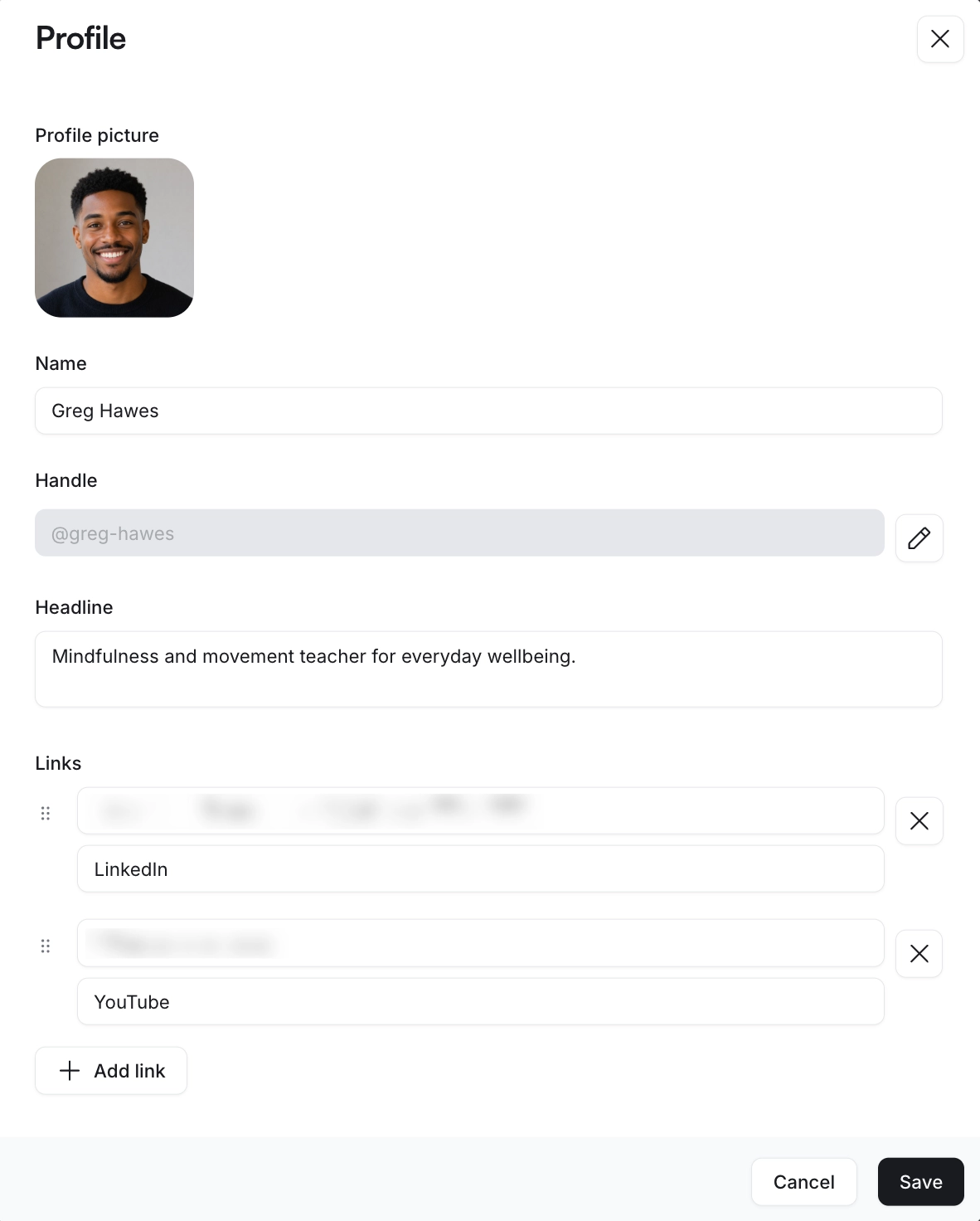
Click Edit profile to fill in your details:
Profile picture: Upload a photo
Name: Enter your display name on Discover
Handle: Your unique @handle. Click the edit icon to change it
Headline: Add a short description about yourself
Links: Click Add link to add any relevant links such as: LinkedIn, Twitter or your website.
Click Save.
Add an introduction
Create an introduction so potential members can get to know more about you and your community.
-
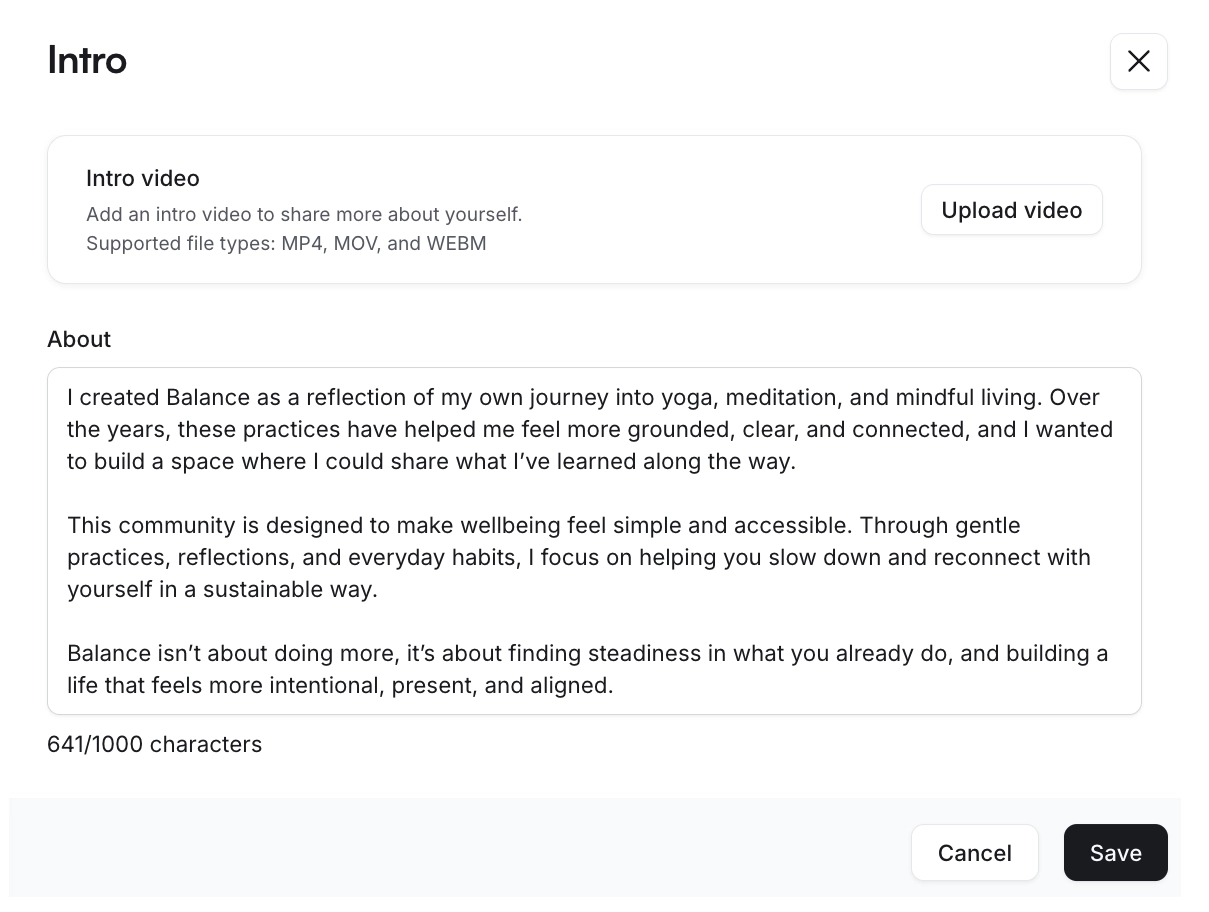
Click Add intro under the Introduce yourself section and update the following:
Intro video (optional): Upload a video in MP4, MOV, or WEBM format
About: Describe your background, experiences, and skills through text (up to 1,000 characters)
Click Save.
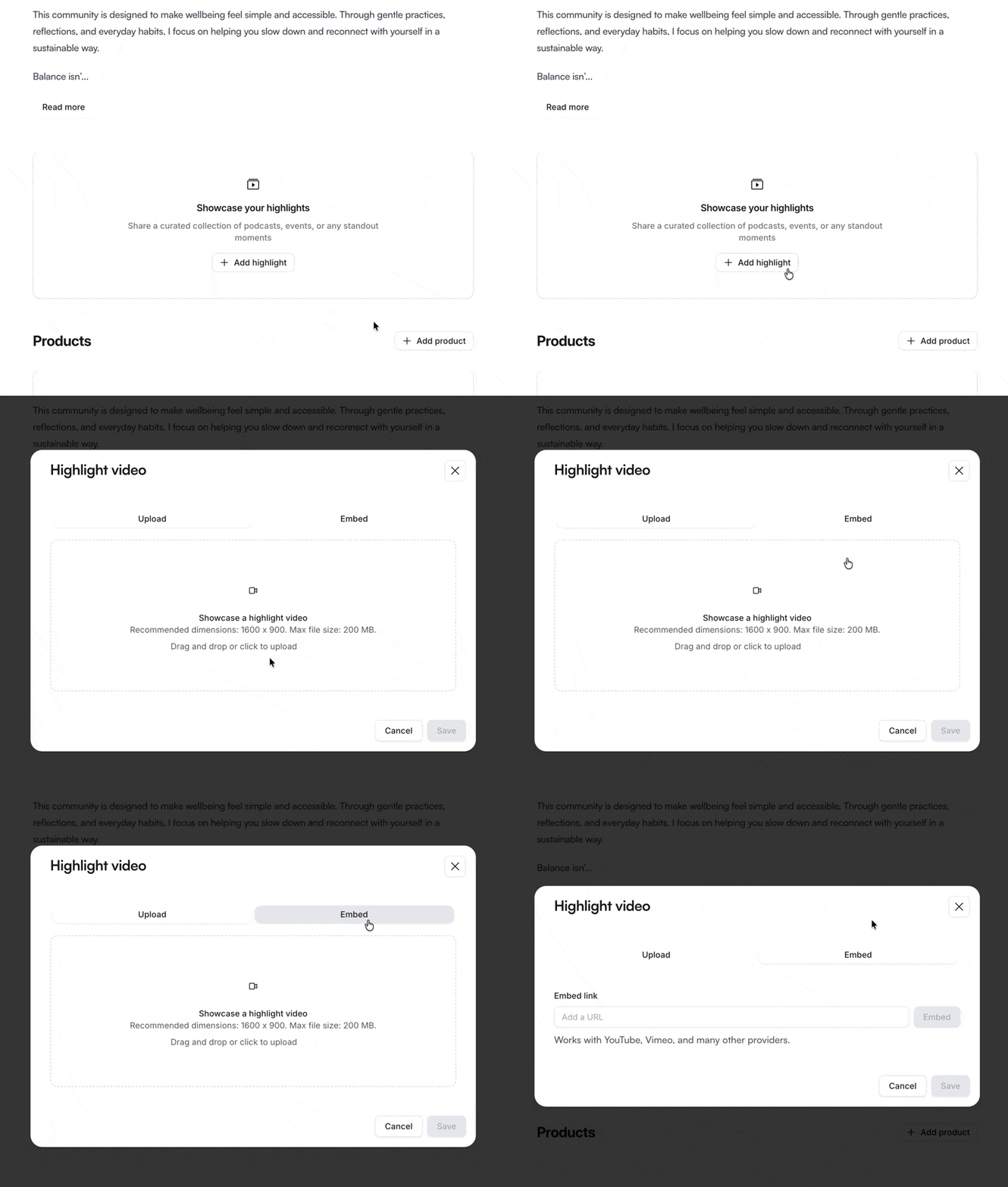
Showcase your highlights
Click Add highlight under the Showcase your highlights section to share standout content such as podcasts, events, or other memorable moments. You can upload or embed a video for each highlight.