Get to know Circle Discover
Last updated: June, 2026
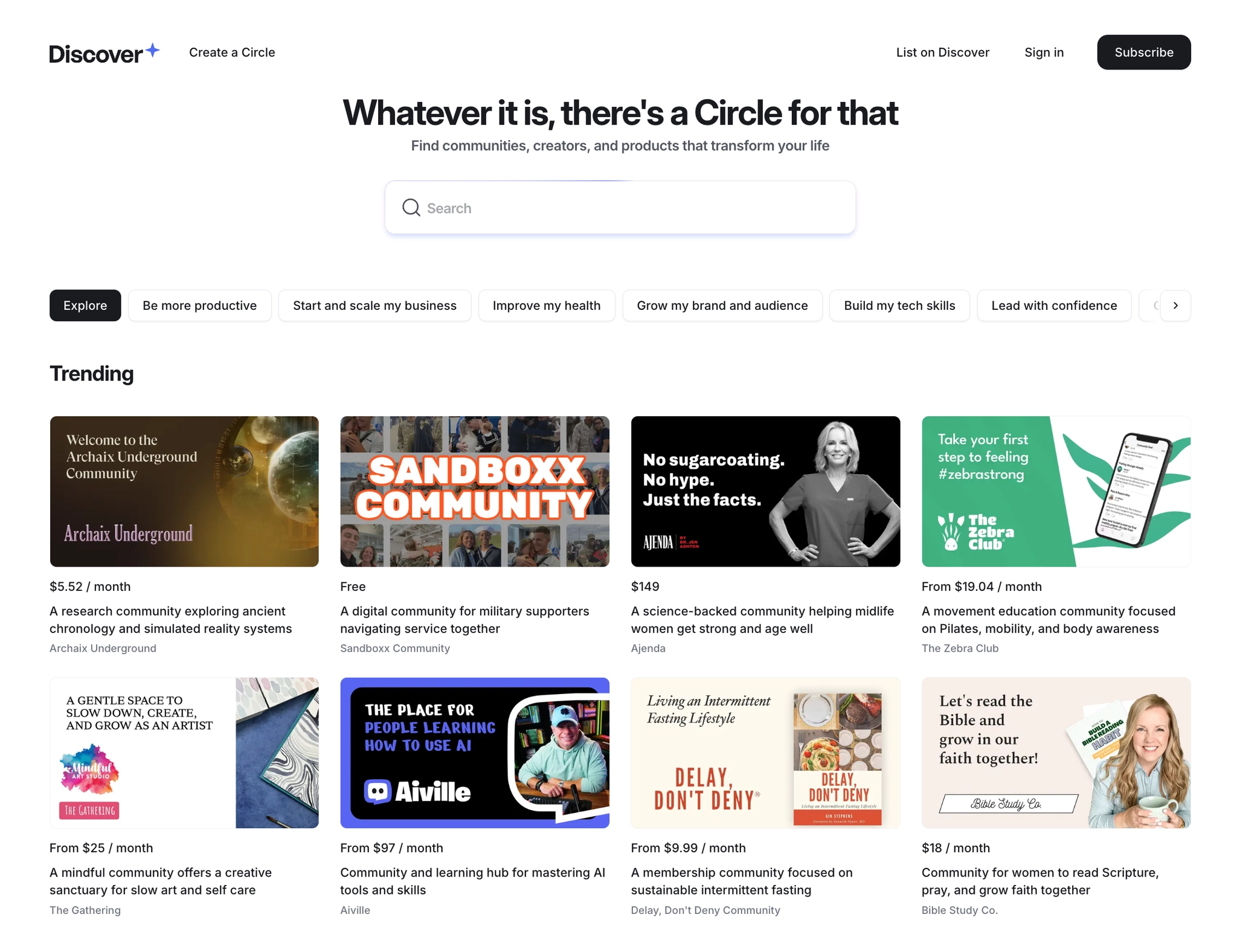
Circle Discover is a purpose-built marketplace designed to bridge the gap between creators and consumers.
About Discover
Building a thriving community with quality content, events, and engaging courses takes significant effort and dedication. Even with all that hard work, reaching the right audience can be a challenge. That's where Circle Discover comes in.
For creators, Discover:
Provides a platform to increase visibility for your community or course, showcasing your work to a broader audience.
Offers a chance to build trust with potential members (consumers).
Drives organic audience growth within your community.
For consumers, Discover:
Helps find a carefully curated selection of digital experiences, including high-quality communities, courses, and memberships.
Makes exploring new interests seamless and offers an easy way to find valuable, engaging content tailored to individual preferences.
Availability
Any Circle creator with a paid community plan can submit their course or community to Circle Discover today by filling out the request form here.
Circle Discover’s visibility in your community switcher
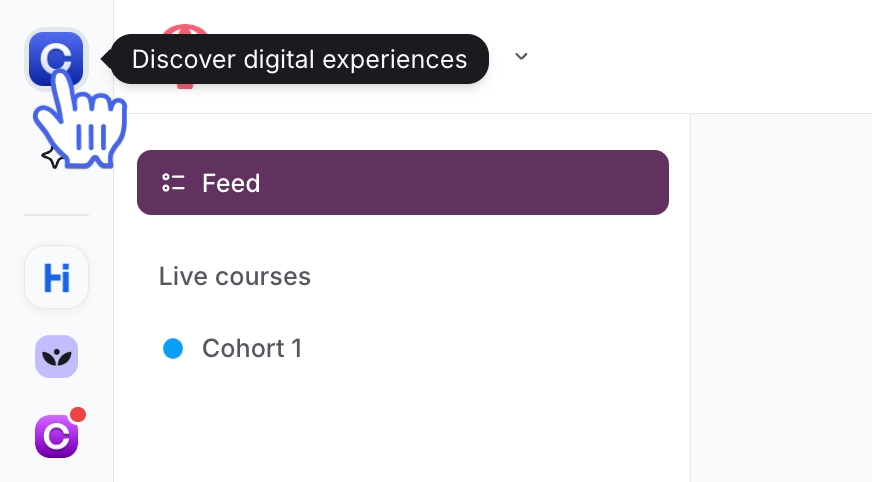
The new Discover icon is visible on the top of your community switcher and is controlled by it’s settings. Hiding the community switcher also hides the Discover icon and turning it on, enables it.
With Discover 1.5:
If you're already hiding the community switcher: Your settings will stay the same, the Discover icon will not appear in your community.
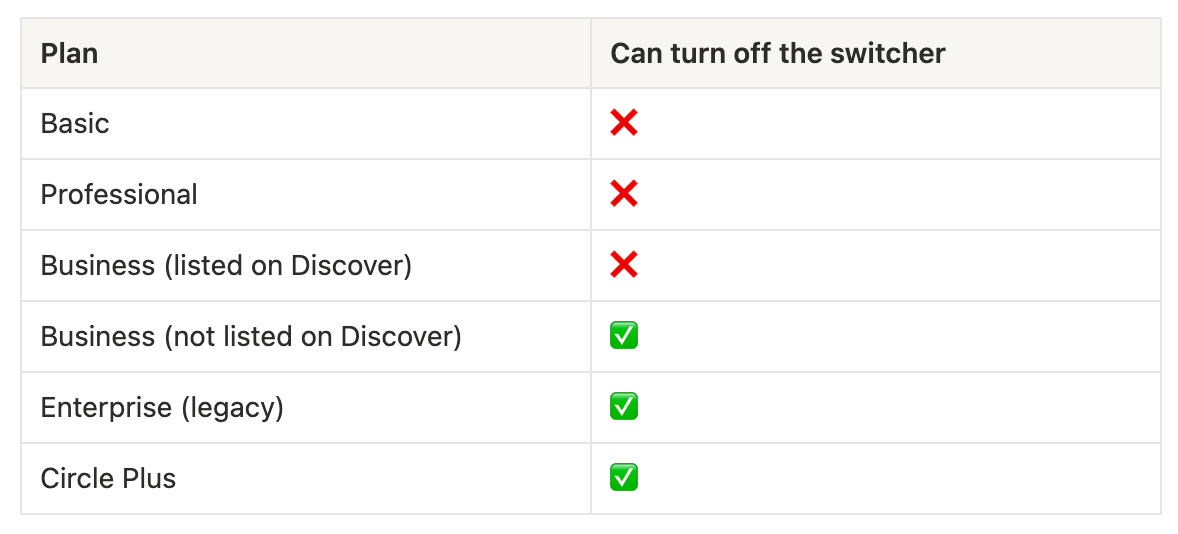
If you're currently showing the community switcher: You'll notice the updated icon. Depending on your plan, you can turn the switcher off if needed.
The community switcher is enabled by default on all new communities, and ability to turn it off depends on your plan:
Navigating Circle Discover
Everyone can access Discover in the following ways:
Visit discover.circle.so directly
Through the Circle marketing site
From the community switcher (if the Discover icon is visible)
Browse and search Discover listings
Users can explore a variety of listings on the homepage or filter the results by the goal they’re trying to achieve such as Be more productive or Start and scale my business.
To search for a specific creator or product, type a keyword into the search bar at the top of the page. Results are displayed in two groups on the search page: Creators and Products.
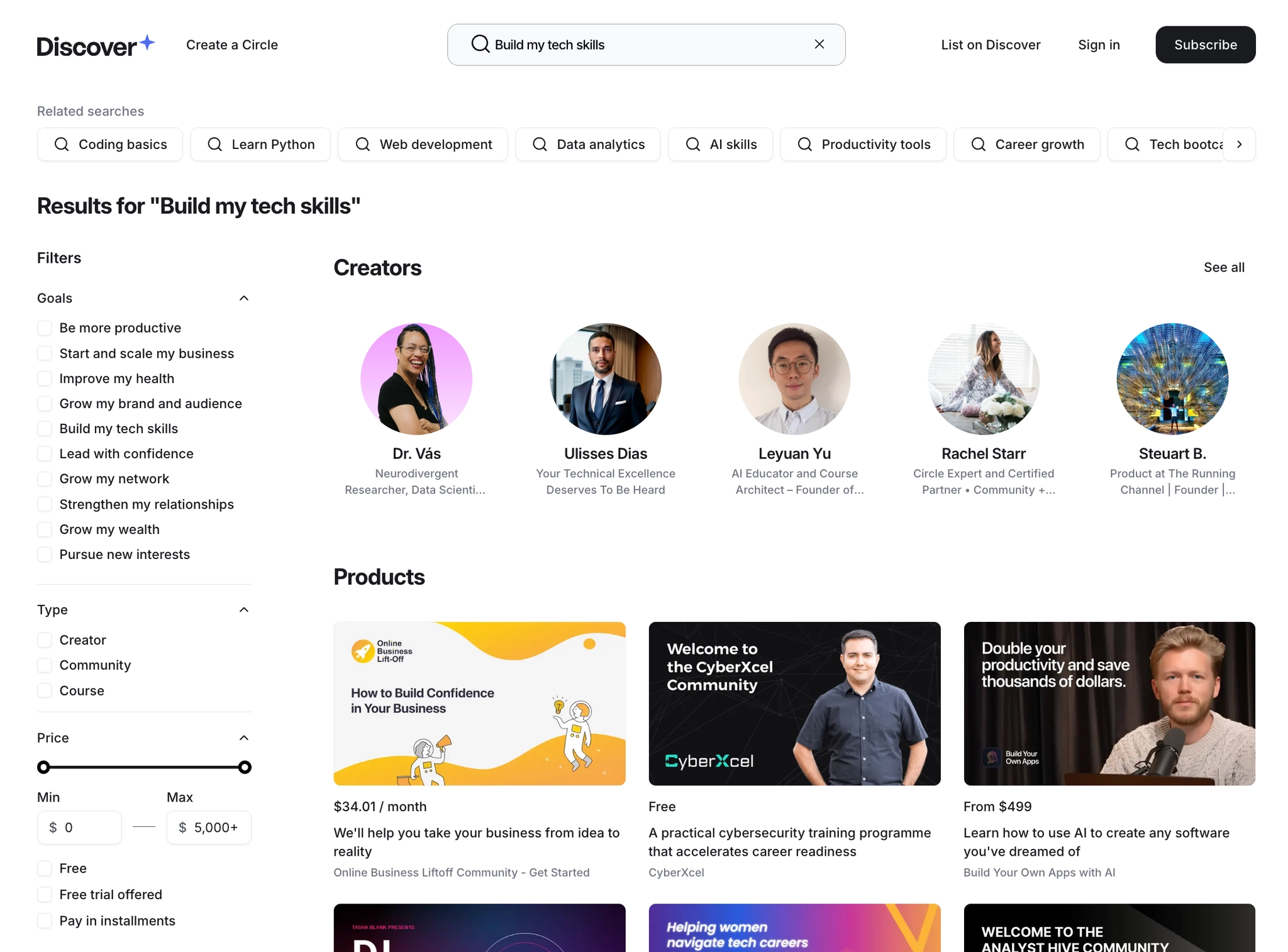
You can also use the filters on the left sidebar to narrow results by:
Goals: Filter by what you want to achieve, such as building your tech skills or growing your network
Type: Filter by Creator, Community, or Course
Price: set a minimum and maximum price range, or check Free, Free trial offered, or Pay in installments to filter by pricing options
Discover listings
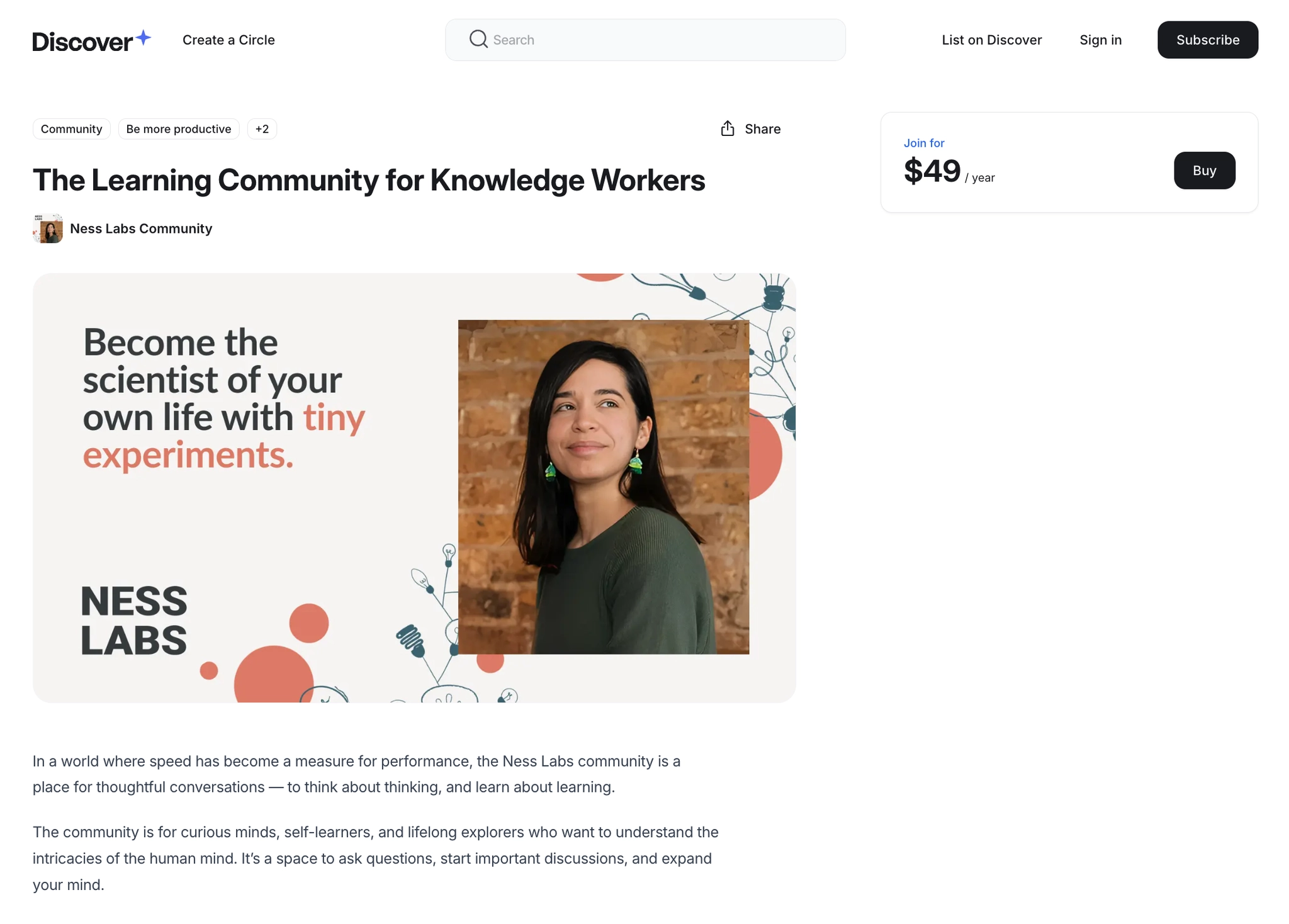
Each listing on Circle Discover provides comprehensive information about the creator's offerings, including:
Description: An overview of the listing.
-
Join or purchase: An option to join the community or, if it’s a paid offering, an option to purchase it.
Paid offerings are priced in USD. Depending on the checkout page setup, consumers may encounter a localized checkout page and currency when they proceed to checkout.
What’s included: A breakdown of content, features, or benefits included in the offering.
Outcomes: Insights into the value the offering provides and how it benefits the consumer.
Who is this for: A clear indication of the audience or group best suited for the offering.
-
Creator bio: Details about the creator, with a link to learn more about them.
The creator page provides additional details, including the creator's bio and key highlights. This allows consumers to gain a deeper understanding of the creator and their work, fostering trust and engagement.
Subscribing to Discover
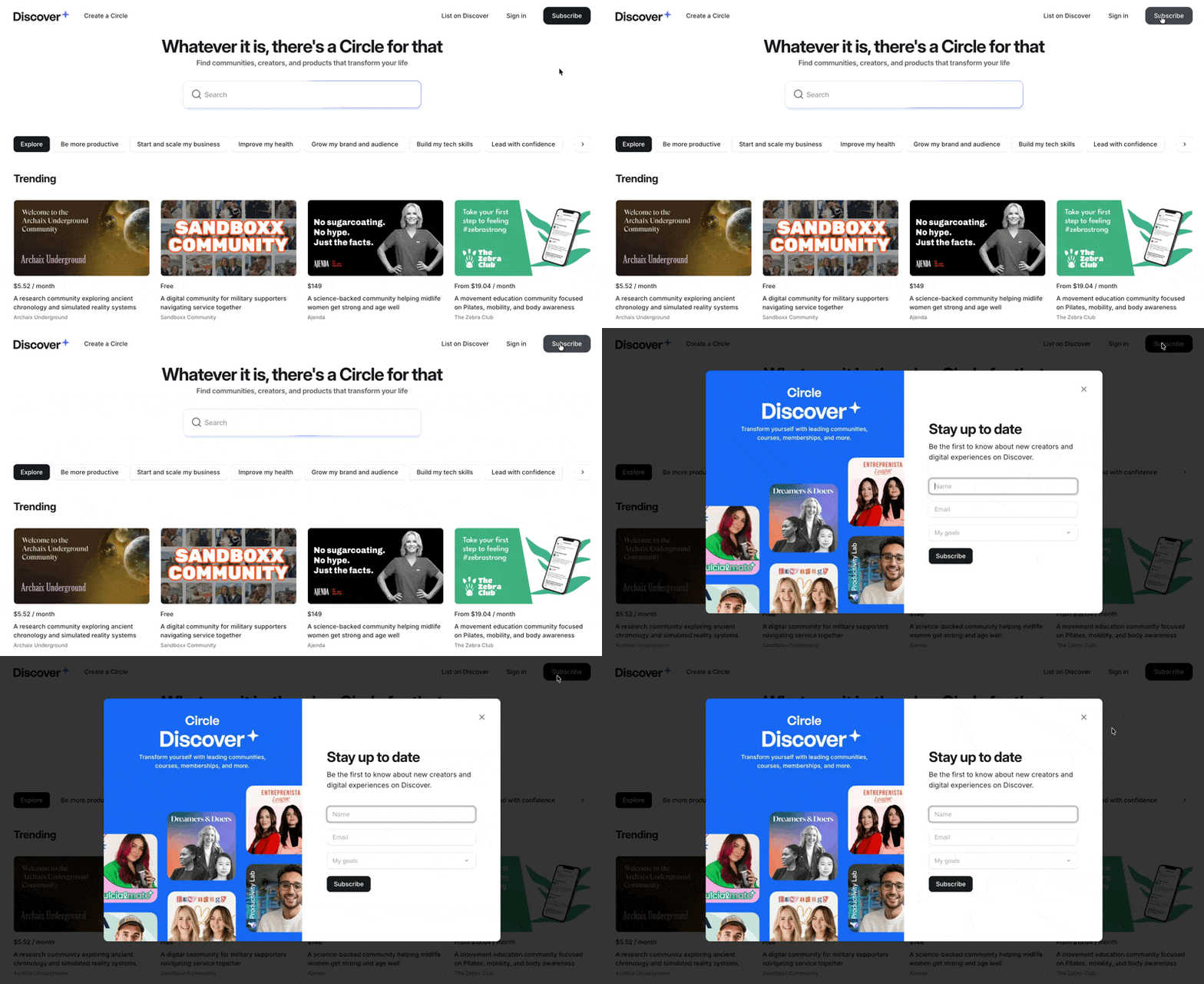
Consumers can subscribe to Discover to stay updated on new creators and digital experiences available on the platform.
To subscribe, they simply need to click Subscribe in the top navigation bar and provide their details, such as name, email, and areas of interest.
ℹ️ Note: Circle will never directly market Discover to your audience or reach out to your members about it. We only contact individuals who choose to join Discover on their own accord with curated recommendations.
List your community or course on Discover
To submit your course or community and set up your creator page on Circle Discover, fill out the request form here.
Once you submit your request, the Circle team will review it and contact you. Afterward, you can create your listing and set up your creator page. Both your creator page and listings will be seamlessly connected to your Circle account on Discover.
Once your submission is approved, your listing will be published on Discover. Your creator page, which includes your bio and highlights, will also become visible once at least one of your listings is published.