Fixing 3rd-party cookie login issues
When using Safari on an iOS device, you may have issues logging in to a community, whether in a browser or an embed. You might enter the correct email and password, only to find that nothing happens and you can't enter the community. Many describe this as being "stuck in a loop."
The cause of this is Safari's strict privacy settings called 'Block all cookies' and 'Prevent cross-site tracking.' If these were enabled in the past, it could prevent websites from working and block data needed during a login redirection.
Here are steps to resolve this issue:
Please note that we only support iOS 15+.
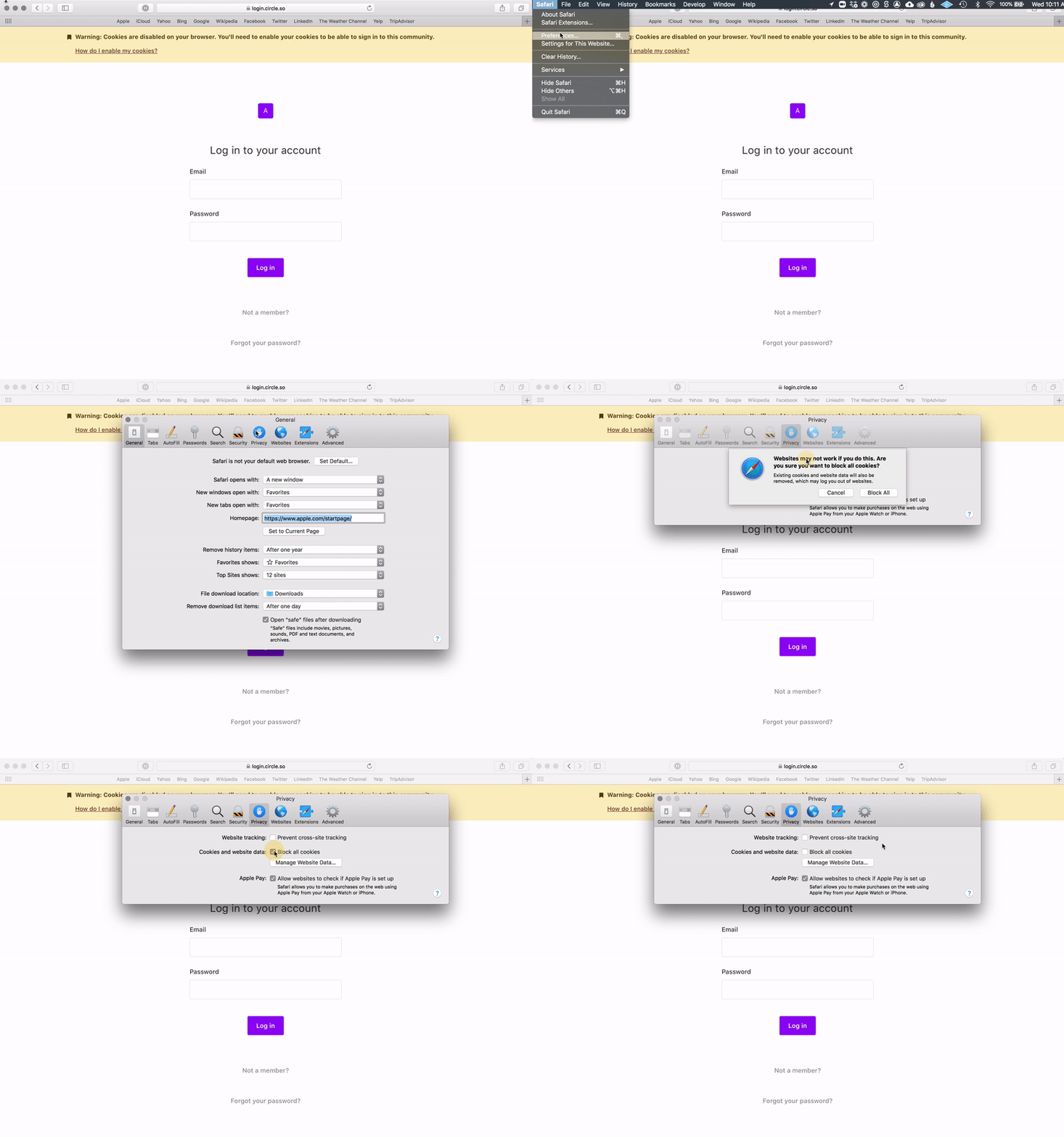
Desktop steps
Navigate to Safari → Preferences → Privacy
Ensure that 'Prevent cross-site tracking' and 'Block all cookies' are unchecked.
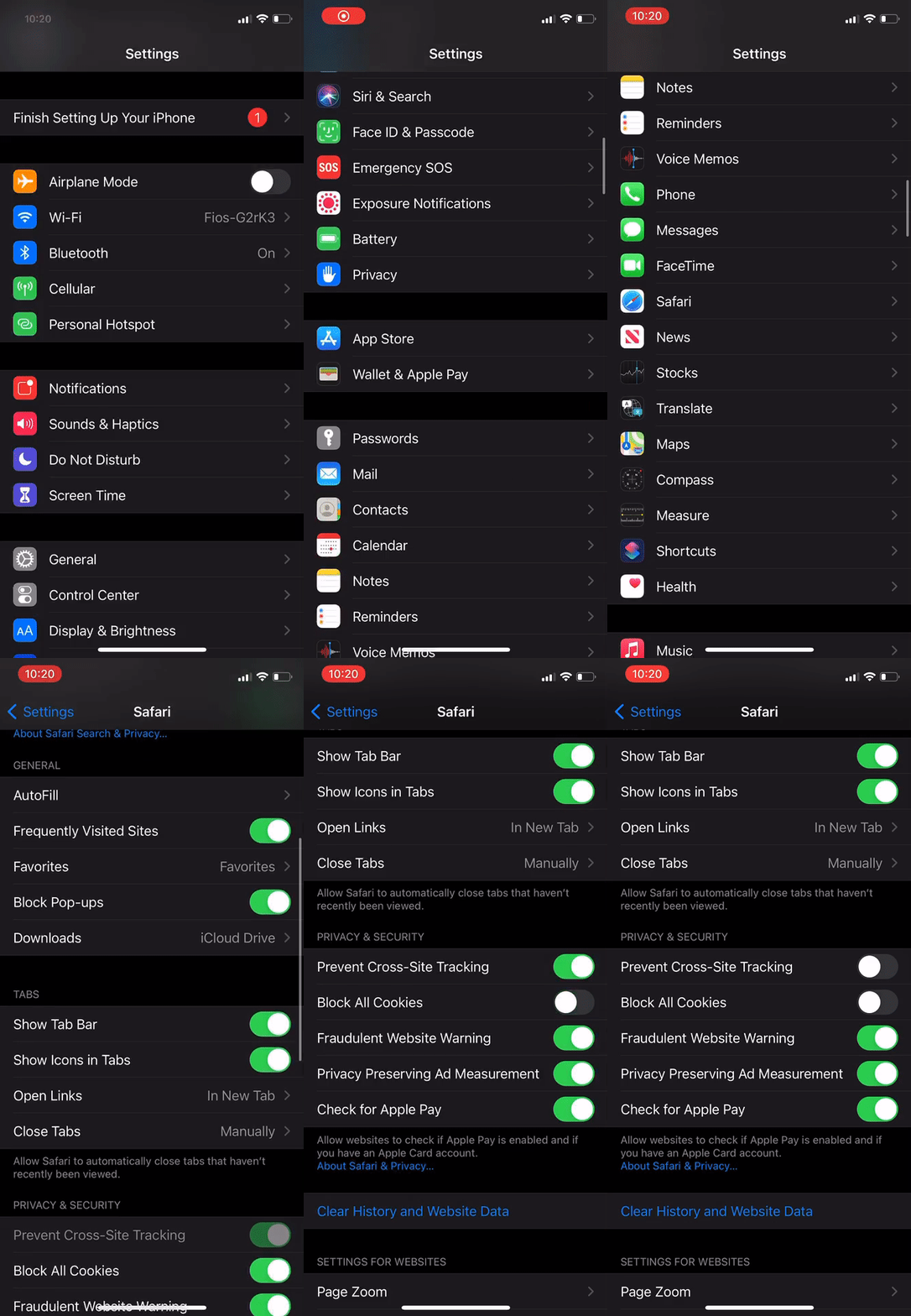
Mobile steps
Navigate to Settings → Safari → Privacy and security
Make sure ‘Prevent Cross-Site Tracking’ and ‘Block All Cookies’ are toggled off.
If that still doesn't work, you may want to try deleting your cookies, history, and cache. You can find steps on how to do this for your device here.