Get to know Circle AI (Beta)
Last updated: June 2026
Circle AI transforms the tools you use to grow and manage your community into an AI partner that can think, act, and build on your behalf.
It helps you get from intent to outcome without needing to know where each setting or option lives. Describe what you want in plain language and Circle AI figures out what needs to happen, walks you through it if you need guidance, or executes the task for you.
This article explores the key components of Circle AI and how it can help you run your community.
About Circle AI
Circle AI is a conversational workspace built directly into your community. Use it to ask questions, get guidance on what to focus on next, and take direct action, all from a single interface. Whether you want to set up your onboarding, manage your members, or configure your paywalls, Circle AI can help you build it.
It works through natural conversation, so you don't need to navigate to a specific page or remember where a setting lives. When you give Circle AI a task, it draws on a catalog of community-specific skills, plans out multi-step work for your review, and carries out actions in real time. A live preview panel shows you the member-side result as it builds so you can see your progress without leaving the chat.
Key things to know about Circle AI
Circle AI is your “command center” for admin work: Instead of hunting through settings, you can describe what you want (set up a spaces, invite a member, create a recurring event) and Circle AI takes action on your behalf.
Circle AI remembers context over time: Circle AI remembers context like how you like things named and what your community is focused on so you wont need to input this information with every conversation.
Circle AI can handle complex multi-step tasks: When a task has multiple steps (for example, setting up a paywall or creating a marketing broadcast), Circle AI can show you what it’s about to do, then execute the task step-by-step once you approve the plan. If your request is missing important information, it will present with option cards so you can add more information.
Availability
Circle AI is currently in beta and will be available to communities on all plans in the coming months.
Key components
Circle AI is built on five key components:
Tools: Tools are the action layer behind Circle AI. Each tool is designed for one specific task. When you give the AI a task such as “Invite a member” or “Create a space”, it automatically loads the right tool to complete the task. As an admin, you dont need to learn each tool name, just use plain language to describe what you want to accomplish.
-
Skills: Skills are the built-in playbooks that guide Circle AI’s behavior for a specific area, so it asks the right questions and uses the right tools to get the job done. Circle AI supports over 50 specialized skills across 12 domains, including: Community setup and build, Content creation, Monetization, Analytics and insights and, Workflows and automation. There are two main types of skills:
Explicit skills: These can browsed in the skills catalog and loaded directly from there or through conversation.
Implicit skills: These are loaded automatically through conversation, for example, when you create a new community Circle AI automatically loads the onboarding skill so it asks you the right questions to help you get set up.
Plans: Plans are how Circle AI turns a bigger request into a clear, safe checklist of actions before anything changes in your community. When you ask the AI to execute a task that requires multiple steps (like setting up a new space, organizing members, and configuring access), it first gathers any missing details, then creates a “plan” that spells out what it’s about to do step by step so you can review it. Nothing runs until you approve, and once approved, the steps are executed in order while showing progress and handling errors along the way.
Memory: Memory helps Circle AI build rapport over time instead of treating every chat like the first time you’ve met. With memory, Circle AI can hold onto helpful details like your personal preferences, rules for how your community should be set up, and a summary of what you’ve already worked on, so future answers and actions are more relevant and consistent. It can also remember context inside a specific Project, so everyone on your team can pick up where they left off without re-explaining.
Knowledge: Knowledge is Circle AI’s reference library, it’s what the AI looks up when you’re asking for information on a feature or troubleshooting an issue. For example, if you ask “How does paywall access work?” or “Why isn’t a member able to send messages?”, Circle AI can pull in relevant help docs, past support answers, and community-specific information, then explain it in plain language with the right context.
Getting started with Circle AI
Once Circle AI is available to your community, it becomes your main control center for building your community. When you sign in to your admin account, the first thing you’ll see is the AI home page.
Understanding the AI home page
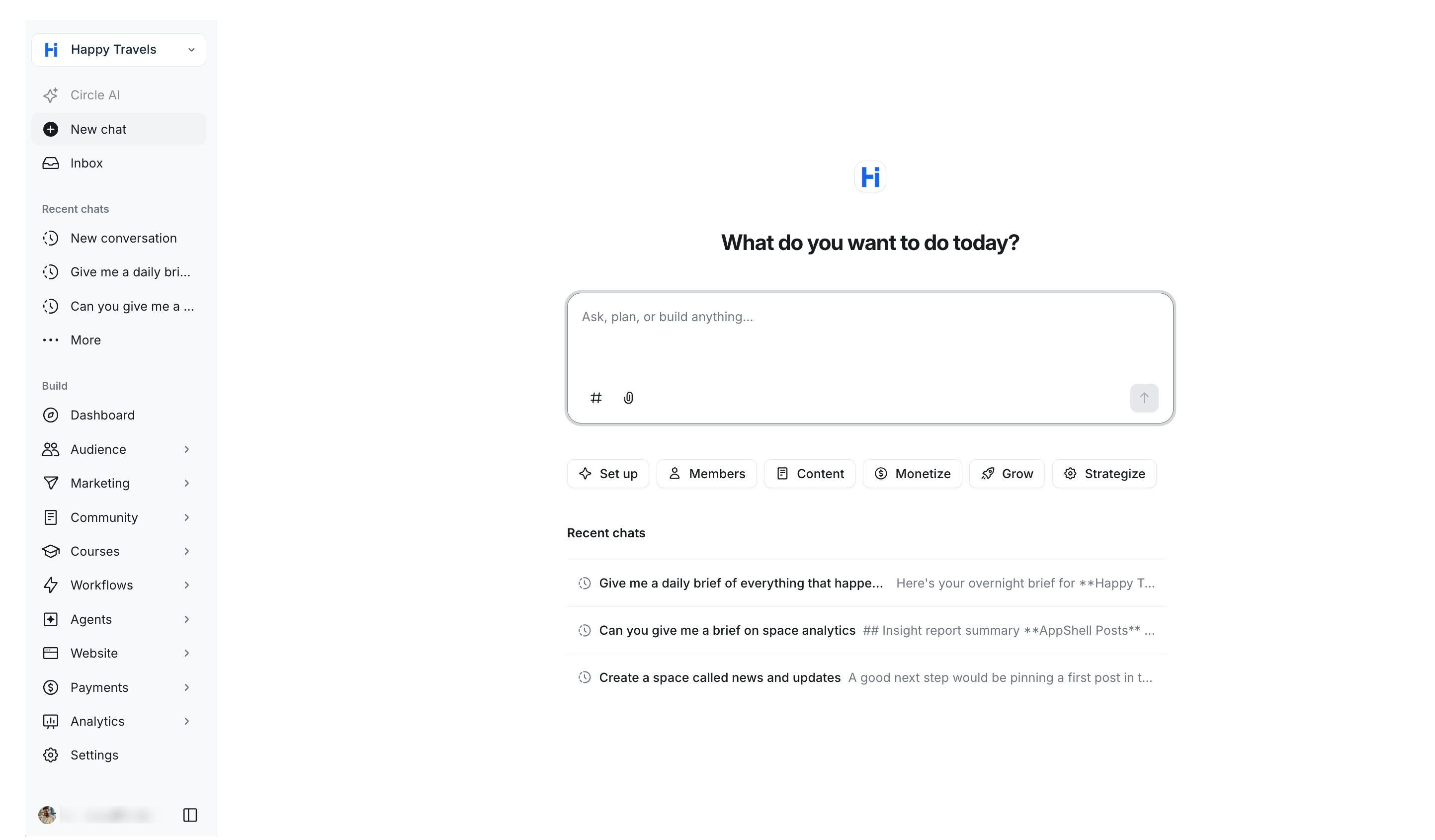
The home screen is the first thing you see when you sign in to your Circle admin. Everything is built around a single chat interface, with your community's admin tools accessible from the left sidebar whenever you need them.
Left sidebar
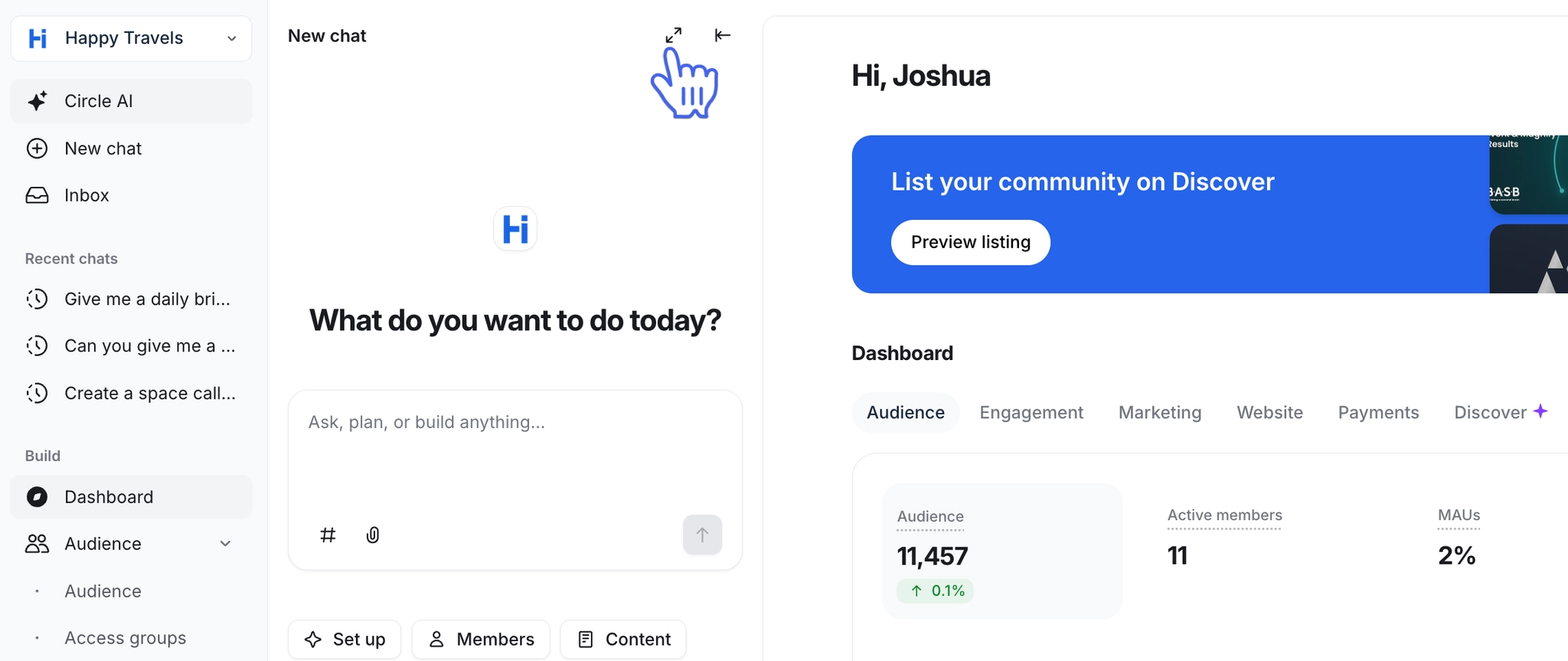
The left sidebar is split into two areas. At the top, you have your Circle AI navigation:
-
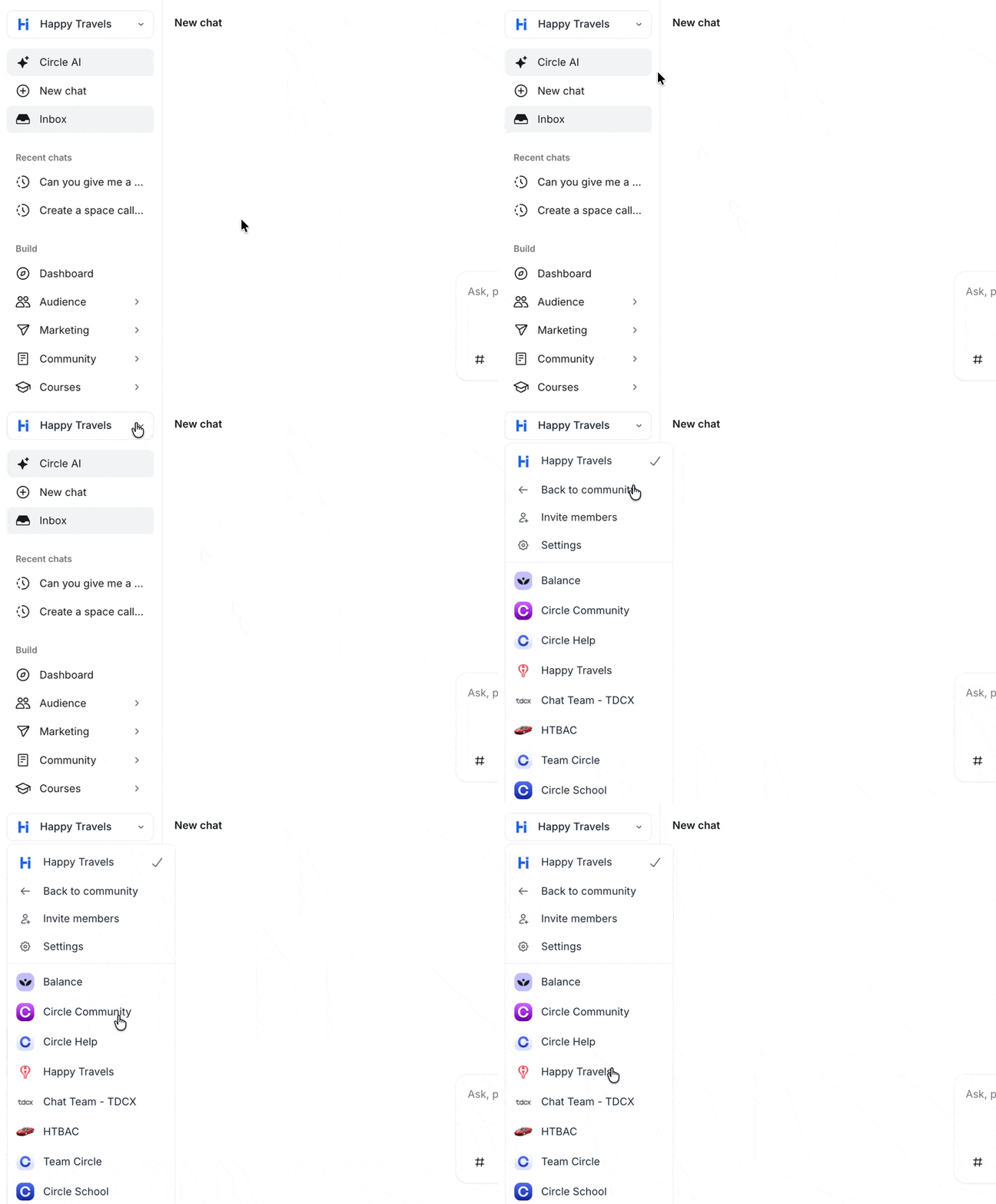
Community name: Click the dropdown next to your community name to access the community switcher, invite members, access your community settings or return to community (exit Circle AI)
Circle AI: Click Circle AI to open or close your chat with the AI from anywhere in the community.
New chat: Starts a fresh conversation with Circle AI.
Inbox: The inbox is the new home for your direct messages, AI agent conversations, in-app notifications and moderation actions.
Recent chats: A list of your most recent Circle AI conversations. Click a conversation to pick up where you left off.
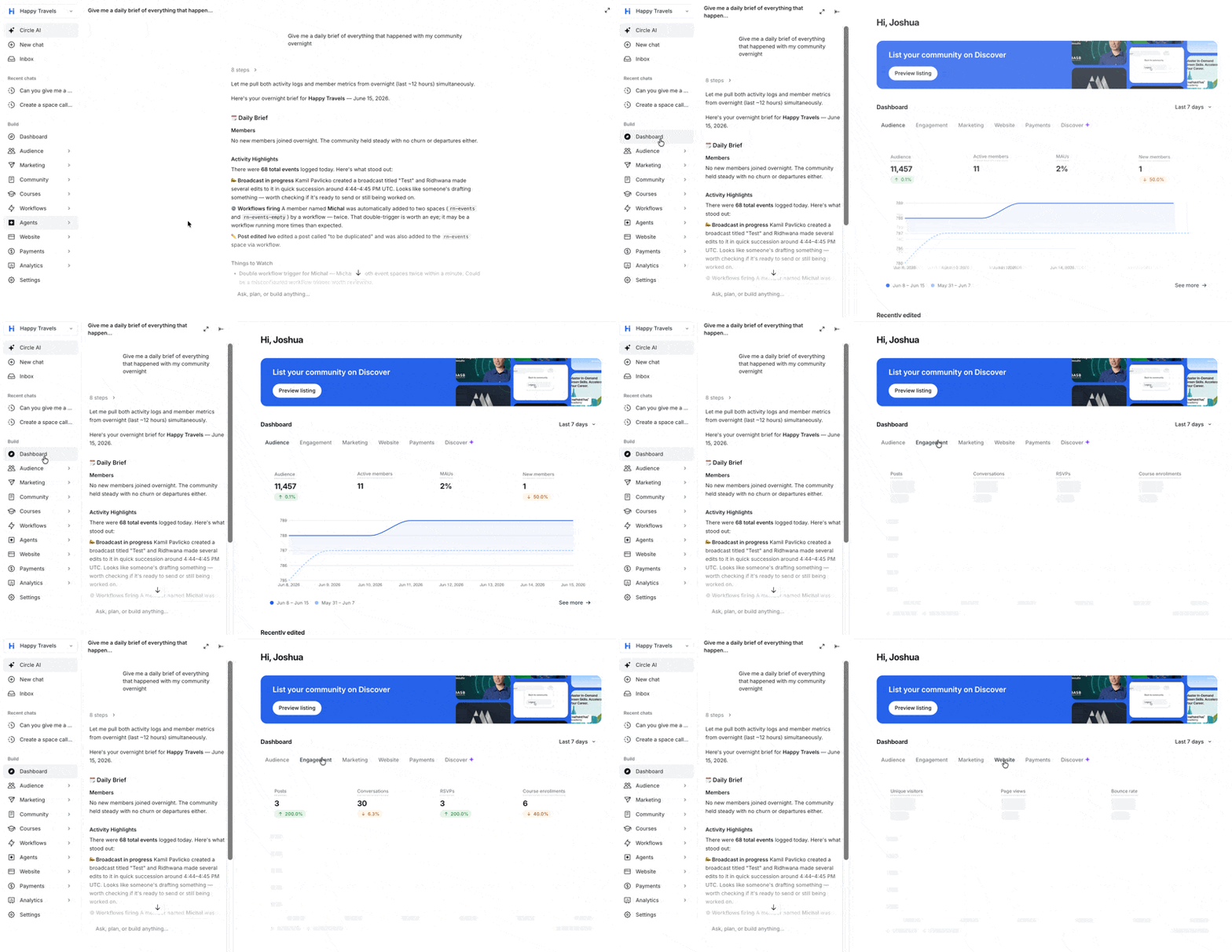
Below the AI and navigation controls, the Build section gives you direct access to specific parts of your community such as Audience, Marketing, Community, Courses, Workflows, and Settings. Selecting any item opens it in a canvas panel alongside the chat, so you can navigate manually without leaving Circle AI.
Chat input
The center of the screen is the chat input where you type your requests in plain language. You can also tag a specific space using the entity #️⃣ button, and upload a file using the attach 📎 button to add more context to your request. To get started, simply type in a request and click Send or press Enter.
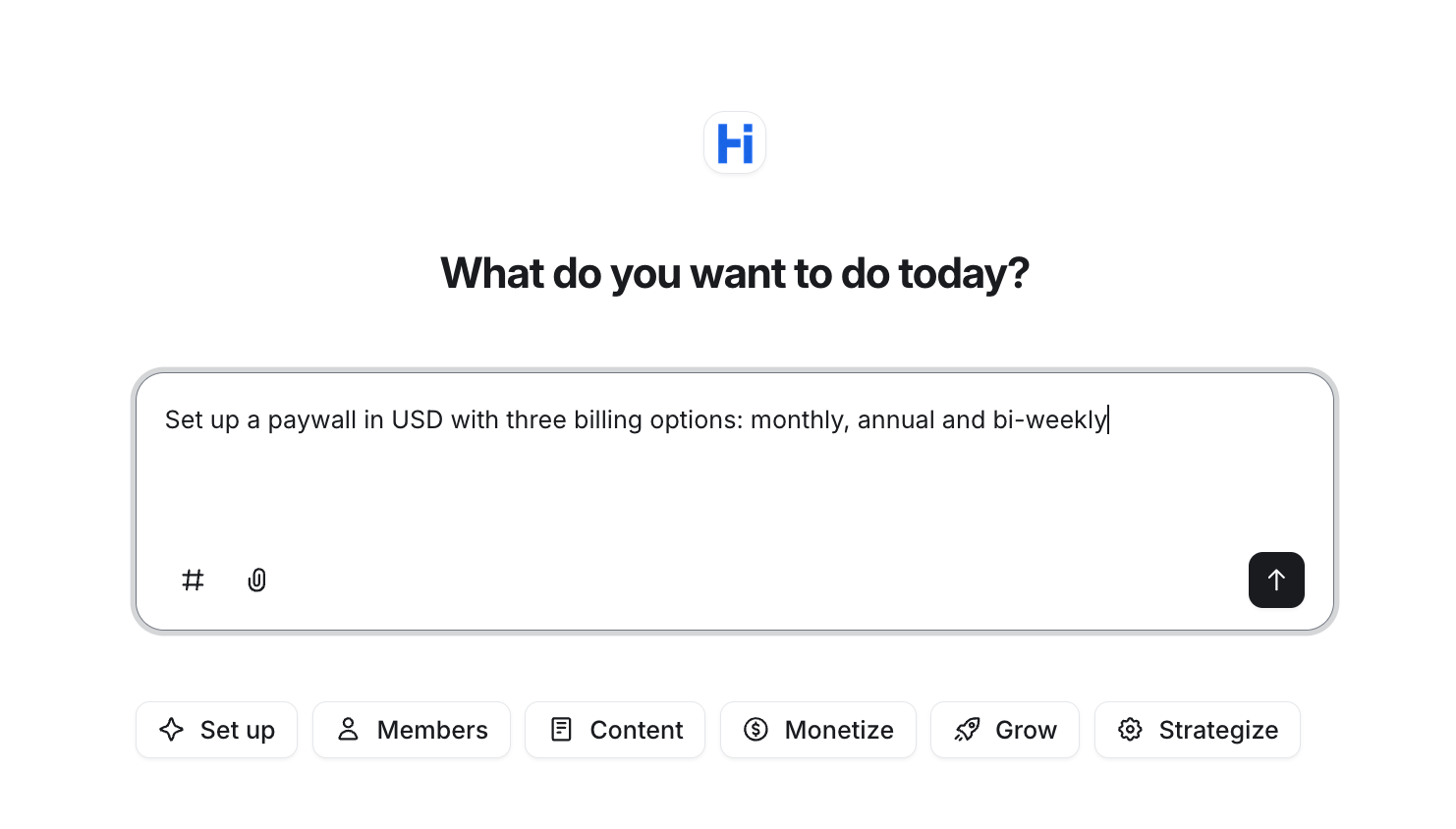
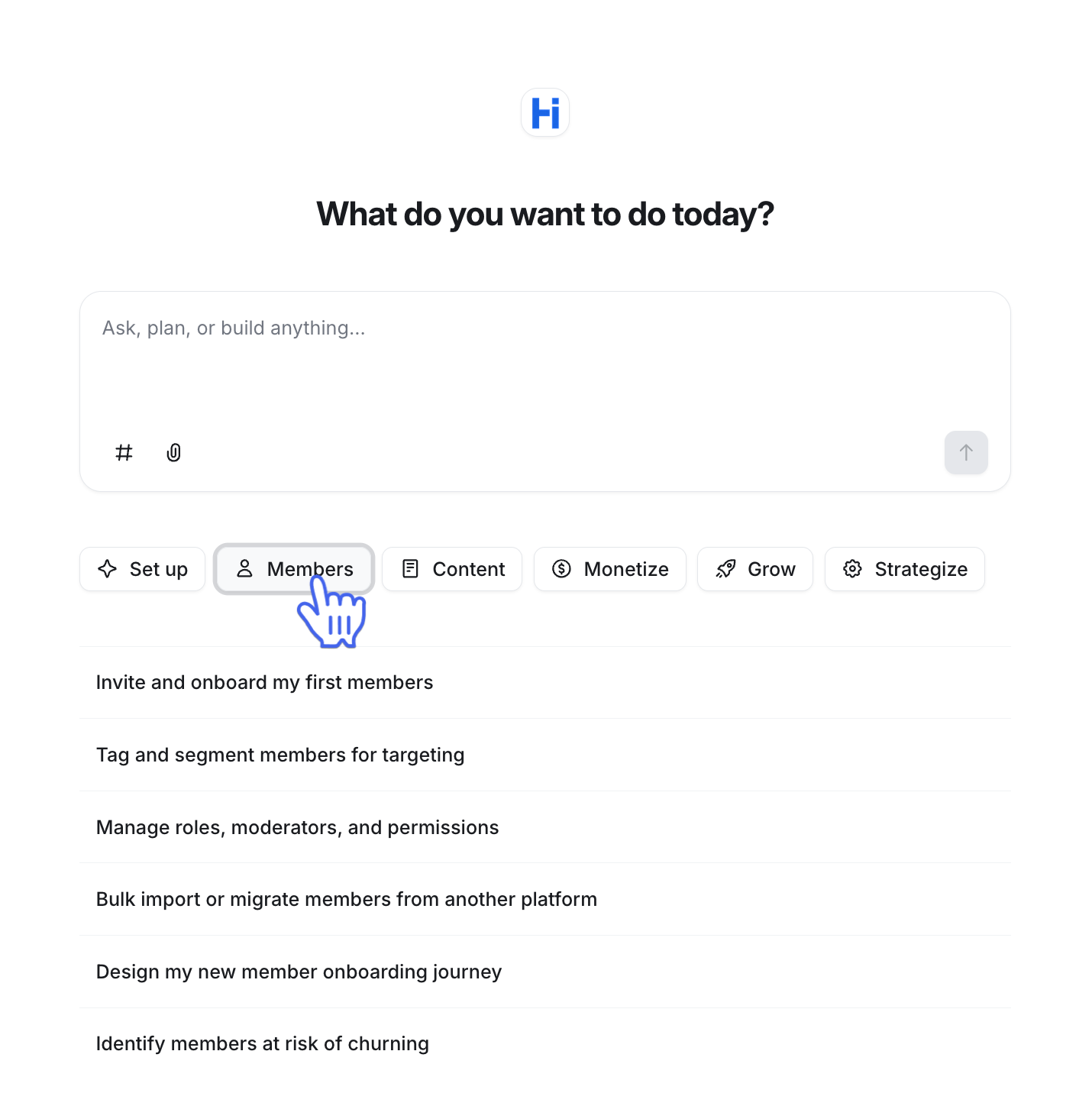
Below the input, six category pills give you a quick way to start a focused conversation: Set up, Members, Content, Monetize, Grow, and Strategize. Clicking a pill loads a set of suggested prompts for that area. You can select one to use it as-is, or type your own request.
To expand the chat to full screen, click the Expand icon in the top-right corner of the screen.
Frequently asked questions
Will Circle AI make changes without asking me?
Some actions happen immediately, like creating a post or updating a setting. Others require your confirmation before they run. Actions that are harder to reverse like deleting a member or sending a broadcast will ask for your approval first.
What is the difference between Circle AI and AI Agents?
Circle AI is a tool for admins that helps you build, manage and run your business with access to everything in your community that you have as an admin. AI Agents are for your members. They're embedded in spaces and communicate with members based on their purpose. They only have access to the knowledge base you configure for them.
What type of information does Circle AI have access to
Circle AI has access to your community data, the same things available to you as an admin. This includes spaces, posts, members, analytics, courses, paywalls, broadcasts, and more.
Can other admins see my Circle AI conversations?
No. Your conversations in Circle AI are private to your account.
Can Circle AI access private or paid spaces?
Yes. Circle AI has the same access as your admin account, which includes private and paid spaces.
Is my community data used to train AI models?
Circle’s AI features only access content that you choose to provide it. Neither Circle nor our AI model providers train or fine-tune AI models on your community or member data. You can read more in our AI policy.
What if I don’t want to build my community with Circle AI? Can I opt out?
Circle AI is completely optional, and you do not have to use it to build your community. To exit the Circle AI workspace, click your community name in the top-left corner and select Back to community. This will bring you back to the standard Circle 4.0 interface.